AI Tool That Adds Captions, B-Roll and Sound Effects (2026)

Eric Lee
CEO and Founder of Ssemble
The AI tool that adds captions, B-roll and sound effects to shorts automatically is Ssemble: paste a long video link, and it finds the best moments, cuts them to vertical 9:16, and adds animated captions, B-roll, sound effects, transitions, zoom, a hook title and background music in one pass, from $6/month billed yearly. If you mainly want captions in as many languages as possible, Submagic covers 118 caption languages; if you want to try AI clipping for free first, OpusClip gives 60 free credits with a watermark; and Klap auto-posts on every plan. Ssemble has no free plan, so it suits people ready to pay for steady weekly output.
TL;DR: Ssemble turns one long video into finished shorts with captions, B-roll, sound effects, transitions, zoom, hook title, CTA overlay and background music added for you, then schedules them to TikTok, YouTube Shorts, Instagram Reels and X. Pro is $6/mo yearly ($15 monthly) for 30 credits, where 1 credit covers up to 20 minutes of source video. Captions translate into 50+ languages. Trade-offs: no free plan and no prompt-based moment search.
What "adds everything automatically" should mean
Most clippers want the same result: a short that is ready to post without opening a separate editor. That usually means five layers on top of the raw cut:
- Captions that are animated, readable on a phone and timed word by word.
- B-roll that covers talking-head stretches so the clip keeps moving.
- Sound effects and transitions that mark cuts and punchlines.
- Music under the voice, without drowning it out.
- A hook at the top so viewers know why they should keep watching.
Some tools only cut the clip and caption it; you add the rest by hand in a separate editor. The useful question is how many of these layers a tool adds in the same pass that finds the clips.
AI tools that add captions, B-roll and sound effects compared (November 2026)
| Ssemble | OpusClip | Submagic | Klap | Descript | |
|---|---|---|---|---|---|
| Lowest paid | $15/mo or $6/mo yearly | Starter $15/mo (monthly only) | $19/mo or $12/mo yearly | $29/mo or $14.50/mo yearly | $24/mo or $16/mo yearly |
| Included | 30 credits, 1 = up to 20 min of video | 150 credits, 1 = 1 min | 45 credits (~5 long videos) | 100 output clips | 600 min + 400 AI credits |
| Free option | None | 60 credits, watermark | None (trial) | 1 trial video | 60 min, 720p |
| Auto-post | TikTok, Shorts, Reels, X | From Starter | From Pro | All plans | Not stated |
| Caption languages | 50+ | 20+ | 118 | 99+ | 25 transcription / 61 translation |
The extras list for Ssemble below comes from the app itself. For the other tools, check each product page for which B-roll and sound-effect options sit on which plan before you buy.
1. Ssemble: captions, B-roll and sound effects in one pass
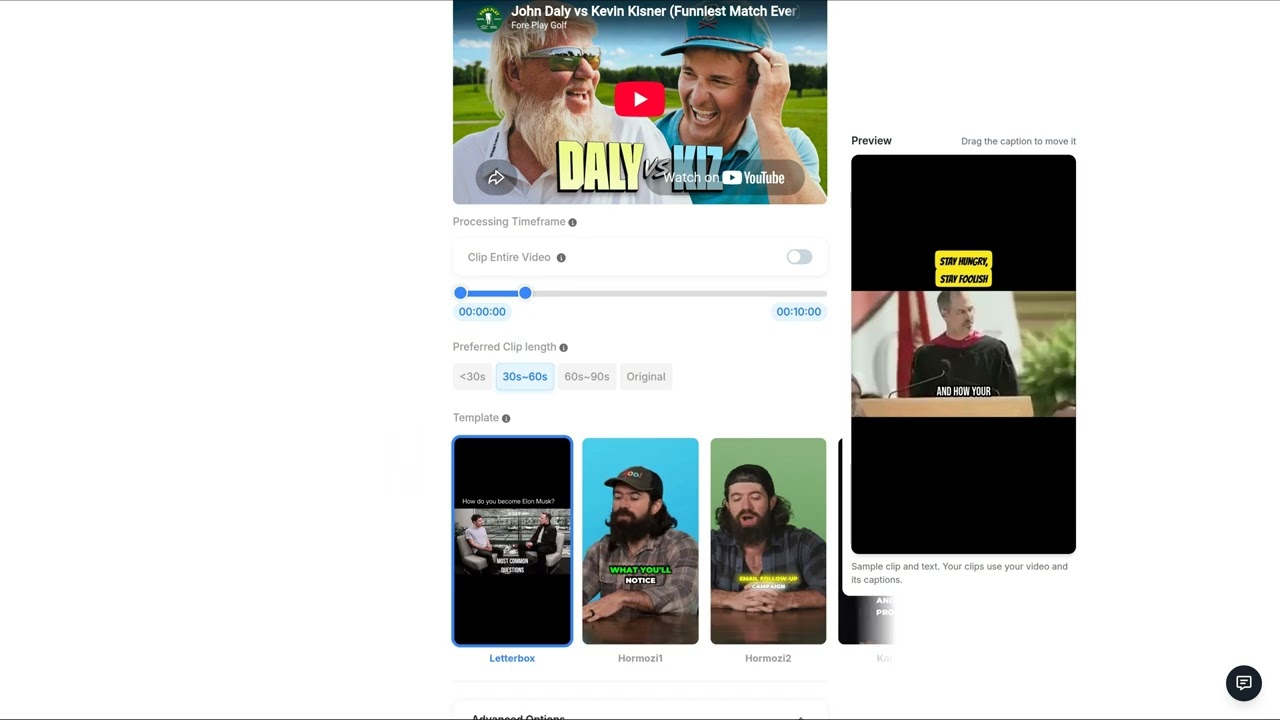
Ssemble is an AI clip maker used by 3.4M+ creators. You paste a YouTube, Kick, Twitch (VOD) or Vimeo link, or upload an MP4, MOV or WebM file. The AI finds the most engaging moments, cuts them into vertical 9:16 clips with face tracking and active-speaker reframing, and then applies the extras you switched on.
What it adds to each clip:
- Animated captions: many templates (Letterbox, Hormozi-style and more), with words-per-caption and position settings. Captions can also be turned off.
- Caption translation: 50+ languages, with the original audio kept.
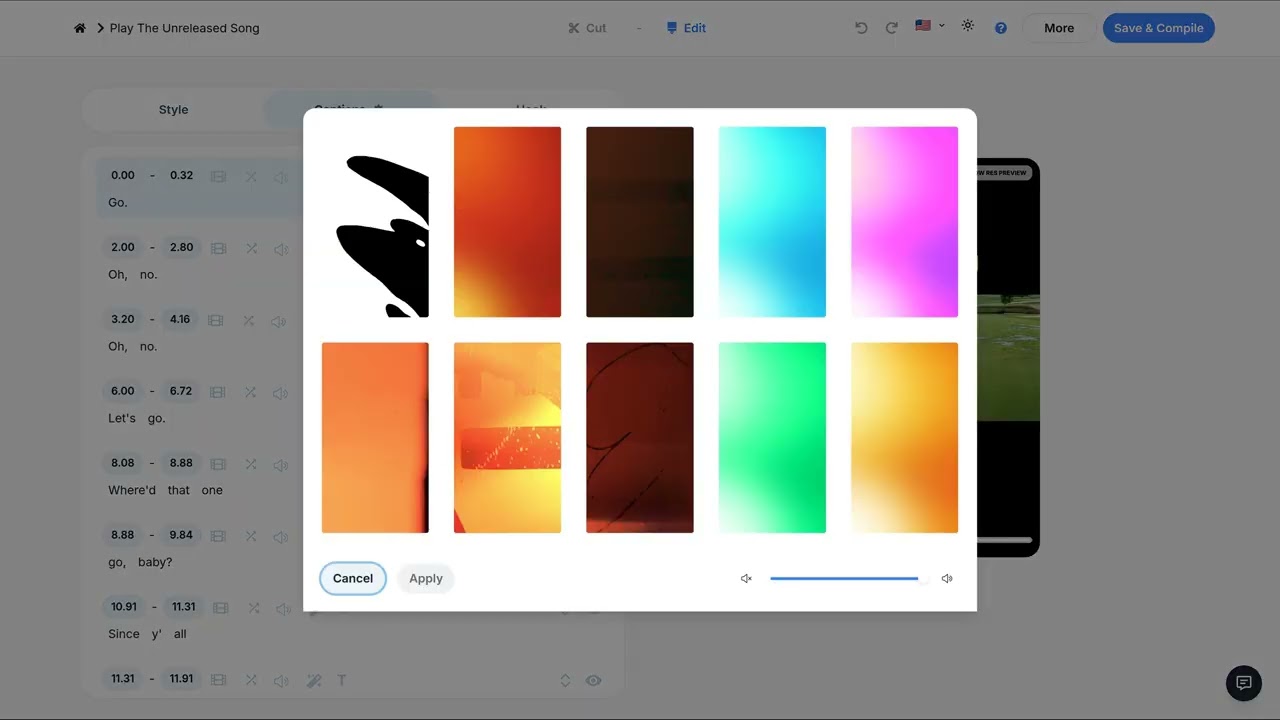
- B-roll to cover talking stretches.
- Sound effects and transitions on cuts.
- Zoom for emphasis.
- Hook title at the top of the clip and a CTA overlay.
- Background music from the library or your own MP3s.
- Image overlay for a logo or sticker, and an end screen.
- "Game video" footage looping under the clip for retention.
After generation: edit captions word by word, trim or cut, re-crop the frame and add color filters. Then schedule the clips on the calendar or auto-post to TikTok, YouTube Shorts, Instagram Reels and X.
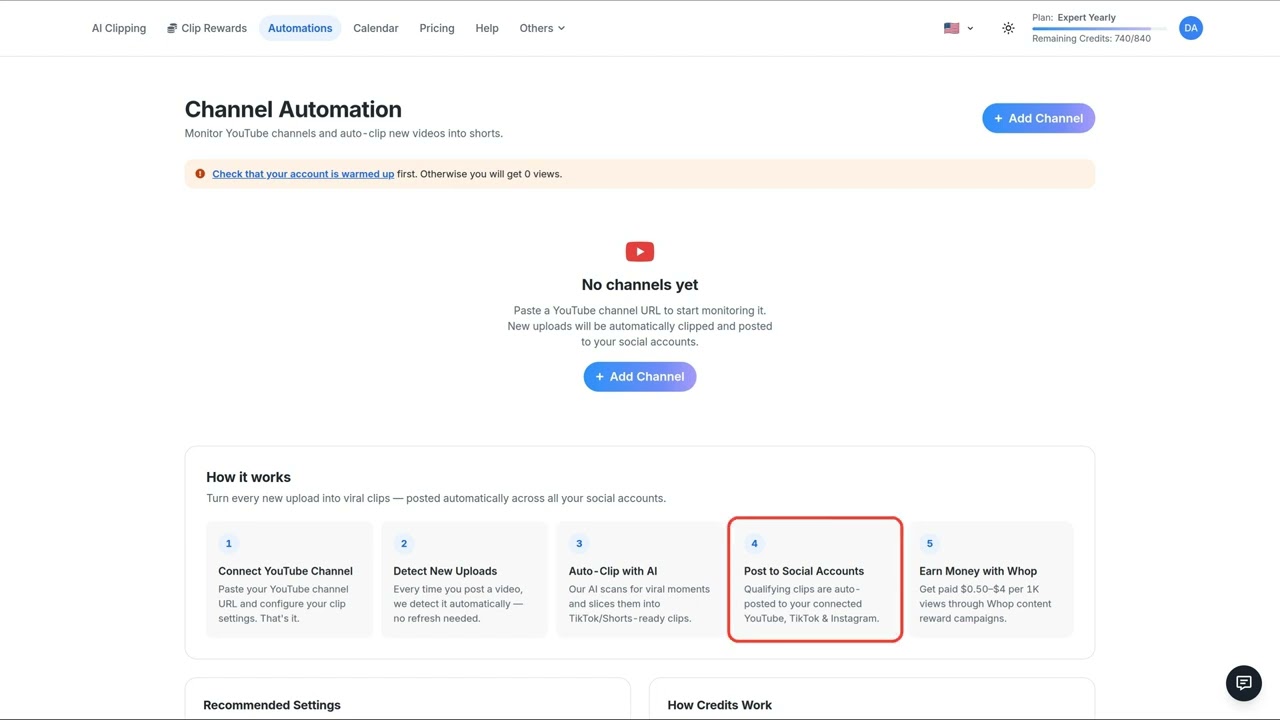
For channels you post every week: Channel Automation (paid plans) watches a YouTube channel and clips every new upload after setup with the same template, extras and posting schedule, up to 21 clips per week per automation.
Honest trade-offs:
- No free plan or free trial. Plans start at $6/month billed yearly.
- No prompt-based moment search: you cannot type "find the part about pricing". You choose the processing timeframe and video type (default, Sports or Game) instead.
- No AI avatars, text-to-video or AI dubbing.
2. Submagic: caption-first, most caption languages
Submagic is built around captions and supports 118 caption languages, the most in this list. Starter is $19/month or $12/month yearly for 45 credits (about 5 long videos). There is a trial rather than a free plan, auto-posting starts on Pro, and the API is on Business with 100 minutes. Pick it when caption language coverage matters more than clipping long sources cheaply.
3. OpusClip: try AI clipping free first
OpusClip gives 60 free credits with a watermark and 3-day exports. Starter is $15/month (monthly only) for 150 credits, and Pro is $29/month or $14.50/month yearly for 300 credits. One credit is one minute of video, so a one-hour podcast uses 60 credits. It supports 20+ caption languages. See our OpusClip review for more.
4. Klap: simple clipping with auto-posting on every plan
Klap's Basic plan is $29/month or $14.50/month yearly for 100 output clips. It auto-posts on all plans and supports 99+ caption languages. You get one trial video, and the API is pay-as-you-go at $0.44 per input video.
5. Descript: when you also want a full editor
Descript is $24/month or $16/month yearly for 600 minutes plus 400 AI credits, with a free tier of 60 minutes at 720p. It is a text-based editor first: strong if you edit long-form too, slower if all you want is finished shorts from a link.
Doing it by hand: CapCut is a free editor known for templates and effects. You can add captions, B-roll and sound effects there yourself, but you pick and trim every moment manually.
How to add captions, B-roll and sound effects in Ssemble
- Sign up at ssemble.com and choose Pro, Expert or Business.
- Paste a YouTube, Kick, Twitch or Vimeo link, or upload a file. For long sources, pick the part to process.
- Choose a video type (default, Sports or Game) and a clip length: under 30s, 30–60s or 60–90s. Pick "Original" if you only want captions on a short video up to 5 minutes.
- Pick a caption template, words per caption, caption position and caption language.
- Switch on the extras you want: B-roll, transitions, sound effects, zoom, hook title, CTA overlay, background music, logo overlay, end screen.
- Generate. Ssemble cuts up to 11 clips per 20-minute part, ranked by viral score.
- Fix any caption word by word, trim if needed, then schedule to TikTok, YouTube Shorts, Instagram Reels or X.
Cost example: 6 one-hour videos a month, fully edited
Say you publish six one-hour podcast episodes a month and want every clip captioned, with B-roll, sound effects and music.
| Plan | Monthly price | What 6 one-hour videos use |
|---|---|---|
| Ssemble Pro (yearly) | $6 | 18 of 30 credits (6 × 3), extras included |
| Ssemble Pro (monthly) | $15 | 18 of 30 credits |
| OpusClip Starter | $15 | 360 minutes needed, plan includes 150 |
| Submagic Starter (yearly) | $12 | 45 credits, about 5 long videos |
| Klap Basic (yearly) | $14.50 | 100 output clips, about 16 per video |
On Ssemble, credits are charged per 20-minute window of source video, so each one-hour episode is 3 credits, about $0.60 on Pro yearly. Captions, B-roll, sound effects and the other extras do not cost extra credits. Full details are on the pricing page.
When to pick something else
- You want to try for free first: OpusClip (60 free credits, watermark) or Descript (60 free minutes, 720p).
- You need the widest caption language list: Submagic (118) or Klap (99+).
- You want to type a topic and have the AI find it: Ssemble has no prompt-based moment search.
- You want full manual control at no cost: CapCut, if you are happy to pick every moment yourself.
- You need AI avatars or AI dubbing: Ssemble does not offer these.
Frequently Asked Questions
Which AI tool adds captions, B-roll and sound effects to shorts automatically?
Ssemble does. It cuts long videos into vertical clips and adds animated captions, B-roll, sound effects, transitions, zoom, a hook title, CTA overlay and background music in the same pass. Plans start at $6/month billed yearly; there is no free plan.
Can I edit the captions after the AI adds them?
Yes. Ssemble lets you edit captions word by word, change the template, words per caption and position, or turn captions off. You can also trim, re-crop and add color filters before posting.
Can I use my own music?
Yes. Ssemble's background music can come from its library or from your own MP3 files, and you can add your logo or a sticker as an image overlay.
Does adding B-roll and sound effects cost extra credits on Ssemble?
No. Ssemble charges 1 credit per source video up to 20 minutes, so a one-hour video is 3 credits. The extras you switch on are part of the same job. Pro includes 30 credits a month for $6/month billed yearly.
Can it translate captions into other languages?
Ssemble translates captions into 50+ languages and keeps the original audio. If you need more languages, Submagic lists 118 and Klap 99+.
Is there a free tool that adds captions and effects automatically?
OpusClip has 60 free credits with a watermark and Descript has 60 free minutes at 720p. CapCut is a free editor, but you add captions, B-roll and effects to each clip yourself. Ssemble has no free plan.
Finished shorts with captions, B-roll and sound effects
Paste a link, switch on the extras, schedule the clips. From $6/month billed yearly, no watermark.
Try Ssemble →
📚 Related Guides
Prices checked November 24, 2026 on each tool's official pricing page. Pricing and features may change.
Ready to Start Clipping?
Transform long videos into engaging short-form clips with Ssemble's AI-powered tools.
Get Started
