Create Shorts from
Any AI Assistant
Connect Ssemble AI Clipping to Claude, Cursor, Windsurf, VS Code — or automate with n8n, Zapier, and Make via webhooks. Create viral short-form videos through conversation or no-code workflows.
How It Works
Install
Run npx @ssemble/mcp-server or use the hosted endpoint at mcp.ssemble.com — no build step needed.
Connect
Add the server to your AI client config with your Ssemble API key. Works with any MCP-compatible client.
Create
Ask your AI to create shorts from any YouTube video. Just say "Create shorts from this video with chill music."
Quick Setup
Choose your client and add the config — done in 30 seconds.
Claude Desktop
Add to your claude_desktop_config.json
{
  "mcpServers": {
    "ssemble": {
      "command": "npx",
      "args": ["@ssemble/mcp-server"],
      "env": {
        "SSEMBLE_API_KEY": "sk_ssemble_your_key"
      }
    }
  }
}
Claude Code
Run this command in your terminal
claude mcp add ssemble \
  -e SSEMBLE_API_KEY=sk_ssemble_your_key \
  -- npx @ssemble/mcp-server
Hosted Endpoint
Or use the remote endpoint — no installation needed
https://mcp.ssemble.com/mcpFeatures
9 AI Tools
Create shorts, check status, get results, browse templates, music, gameplay overlays, and meme hooks.
Instant Setup
One command to install. Plain JavaScript, no build step, no TypeScript compilation needed.
Two Transports
Stdio for local use (npx) or Streamable HTTP for hosted deployment at mcp.ssemble.com.
AI-Optimized
Responses are formatted with markdown tables and structured data for maximum AI readability.
Async Processing
Submit and retrieve — use polling or webhooks for completion notifications. No blocking.
Automation Ready
Webhook callbacks on completion. Integrates with n8n, Zapier, and Make for no-code automation pipelines.
Multi-Tenant
Per-request API keys via header. One hosted endpoint serves unlimited users.
Rate Limit Aware
Remaining quota included in every response so your AI assistant can plan accordingly.
Open Source
MIT licensed, published on npm. Inspect the code, contribute, or fork it.
9 MCP Tools
Every Ssemble AI Clipping API endpoint, available as an MCP tool.
create_shortCreate AI-generated short clips from a YouTube video or file URL. Supports webhook callbacks.
get_statusCheck processing progress (percentage, current step)
get_shortsRetrieve generated clips with download URLs and viral scores
list_requestsList all short creation requests with filtering and pagination
delete_requestPermanently delete a request and all generated videos
list_templatesBrowse caption style templates (Karaoke, Bold, Minimal, etc.)
list_musicBrowse background music tracks with names and durations
list_game_videosBrowse gameplay overlays for split-screen shorts
list_meme_hooksBrowse meme hook clips (2-5s attention grabbers)
See How It Works
Watch how easy it is to create viral clips with AI in just a few clicks
Trusted by teams at leading companies and institutions
Features
Everything you need to create viral clips
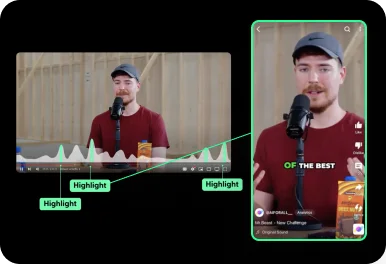
Auto Curation
AI automatically detects viral-worthy moments in your video and turns them into short clips.
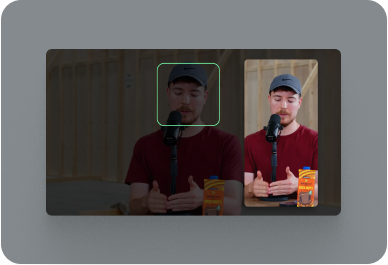
Face Tracking
AI detects faces in your video and keeps them centered in vertical formats.
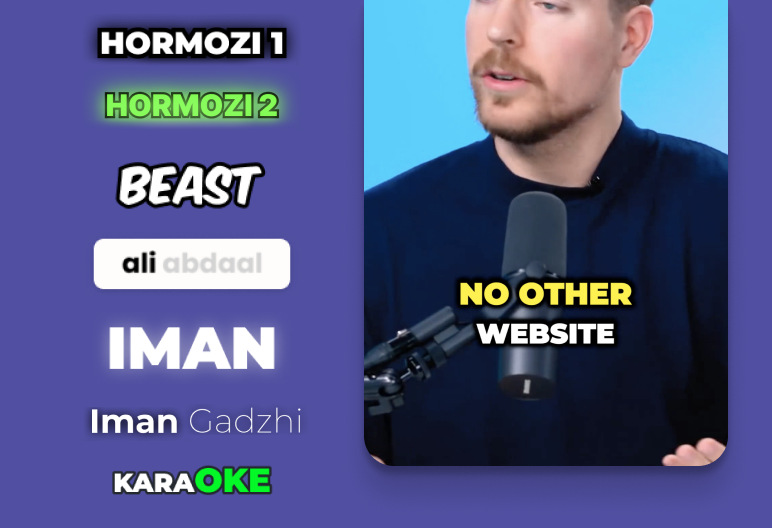
Auto Captioning
AI listens to your video and automatically adds captions.
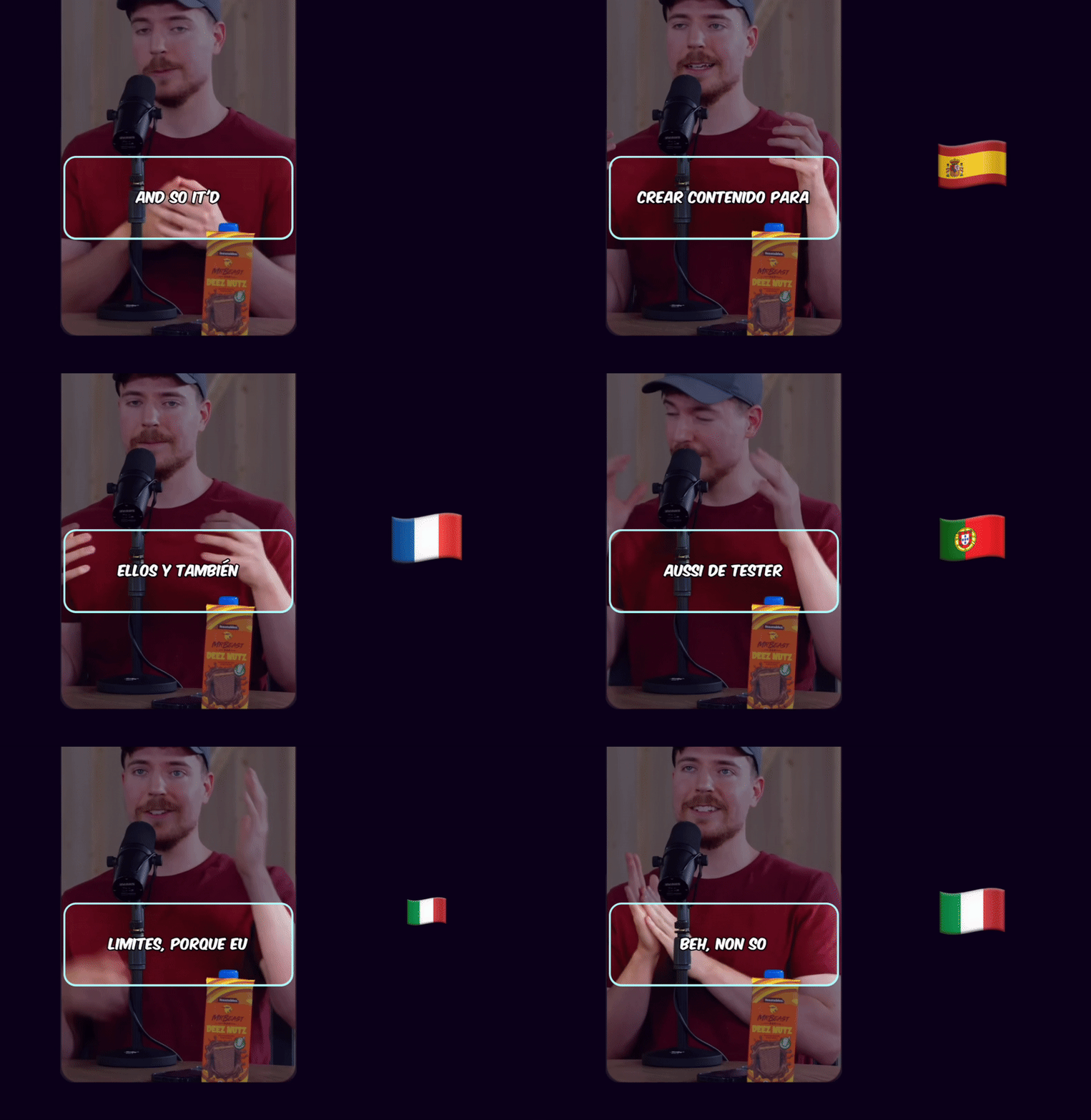
Caption Translation
Translate captions to different languages while keeping the original audio.
Hook Title & CTA
AI generates engaging hook titles and CTAs to keep viewers watching until the end.
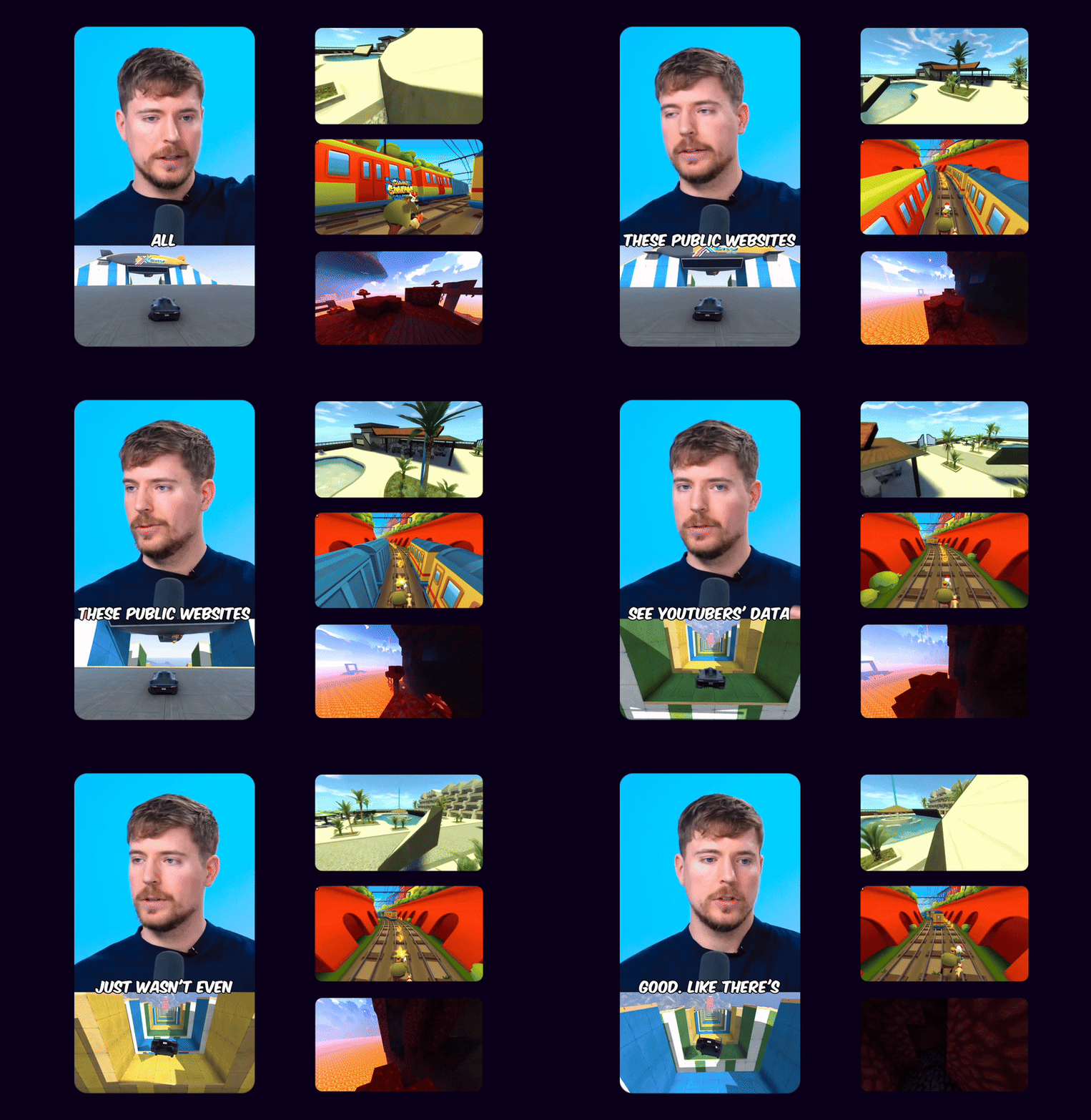
Game Video
Adds gameplay footage at the bottom to increase retention and keep viewers engaged.
Multi Language Audio
If the original YouTube video has multiple audio tracks, you can select your preferred language track to use in your Shorts
 EN
EN HI
HIOriginal English audio replaced with the Hindi dubbed track from YouTube
Schedule and Post
Consistency is key to reaching 1 million views. Use Ssemble's Schedule and Post features to publish the clips to TikTok, YouTube, and Instagram over multiple days.
Schedule and Post to multiple platforms at once
With Ssemble's Calendar Feature, you can schedule and post to TikTok, YouTube, and Instagram at best performing times, saving you time and effort. Just set multiple posts and forget about it.
Automated Titles, Descriptions & Hashtags
Create optimized titles, descriptions and hashtags to improve visibility and engagement.
Example Clips
Just extract the juicy moments from long videos and let the clips go viral.
Insights
Learn about the content strategies used by top clippers



Who Uses This
Content Creators
Turn long YouTube videos into viral TikTok/Reels clips directly from your AI assistant.
Agencies
Batch-process client videos at scale with automated AI clipping workflows.
Developers
Integrate video clipping into AI-powered pipelines and automation tools.
Podcasters
Extract highlight clips from podcast episodes with captions and music.
Educators
Create bite-sized study clips from lectures and course content.
Social Managers
Generate daily social content with webhook-powered automation via n8n, Zapier, or Make.
BUSINESS
EXPERT
PRO
CUSTOM
How Much Does a Video Cost?
| AI Tool | Credit Cost |
|---|---|
AI Clipping 1/4 the price of competitors → | 1 Credit per video (20 minutes) |



Trusted by 2.4M+ shorts clippers | 4.9 out of 5
Start Creating Shorts with AI
Get your API key and connect Ssemble to any AI assistant in under a minute.
Get Your API Key