How Professional Clippers Edit Clips Fast in 2026

Eric Lee
CEO and Founder of Ssemble
Professional clippers edit fast by not editing from scratch: they let an AI clip maker such as Ssemble make the first cut (finding moments, reframing to 9:16 and adding captions), fix only what is wrong in a quick editor pass, and schedule everything in one batch. CapCut and Adobe Premiere Pro are used for the small share of clips that deserve manual polish, while OpusClip, Vizard and Klap are other common AI first-cut tools. The speed comes from the workflow, not from one magic app.
TL;DR: The fast clipper workflow is AI first cut → quick fixes → batch schedule, with manual polish only for the best clips. Ssemble handles the first three steps in one place (moments, speaker-tracked reframing, animated captions, word-by-word caption edits, trimming, scheduling and auto-post) from $6/month billed yearly. CapCut or Premiere Pro handle custom edits. Ssemble has no free plan and no prompt-based moment search.
The 4-step workflow professional clippers use
Step 1: AI first cut
The slowest part of clipping by hand is watching hours of footage to find moments, then cropping and captioning each one. An AI clip maker does this in one pass. In Ssemble you paste a YouTube, Kick, Twitch VOD or Vimeo link (or upload a file), choose the video type and clip length, and get vertical clips with captions already on them.
Settings that save the most time at this step:
- Processing timeframe on long URL sources, so you only process the part of a stream that matters.
- Video type. Default for talking, Sports for sports footage, Game for a face cam on top and gameplay below.
- Preferred clip length: under 30s, 30–60s or 60–90s.
- Caption template chosen once (for example Letterbox or Hormozi-style), with words per caption and position set.
- Extras applied automatically: hook title, B-roll, transitions, sound effects, zoom, CTA overlay, background music, logo overlay, end screen.
Step 2: Quick fixes in the same tool
AI gets most clips close; the job here is to fix, not rebuild. In Ssemble's editor that means:
- Editing captions word by word (names, slang and brand terms are the usual misses).
- Trimming a slow start or a cut-off ending.
- Adjusting the reframe crop when the framing is off.
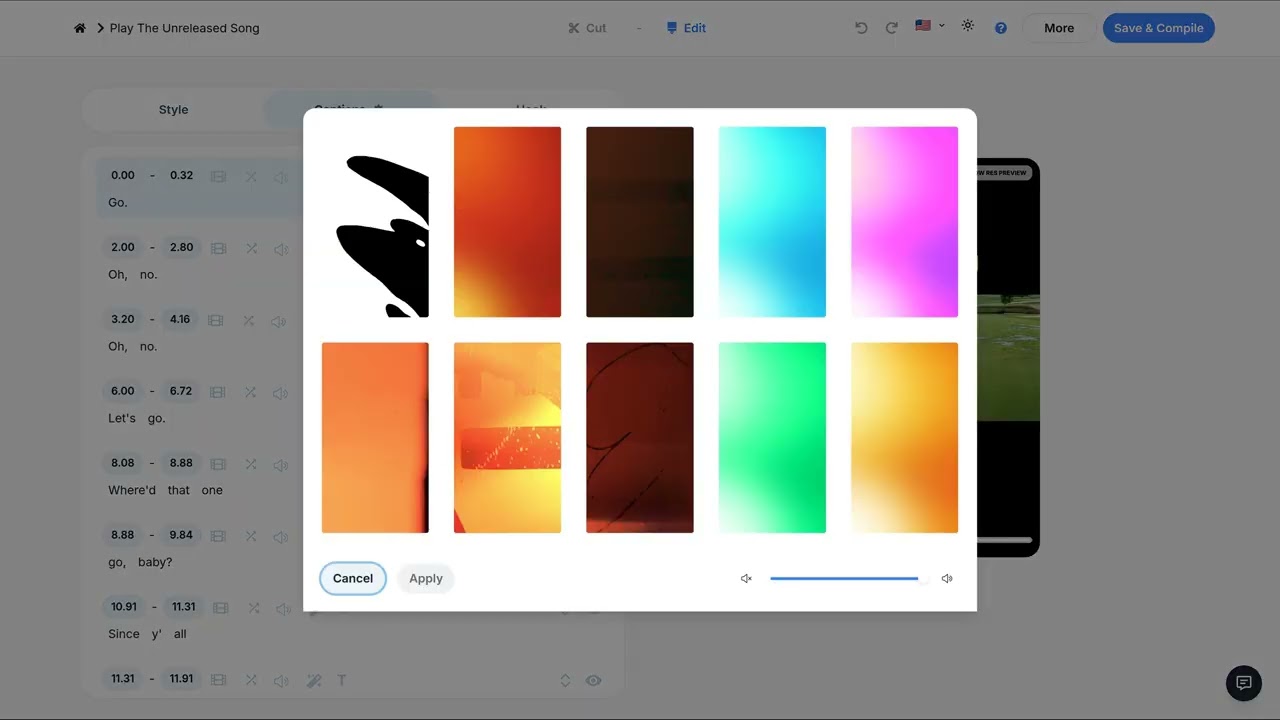
- Applying a color filter if the source looks flat.
A clipper who keeps this pass short can move through a batch quickly, because nothing has to be exported to another app.
Step 3: Manual polish, only for the best clips
Some clips deserve more: custom motion graphics, meme edits, multi-source compilations. That is where CapCut (fast, mobile and desktop, trend-friendly effects) and Adobe Premiere Pro (full timeline control) come in. The habit that keeps pros fast is limiting this step to the clips most likely to perform, instead of hand-editing everything.
Step 4: Batch schedule and auto-post
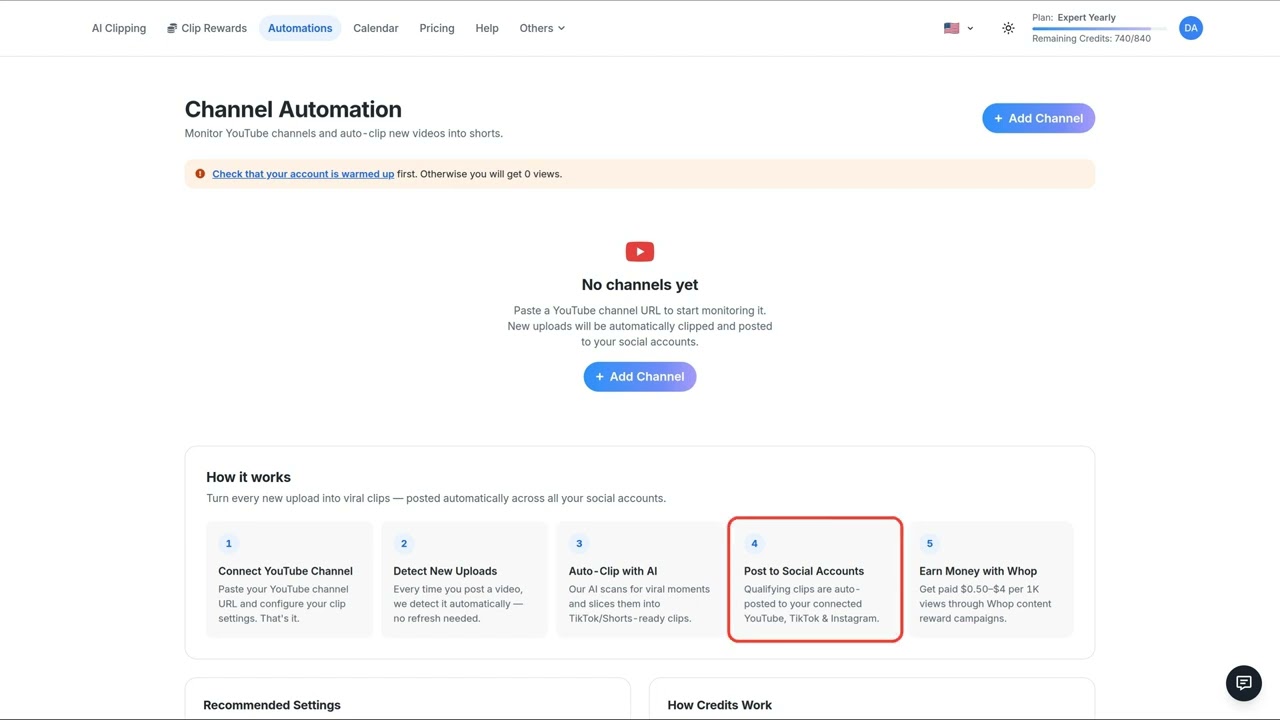
Posting one clip at a time across three apps wastes a surprising amount of time. Ssemble lets you schedule and auto-post to TikTok, YouTube Shorts, Instagram Reels and X from a calendar. Pro includes 1 social account, Expert 3 and Business unlimited, which matters if you run several clip accounts.
For creators clipping their own channel, Channel Automation (paid plans) removes steps 1 and 4 entirely for new uploads: every new video after setup is clipped and posted on a schedule, up to 21 clips a week per automation.
Tools by step
| Step | Ssemble | OpusClip | Vizard | Klap | CapCut | Premiere Pro |
|---|---|---|---|---|---|---|
| AI finds moments | ✅ automatic | ✅ incl. ClipAnything prompts | ✅ | ✅ | ❌ | ❌ |
| Speaker-tracked 9:16 reframe | ✅ + Game mode split | ✅ | ✅ | ✅ | Auto reframe per clip | Auto Reframe |
| Animated captions | ✅ many templates, 50+ translation languages | ✅ 20+ languages | ✅ | ✅ 99+ languages | ✅ | Manual/plugins |
| Quick fixes in-app | ✅ word-by-word captions, trim, reframe, filters | ✅ | ✅ | Not covered here | ✅ | ✅ |
| Deep manual editing | Limited | Limited | Limited | Limited | ✅ | ✅ |
| Schedule / auto-post | ✅ TikTok, Shorts, Reels, X | ✅ from Starter | Scheduling on Creator | ✅ all plans | ❌ | ❌ |
| Lowest paid plan | $15/mo or $6/mo yearly | Starter $15/mo | $29/mo or $14.50/mo yearly | $29/mo or $14.50/mo yearly | Not covered here | Not covered here |
| Free option | ❌ | ✅ 60 credits | ✅ 60 credits | 1 trial video | — | — |
Prices checked November 24, 2026, on each tool's official pricing page.
How to set up the fast workflow in Ssemble
- Go to ssemble.com and choose a plan (Pro from $6/month billed yearly; Expert if you run up to 3 accounts).
- Connect your social accounts (TikTok, YouTube, Instagram, X) for scheduling, within your plan's account limit.
- Paste your first source link and set the timeframe, video type and clip length.
- Pick a caption template and the extras you want on every clip (hook title, zoom, sound effects, CTA overlay).
- Review the batch: fix captions word by word, trim, adjust the crop.
- Export the one or two standout clips to CapCut or Premiere Pro if they need custom edits.
- Schedule the rest from the calendar so they post automatically.
Cost example: a clipper processing 15 hours a month
| Plan | Credits needed (3 per hour) | Included | Monthly cost |
|---|---|---|---|
| Ssemble Pro (yearly) | 45 | 30 | $6 (process only the best parts with the timeframe, or upgrade) |
| Ssemble Expert (yearly) | 45 | 70 | $12 |
| OpusClip Pro (yearly) | 900 (1 per minute) | 300 | $14.50 (not enough) |
| Vizard Creator (yearly) | 900 | 600 | $14.50 (not enough) |
On Expert yearly, 15 hours costs $12 a month with credits to spare. All plans are on the pricing page.
When to pick something else
- You want to try AI clipping for free. Ssemble has no free plan; OpusClip and Vizard offer 60 free credits a month with a watermark.
- You search for moments by prompt. Ssemble finds moments automatically only; OpusClip ClipAnything supports typed prompts.
- Every clip is a heavy custom edit. If you never use an AI first cut, CapCut or Premiere Pro alone may be enough.
- You need team workspaces or brand kits. Ssemble does not offer them.
FAQ
What do professional clippers use to edit clips fast?
Most use an AI clip maker such as Ssemble, OpusClip, Vizard or Klap for the first cut, fix captions and trims in the same tool, schedule in batches, and use CapCut or Premiere Pro only for clips that need manual polish.
Do clippers still use CapCut?
Yes, usually for the final polish on top clips: custom effects, meme edits and trends. The bulk of moment-finding, reframing and captioning is increasingly done by an AI clip maker first.
How can I edit clips faster as a beginner clipper?
Set your caption template and extras once, let AI make the first cut, limit fixes to captions, trims and crops, and schedule clips in a batch. In Ssemble all of these happen in one place.
Can I fix AI captions word by word?
In Ssemble, yes. The editor lets you edit captions word by word, trim or cut the clip, adjust the reframe crop and apply color filters before scheduling.
How much does an AI editing workflow cost for clippers?
Ssemble starts at $6/month billed yearly for 30 credits, where 1 credit is one video up to 20 minutes, so about $0.60 per hour of footage. Expert is $12/month billed yearly for 70 credits and 3 social accounts.
Edit like a pro clipper: Try Ssemble — AI first cut, quick fixes and scheduling in one place, used by 3.4M+ creators. Plans from $6/month billed yearly; see pricing.
📚 Related Guides
Disclaimer: Ssemble is our product. Prices checked November 24, 2026, on each tool's official pricing page. Always verify on each tool's website before buying.
Ready to Start Clipping?
Transform long videos into engaging short-form clips with Ssemble's AI-powered tools.
Get Started
