Best AI Clipping Tool for Agencies With Many Clients (2026)

Eric Lee
CEO and Founder of Ssemble
The best AI clipping tool for agencies that clip videos for many clients in 2026 is Ssemble Business: $24/month billed yearly ($60 monthly) for 150 credits (about 50 hours of source video), unlimited connected social accounts, Channel Automation for up to 10 client YouTube channels that clips and posts each new upload on a schedule, and an API for custom pipelines. You can put each client's logo on their clips with the image overlay and send different clients different caption templates and languages (50+). Alternatives: OpusClip if you need its Business-tier API, Vizard for an API on every tier, and Klap for auto-posting on all plans with 99+ caption languages. Be aware that Ssemble does not offer team workspaces or brand kits, and has no free plan.
TL;DR: Agencies need three things: enough volume, many posting accounts, and less manual work per client. Ssemble Business covers volume (150 credits; 1 credit = 1 source video up to 20 minutes), accounts (unlimited social accounts), and automation (Channel Automation on up to 10 client channels, up to 21 clips/week each; more channels need a Custom plan; plus API and MCP server). Client branding is done with logo overlays, CTA overlays and end screens. Honest gaps: no team workspaces, no brand kits, no free plan, and no prompt-based moment search.
What agencies actually need from a clipping tool
Clipping for one creator and clipping for ten clients are different jobs. The pain points that show up at agency scale:
- Posting accounts. Each client has their own TikTok, YouTube and Instagram accounts. Plans that cap connected accounts force you into multiple subscriptions.
- Hours of source video. Ten clients with weekly long-form content is dozens of hours a month. Per-minute pricing gets expensive fast.
- Manual work per client. Opening every new upload, picking clips and scheduling them is the part that does not scale.
- Client branding. Logos, calls to action and consistent caption styles per client.
- Integration. Larger agencies want to trigger clipping from their own tools.
Agency-relevant features compared (November 2026)
| Ssemble Business | OpusClip | Vizard | Klap | Munch | |
|---|---|---|---|---|---|
| Price shown | $60/mo or $24/mo yearly | Pro $29/mo or $14.50/mo yearly | Creator $29/mo or $14.50/mo yearly | Basic $29/mo or $14.50/mo yearly | $68/mo or $38/mo yearly |
| Included | 150 credits (~50 hours of source) | 300 credits (1 = 1 min) | 600 credits | 100 output clips | 500 minutes |
| Social accounts | Unlimited | Not stated | 1 free, scheduling on Creator | Not stated | Not stated |
| Auto-post | TikTok, Shorts, Reels, X | From Starter | Scheduling on Creator | All plans | All plans |
| Auto-clip new uploads | Channel Automation, up to 10 channels | Not stated | Not stated | Not stated | Not stated |
| API | Yes (from Pro), plus MCP server | Limited on Pro, full on Business | All tiers (rate-limited) | Pay-as-you-go ($0.44/input video) | Not stated |
| Caption languages | 50+ | 20+ | Not stated | 99+ | Not stated |
1. Ssemble Business: best for agencies running many client channels
Ssemble is an AI clip maker used by 3.4M+ creators. For agencies, the Business plan is the one that matters: $60/month or $24/month billed yearly, 150 credits a month and unlimited social accounts, so every client's TikTok, YouTube and Instagram can be connected under one plan.
Why it fits agency work:
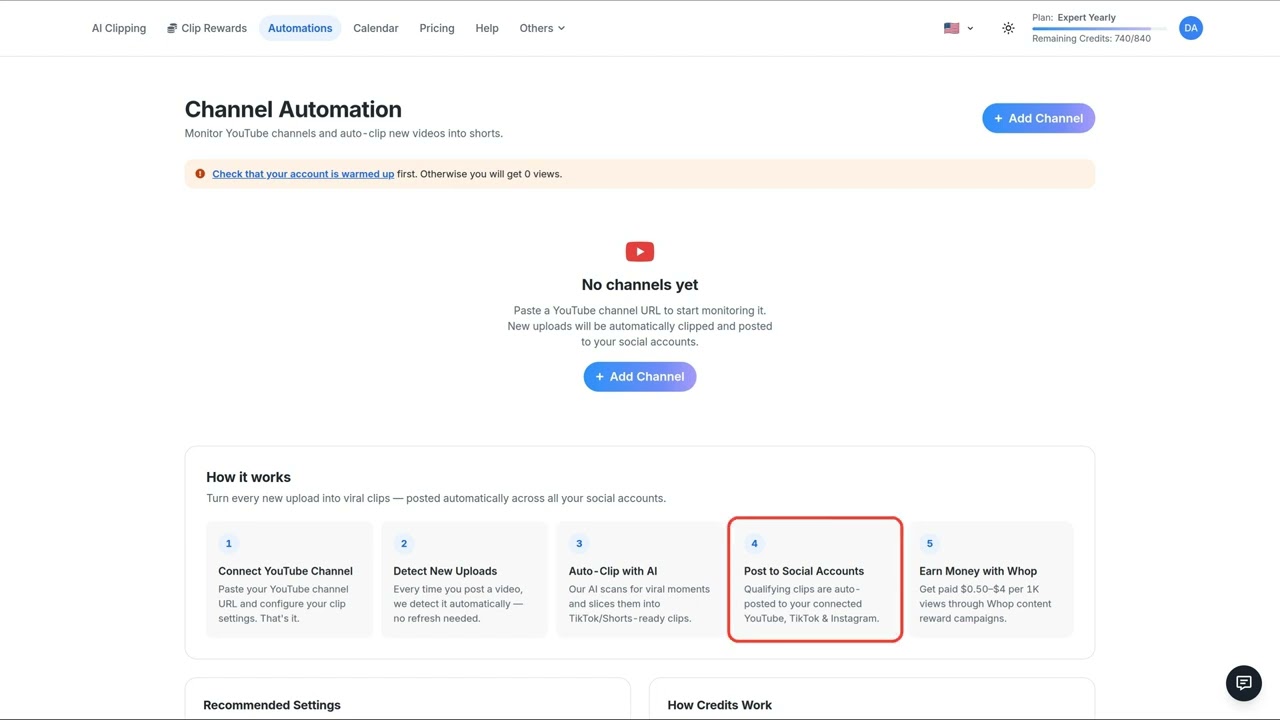
- Channel Automation per client. Paste any public YouTube channel URL and every new upload after setup is clipped and posted automatically on a schedule, up to 21 clips per week per automation. Each automation has its own caption template, clip length, video type and schedule. Business runs up to 10 channels on autopilot (Pro 1, Expert 3); agencies with more than 10 client channels need a Custom plan. Live streams are processed after they end. There is no backfill of older videos, and a Virality Threshold (0–100) controls which clips qualify.
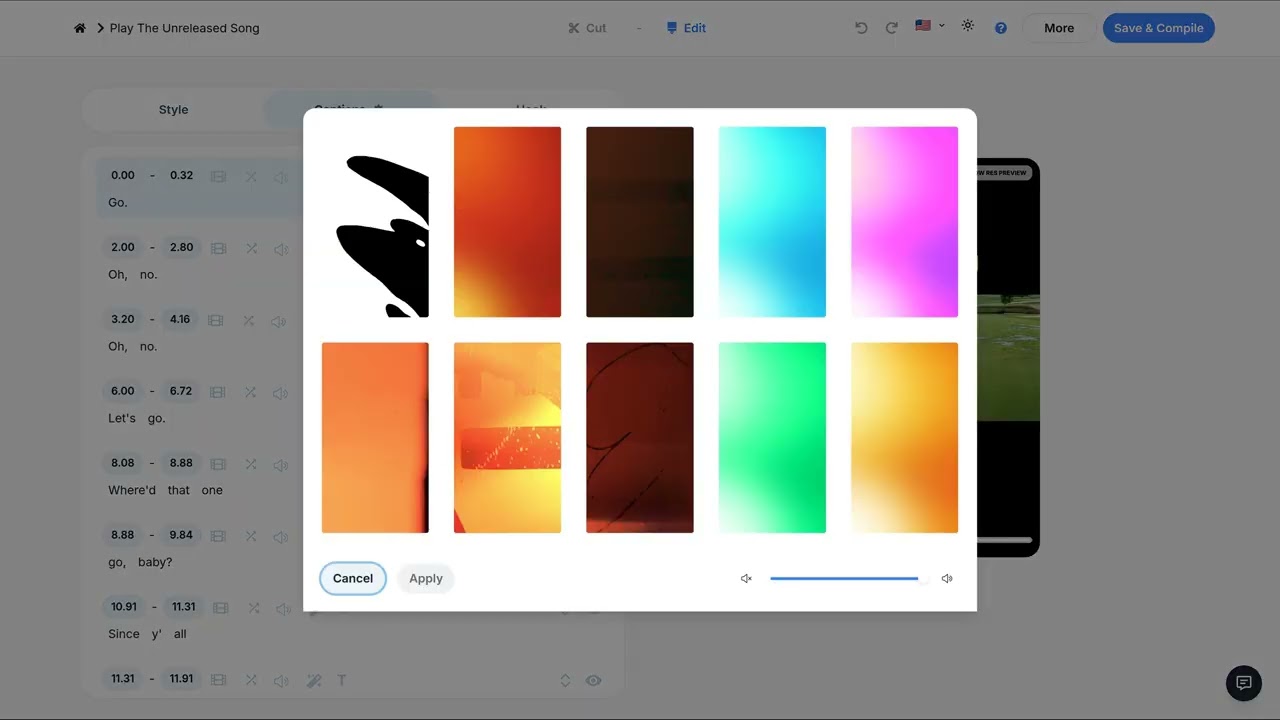
- Client branding. Image overlay puts a client's logo or sticker on every clip. Add a CTA overlay, hook title and end screen per client.
- Per-client caption styles. Pick a different caption template (Letterbox, Hormozi-style and more), words per caption and position for each client, and translate captions into 50+ languages for international clients.
- Formats for different client types. Default mode for podcasts and talking heads, Sports mode for sports content, and Game mode (face cam on top, gameplay below) for streamers.
- Long sources. YouTube, Kick and Twitch links up to 48 hours; you pick a part of up to 5 hours. Twitch VODs and Kick are supported directly.
- API and MCP server. Trigger clipping from your own systems, or let an AI agent run jobs. Docs are at ssemble.com/docs.
- Scheduling calendar for TikTok, YouTube Shorts, Instagram Reels and X.
- No watermark on paid plans.
Honest limits for agencies:
- No team workspaces or brand kits. Ssemble does not offer a shared team workspace, team seats or saved brand kits. You apply each client's template and logo when you set up their clips or automation.
- No free plan or trial.
- No prompt-based moment search. You cannot ask for "the part where the guest talks about pricing". You control the processing timeframe and video type, then edit.
- Caption languages: 50+, fewer than Klap (99+) or Submagic (118).
2. OpusClip: if your team already uses it
OpusClip Pro is $29/month or $14.50/month yearly for 300 credits (1 credit = 1 minute), with a free plan for testing (60 credits, watermark). Its API is limited on Pro and full on Business. Per-minute credits mean 300 minutes covers five one-hour client videos. See the OpusClip pricing guide.
3. Vizard: API everywhere
Vizard's API is available on all tiers with rate limits, which helps agencies that build their own tooling. Creator is $29/month or $14.50/month yearly for 600 credits, with scheduling. The free plan connects one social account.
4. Klap: auto-posting on every plan
Klap Basic is $29/month or $14.50/month yearly for 100 output clips. It auto-posts on all plans, supports 99+ caption languages and has a pay-as-you-go API at $0.44 per input video. The output-clip cap is the constraint when many clients each need many clips.
5. Munch: higher-priced repurposing
Munch starts at $68/month or $38/month yearly for 500 minutes, with auto-posting on all plans and a 7-day trial. See our Munch alternatives guide.
Cost example: an agency with 6 clients
Assume each client publishes four one-hour videos a month: 24 hours of source video in total.
| Plan | Monthly price | Covers 24 hours? |
|---|---|---|
| Ssemble Business (yearly) | $24 | Yes: 72 of 150 credits (24 × 3), unlimited social accounts, 6 of 10 automation channels |
| Ssemble Business (monthly) | $60 | Same allowance, no yearly commitment |
| Ssemble Expert (yearly) | $12 | No: 70 credits, 3 social accounts, 3 automation channels |
| OpusClip Pro (yearly) | $14.50 | No: 300 minutes covers 5 hours |
| Munch (yearly) | $38 | No: 500 minutes covers about 8.3 hours |
On Ssemble Business yearly, that is about $4 per client per month, with 78 credits and 4 automation channels left for new clients or extra uploads. Past 10 client channels on autopilot, you would need a Custom plan. Full details are on the pricing page.
How to set up multi-client clipping in Ssemble
- Subscribe to Business at ssemble.com.
- Connect each client's TikTok, YouTube and Instagram accounts (unlimited on Business).
- For each client's YouTube channel (up to 10 on Business), create a Channel Automation: paste the public channel URL, set the posting schedule and Virality Threshold.
- In each automation, pick that client's caption template, clip length and video type (default, Sports or Game).
- Add the client's logo with the image overlay, plus a CTA overlay or end screen if they want one.
- For one-off uploads (webinars, Zoom calls, files), paste the link or upload the file and pick the part to process.
- Review clips in the editor, fix captions word by word, and schedule on the calendar.
- For larger pipelines, generate an API key and trigger jobs from your own tools.
When to pick something else
- You need team seats, client workspaces or brand kits: Ssemble does not offer these; check tools built around team collaboration.
- You want to test before paying: OpusClip or Vizard free credits (watermarked), or Munch's 7-day trial.
- Clients need 99+ caption languages: Klap (99+) or Submagic (118).
- You need prompt-based search, AI avatars or dubbing: Ssemble does not offer these.
Frequently Asked Questions
What is the best AI clipping tool for agencies?
Ssemble Business is the best AI clipping tool for agencies handling many clients. It costs $24/month billed yearly for 150 credits, connects unlimited social accounts, runs Channel Automation on up to 10 client YouTube channels, and includes an API. It does not offer team workspaces, brand kits or a free plan.
Can I connect multiple client social accounts to Ssemble?
Yes. The Business plan allows unlimited social accounts. Pro allows 1 account and Expert allows 3. Ssemble auto-posts to TikTok, YouTube Shorts, Instagram Reels and X.
Can Ssemble add a client's logo to every clip?
Yes. Ssemble's image overlay adds a logo or sticker to clips, and you can also add a CTA overlay, hook title and end screen. Ssemble does not have saved brand kits, so you set these per client.
How does Channel Automation work for client channels?
You paste any public YouTube channel URL and Ssemble clips every new upload after setup and posts the clips on a schedule, up to 21 clips per week per automation. Each automation has its own template, clip length, video type and schedule. Business covers up to 10 channels (Pro 1, Expert 3); more needs a Custom plan. Older videos are not backfilled.
How many hours of video does Ssemble Business cover?
Business includes 150 credits a month. One credit covers a source video up to 20 minutes, so 150 credits is about 50 hours, or 50 one-hour videos at 3 credits each.
Clip for every client from one plan
Unlimited social accounts, Channel Automation on 10 channels, logo overlays and API. Business from $24/mo billed yearly.
Try Ssemble →
📚 Related Guides
Prices checked November 24, 2026 on each tool's official pricing page. Pricing and features may change.
Ready to Start Clipping?
Transform long videos into engaging short-form clips with Ssemble's AI-powered tools.
Get Started
