Best AI Tool to Turn Webinars into Short Clips (2026)

Eric Lee
CEO and Founder of Ssemble
The best AI tool to turn webinars into short clips in 2026 is Ssemble: upload the webinar recording (MP4, MOV or WebM) or paste a YouTube or Vimeo link, and it finds the most engaging moments, reframes the speaker to vertical 9:16, adds animated captions and schedules clips to YouTube Shorts, Instagram Reels, TikTok and X. Because it charges per 20 minutes of video, a 60-minute webinar costs about $0.60 on the Pro yearly plan. Descript is the better pick if you also need to edit the full replay, and OpusClip, Vizard and Munch are the other common choices for marketing teams.
A single webinar usually holds several strong, self-contained answers — exactly what performs as short-form content. Here's how to pull them out without spending an afternoon in an editor.
TL;DR: Use Ssemble for the cheapest, fastest path from webinar recording to scheduled shorts (from $6/mo billed yearly, about $0.60 per hour of video). Use Descript if you edit the full-length replay too. Use OpusClip or Vizard if you want a free tier to test first. Trade-offs: Ssemble has no free plan, no prompt search ("find the pricing Q&A"), and no LinkedIn auto-posting.
Quick Comparison
| Tool | Lowest paid price (monthly / yearly per month) | Usage counted by | 90-min webinar uses | Free tier | Auto-post |
|---|---|---|---|---|---|
| Ssemble | $15 / $6 | Video (1 credit = up to 20 min) | 5 credits | ❌ | ✅ TikTok, YT Shorts, IG, X |
| OpusClip | $15 Starter (monthly only) · Pro $29 / $14.50 | Minutes (1 credit = 1 min) | 90 credits | ✅ 60 credits | ✅ From Starter |
| Descript | $24 / $16 | Minutes (600 min + AI 400) | 90 min | ✅ 60 min, 720p | Not stated |
| Vizard | $29 / $14.50 | Credits (600) | — | ✅ 60 credits | Scheduling on Creator |
| Munch | $68 / $38 | Minutes (500 min) | 90 min | 7-day trial | ✅ All plans |
| Klap | $29 / $14.50 | Output clips (100) | Clips you keep | 1 trial video | ✅ All plans |
Why Ssemble Is #1 for Webinar Clips
1. Built for long recordings
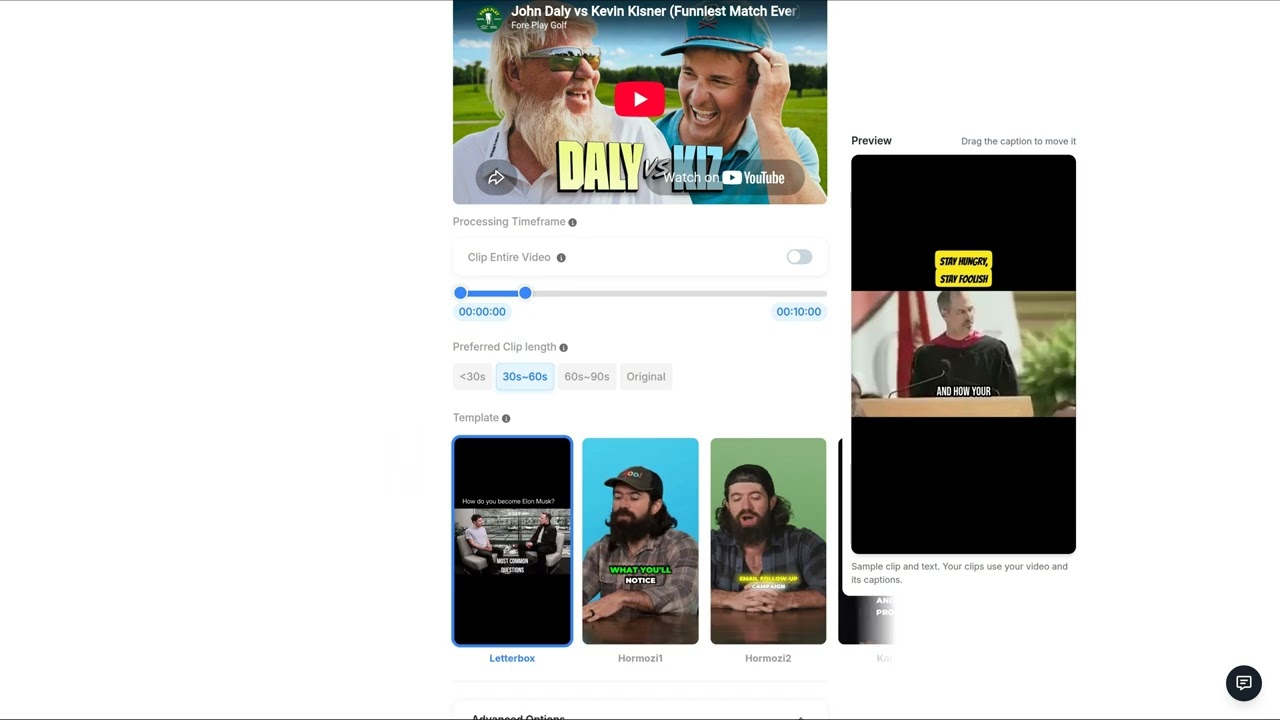
Webinars run 45–90 minutes. Ssemble counts 1 credit per source video up to 20 minutes, so a 60-minute webinar is 3 credits and a 90-minute one is 5. Per-minute tools charge 60 or 90 credits for the same files. For very long recordings you can upload only the part you want — for example, skip the 10-minute intro and housekeeping.
2. The AI finds the clips, you pick the length
The AI picks the most engaging moments automatically. Choose under 30s for teaser hooks, or 30–60s and 60–90s for full answers from the Q&A, which are often the best webinar clips.
3. Speaker reframing to 9:16
Face tracking keeps the presenter centered in vertical video. One honest caveat: webinars often show slides next to a small speaker window. Reframing focuses on the speaker, so slide text may be cropped out. For slide-heavy moments, open the editor and adjust the reframe crop by hand.
4. Captions that work on mute
Many people watch social video on mute. Ssemble adds animated captions (many templates, adjustable words per caption and position), lets you fix every word — useful for product names and acronyms — and can translate captions into 50+ languages for international audiences while keeping the original audio.
5. Brand and CTA overlays
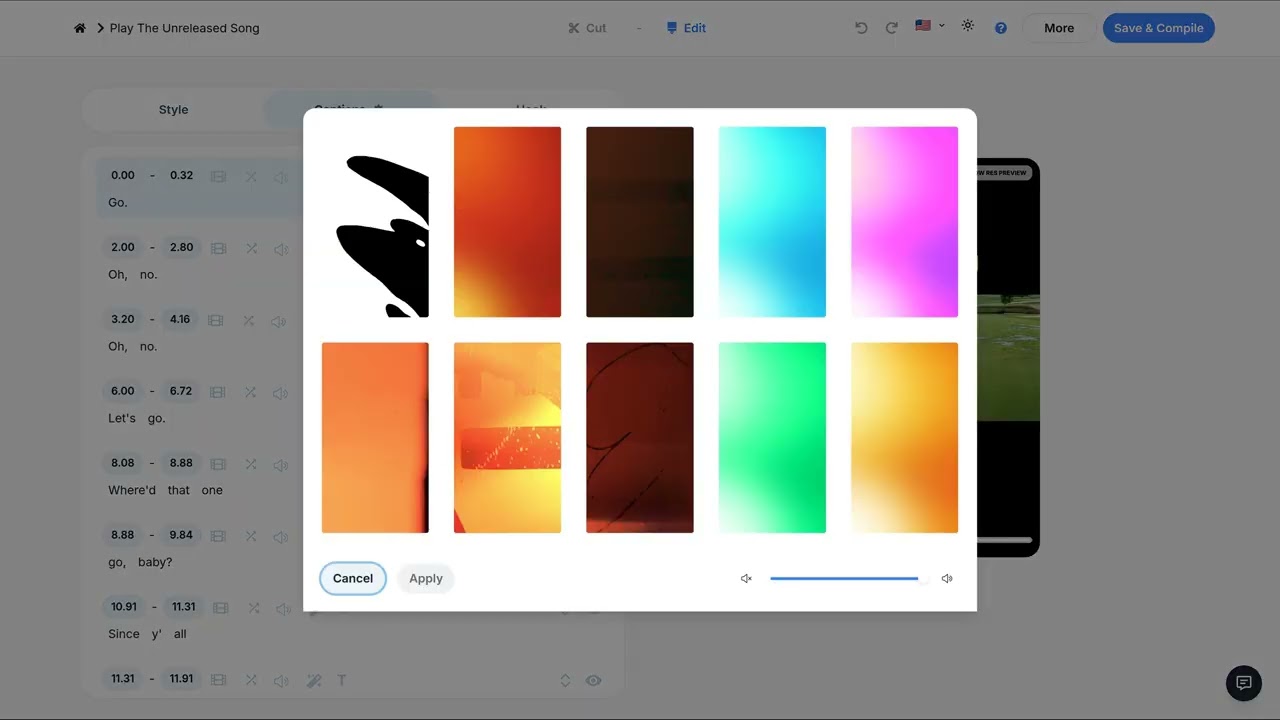
Add your logo as an image overlay, a CTA overlay pointing to the next webinar or a demo page, a hook title, background music and an end screen.
6. Schedule a month of posts at once
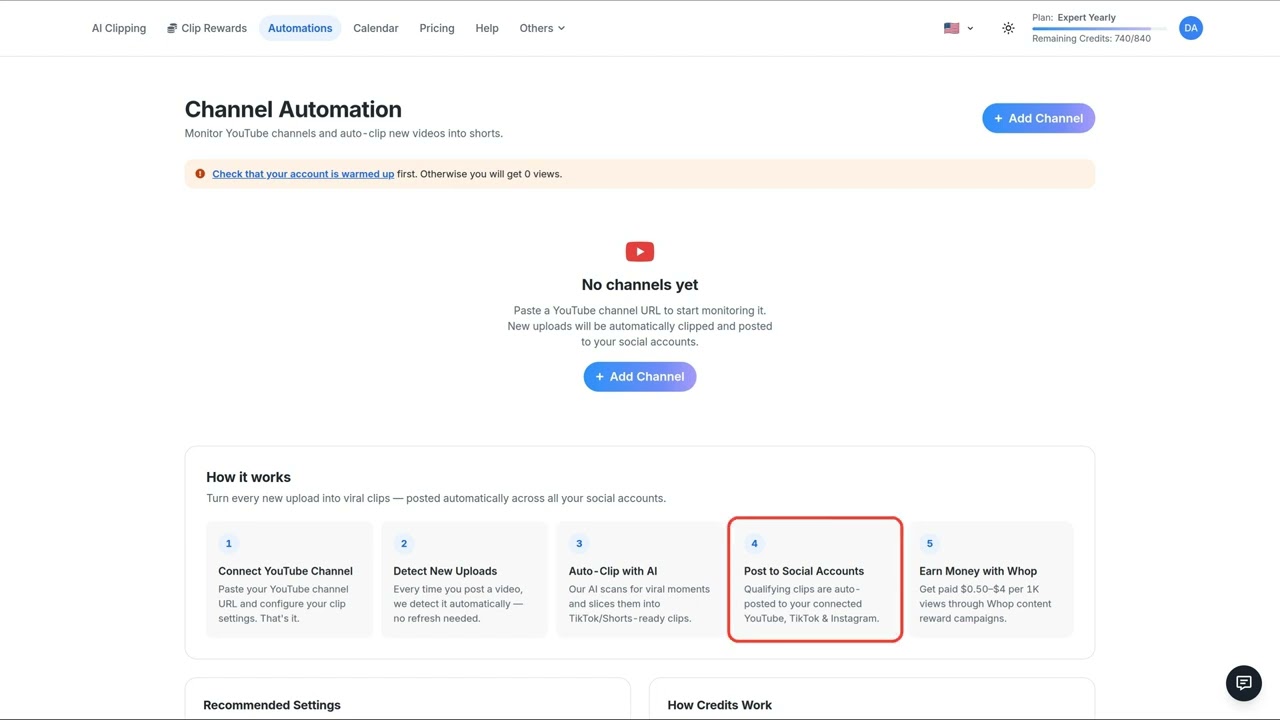
Schedule clips across TikTok, YouTube Shorts, Instagram Reels and X on a calendar. If your webinars are published on a YouTube channel, Channel Automation clips each new upload after setup and posts on a schedule (up to 21 clips per week per automation). Teams with their own systems can use the API (from Pro) or the MCP server.
Honest trade-offs
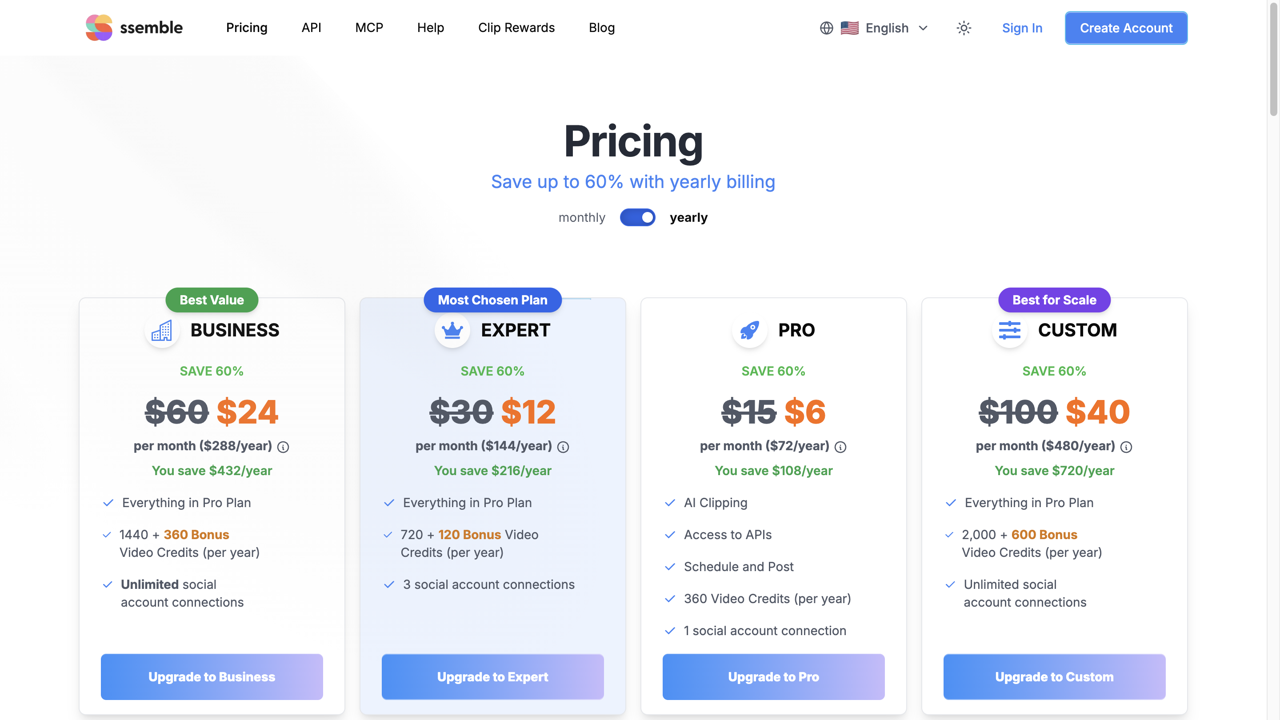
- No free plan or free trial. Plans start at $15/month, or $6/month billed yearly.
- No prompt-based search. You can't type "find the part about pricing"; narrow the timeframe or upload the relevant part instead.
- No LinkedIn auto-posting. Download the clips and post them to LinkedIn yourself.
- No team workspaces or brand kits. Fine for one marketer; larger teams may want a tool with seats.
How to Turn a Webinar into Shorts in Ssemble
- Export the webinar recording as MP4 (most webinar platforms offer this), or copy its YouTube or Vimeo link.
- Upload the file or paste the link. For long files, select the part to upload — usually the presentation and Q&A.
- Keep the video type on talking (the default).
- Choose a preferred clip length: 30–60s works well for Q&A answers.
- Pick a caption template; add a logo overlay and a CTA overlay.
- Review clips in the editor: fix caption words, trim, and adjust the crop where slides matter.
- Schedule clips to YouTube Shorts, Instagram Reels, TikTok or X, and download the ones you want for LinkedIn.
If your webinars run on Zoom, see our companion guide below for Zoom-specific tips.
Cost Example: Two 90-Minute Webinars a Month
| Tool and plan | Per 90-min webinar | Two per month |
|---|---|---|
| Ssemble Pro ($6/mo yearly, 30 credits) | 5 credits ≈ $1.00 | 10 of 30 credits |
| OpusClip Pro ($14.50/mo yearly, 300 credits) | 90 credits ≈ $4.35 | 180 of 300 credits |
| Descript ($16/mo yearly, 600 min) | 90 min ≈ $2.40 | 180 of 600 min |
| Munch ($38/mo yearly, 500 min) | 90 min ≈ $6.84 | 180 of 500 min |
With Ssemble Pro, the 20 credits left over can clip six more hour-long videos — customer interviews, product demos or podcast episodes. See all plans on the Ssemble pricing page.
The Alternatives
Descript
An editor first, with clips as a feature. You edit the full replay by editing its transcript, then cut highlights. $24/month or $16/month yearly includes 600 minutes and 400 AI credits; there's a free tier (60 minutes, 720p). Choose it if the long-form replay needs real editing.
OpusClip
A popular AI clipper with a free tier (60 credits, watermark, exports kept 3 days). Starter is $15/month (monthly only, 150 credits); Pro is $29/month or $14.50/month yearly (300 credits). 1 credit = 1 minute, so a 90-minute webinar uses 90 credits.
Vizard
Creator is $29/month or $14.50/month yearly with 600 credits, a free tier (60 credits, watermark, 720p) and API access on all tiers (rate-limited).
Munch
Known for marketing-focused repurposing. $68/month or $38/month yearly for 500 minutes, auto-posting on all plans and a 7-day trial. The highest price in this list.
Klap
$29/month or $14.50/month yearly for 100 output clips, auto-posting on all plans and captions in 99+ languages. It counts clips you produce instead of input minutes.
When to Pick Something Else
- You need to edit the full webinar replay: Descript.
- You must auto-post to LinkedIn or need team seats: check OpusClip, Vizard or Munch for those features.
- You want to test for free before paying: OpusClip, Vizard and Descript have free tiers; Ssemble does not.
- You need to search for one topic by typing it: Ssemble has no prompt search.
Frequently Asked Questions
What is the best AI tool to turn webinars into short clips?
Ssemble is the best value in 2026: upload the webinar MP4 or paste a YouTube or Vimeo link, and it auto-picks the best moments, reframes the speaker to 9:16, captions them and schedules them to Shorts, Reels, TikTok and X, for about $0.60 per 60-minute webinar on Pro billed yearly. Descript and OpusClip are the main alternatives.
How many clips can I get from one webinar?
It depends on the content. A webinar with a solid presentation and an active Q&A usually has several self-contained moments. Ssemble picks them automatically; you choose the clip length and keep the ones you like.
Will slides be visible in vertical webinar clips?
Not always. Ssemble's reframing follows the speaker's face, so slides beside the speaker can be cropped out in 9:16. You can adjust the crop manually in the editor for clips where the slide matters.
Can I post webinar clips to LinkedIn automatically?
Ssemble auto-posts to TikTok, YouTube Shorts, Instagram Reels and X, not LinkedIn. Download the clips and upload them to LinkedIn yourself.
How much does it cost to clip a 90-minute webinar?
On Ssemble, 5 credits (1 credit = up to 20 minutes), about $1.00 on Pro billed yearly. On OpusClip Pro, 90 credits, about $4.35. On Munch, about $6.84 of the yearly plan's 500 minutes.
Get a month of shorts from one webinar
Upload the recording, pick the clips, schedule them. Plans from $6/month billed yearly.
See Ssemble plans →
📚 Related Guides
Prices checked November 24, 2026. Ssemble is our product; competitor prices are from their official pricing pages. Always verify on each tool's website.
Ready to Start Clipping?
Transform long videos into engaging short-form clips with Ssemble's AI-powered tools.
Get Started
