Cut Videos to Perfect Length with Precision
Professional video trimmer with frame-perfect accuracy. Remove unwanted sections, adjust duration, and optimize for any platform with lossless quality preservation. From $7.50/mo.
Frame-perfect precision. Multiple cut points. Lightning-fast processing.
Trimming vs Cropping: Know the Difference
Understanding when to trim (time-based) vs crop (space-based) your videos.
Purpose
Adjusts video duration (time-based)
Changes video frame size (space-based)
What it removes
Parts of the timeline (beginning/middle/end)
Parts of the video frame (edges, unwanted areas)
Best for
Removing silence, mistakes, adjusting length
Changing aspect ratio, removing distractions
Output result
Shorter video with original frame size
Same duration with modified frame size
How Video Trimming Works
Professional trimming results in three simple steps.
Upload Video File
Import your video file or paste a URL. Supports all major video formats including MP4, MOV, AVI, and more.
Select Trim Points
Use the timeline scrubber, enter exact timestamps, or let AI suggest optimal cut points. Preview your selections in real-time.
Trim & Export
Process your trimmed video in seconds with lossless quality. Export in your preferred format and resolution.
Types of Video Trimming
Different trimming techniques for different content needs.
Start/End Trimming
Remove unwanted content from the beginning or end of videos
Remove intro/outro, cut silence, eliminate dead time
Middle Section Removal
Cut out unwanted parts while keeping beginning and end
Remove mistakes, pauses, irrelevant sections
Segment Extraction
Extract specific time ranges to create highlight clips
Pull quotes, key moments, action sequences
Length Optimization
Trim videos to meet platform-specific duration limits
60s for TikTok, 15s for Stories, custom durations
Professional Trimming Features
Advanced tools for precise video length adjustment and editing.
Frame-Perfect Precision
Trim videos down to individual frames with millisecond accuracy. Professional-grade precision for exact start and end points.
Multiple Cut Points
Make multiple cuts in a single video to remove unwanted sections while keeping the good parts. Extract multiple segments effortlessly.
Suggested Cut Points
AI proposes where to cut based on the flow of the video, so you start from suggested segments instead of a blank timeline.
Time-Based Selection
Select trim points by exact timestamps, duration settings, or visual timeline scrubbing. Multiple input methods for maximum flexibility.
Real-time Preview
See exactly what your trimmed video will look like before processing. Preview start and end points with frame-by-frame navigation.
Batch Trimming
Apply consistent trim settings to multiple videos simultaneously. Perfect for processing video series or removing standard intro/outro lengths.
Lossless Quality
Trimming preserves original video quality with no recompression. Only unused portions are removed while keeping existing quality intact.
Fast Processing
Lightning-fast trimming with optimized algorithms. Most trim operations complete in seconds, not minutes.
Trim for Platform Duration Limits
TikTok
15-60 seconds
Optimal engagement under 30s
Instagram Reels
15-90 seconds
60s recommended for reach
YouTube Shorts
60 seconds max
Hook viewers in first 3s
2:20 minutes
Under 30s for native playback
10 minutes
2-3 minutes ideal for engagement
Instagram Stories
15 seconds per clip
Can chain multiple clips
Common Trimming Use Cases
Remove Intro/Outro
Cut standard beginnings and endings from videos
Eliminate Dead Time
Remove pauses, silence, and waiting periods
Extract Highlights
Pull out the most engaging moments from longer content
Meet Time Limits
Trim videos to fit platform duration requirements
Remove Mistakes
Cut out errors, false starts, or unwanted content
Create Teasers
Make short preview clips from longer videos
See Video Trimming in Action
Watch how easy it is to trim videos with frame-perfect precision.
See How It Works
Watch how easy it is to create viral clips with AI in just a few clicks
Trusted by teams at leading companies and institutions
Features
Everything you need to create viral clips
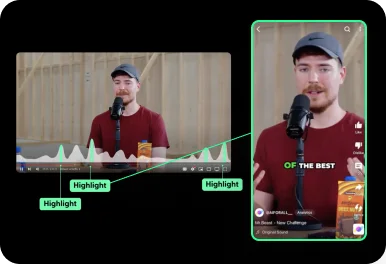
Auto Curation
AI automatically detects viral-worthy moments in your video and turns them into short clips.
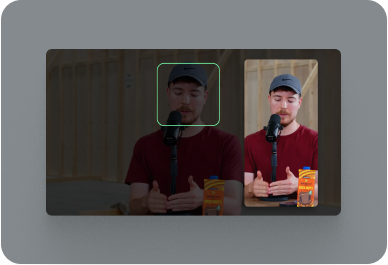
Face Tracking
AI detects faces in your video and keeps them centered in vertical formats.
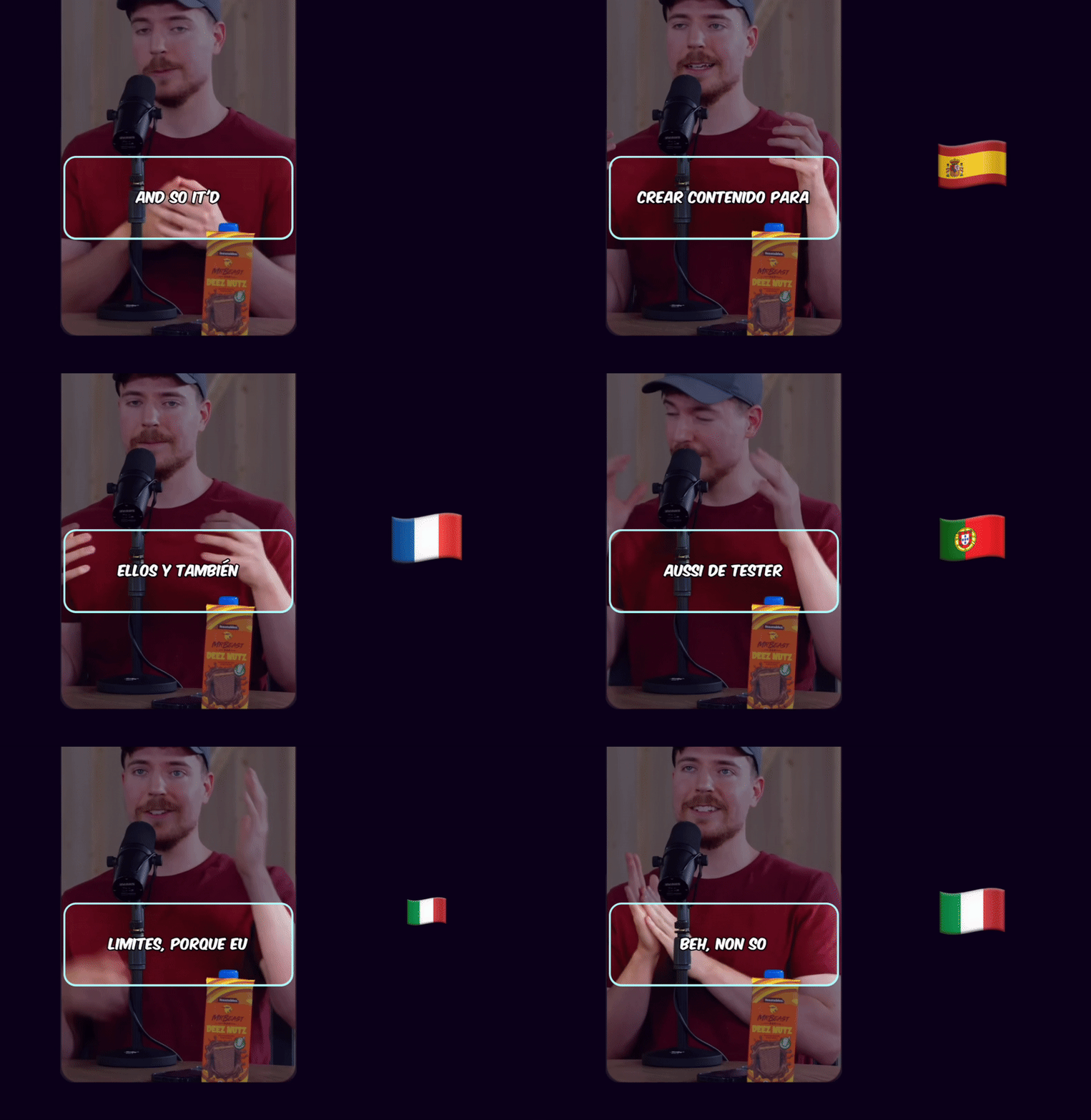
Auto Captioning
AI listens to your video and automatically adds captions.

Caption Translation
Translate captions to different languages while keeping the original audio.
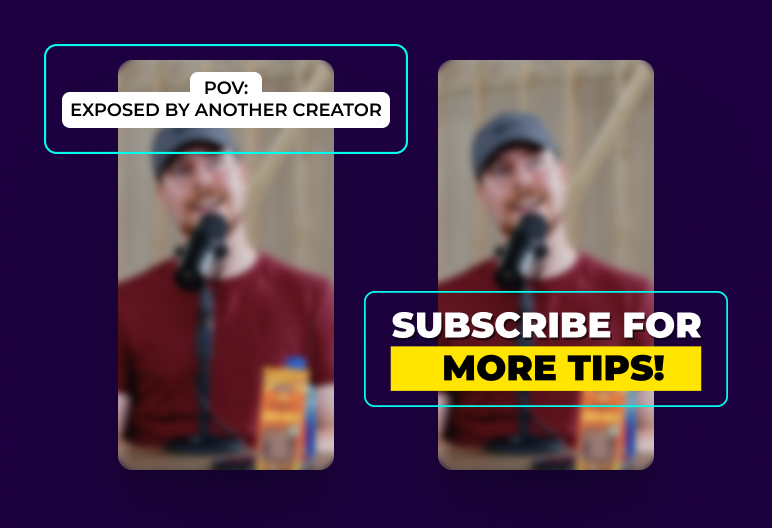
Hook Title & CTA
AI generates engaging hook titles and CTAs to keep viewers watching until the end.
Game Video
Adds gameplay footage at the bottom to increase retention and keep viewers engaged.

Multi Language Audio
If the original YouTube video has multiple audio tracks, you can select your preferred language track to use in your Shorts
 EN
EN HI
HIOriginal English audio replaced with the Hindi dubbed track from YouTube
Schedule and Post
Consistency is key to reaching 1 million views. Use Ssemble's Schedule and Post features to publish the clips to TikTok, YouTube, and Instagram over multiple days.
Schedule and Post to multiple platforms at once
With Ssemble's Calendar Feature, you can schedule and post to TikTok, YouTube, and Instagram at best performing times, saving you time and effort. Just set multiple posts and forget about it.
Automated Titles, Descriptions & Hashtags
Create optimized titles, descriptions and hashtags to improve visibility and engagement.
Example Clips
Just extract the juicy moments from long videos and let the clips go viral.
Insights
Learn about the content strategies used by top clippers



Simple Video Trimming Pricing
Trim unlimited videos with professional precision and lossless quality.
BUSINESS
EXPERT
PRO
CUSTOM
How Much Does a Video Cost?
| AI Tool | Credit Cost |
|---|---|
AI Clipping 1/4 the price of competitors → | 1 Credit per video (20 minutes) |




Trusted by 2.4M+ shorts clippers | 4.9 out of 5
Video Trimming FAQ
What is video trimming?
Video trimming is the process of removing unwanted sections from the beginning, middle, or end of a video to adjust its duration or remove unnecessary content while preserving video quality.
How do you trim a video?
Upload your video, use the timeline to select start and end points for the sections you want to keep or remove, preview your selection, then export the trimmed video with preserved quality.
What's the difference between trimming and cropping?
Trimming adjusts video duration by removing time segments, while cropping changes the frame size by removing spatial areas. Trimming affects timeline, cropping affects screen space.
Does trimming reduce video quality?
No, proper video trimming preserves original quality by removing sections without recompressing the remaining content. Only unwanted portions are discarded.
Can I make multiple cuts in one video?
Yes, you can make multiple cuts to remove several unwanted sections while keeping the good parts, or extract multiple segments from a single source video.
How accurate is the trimming?
Our trimmer offers frame-perfect precision, allowing you to cut videos down to individual frames with millisecond accuracy for professional results.
Ready for frame-perfect trimming?
Cut your videos to perfect length with professional precision. Remove unwanted sections and optimize for any platform with lossless quality. From $7.50/mo.
Start Trimming →