Convert Videos to Mobile-First Format
Transform horizontal videos into engaging vertical content for TikTok, Instagram Reels, and YouTube Shorts. AI-powered smart cropping ensures you never lose important content. From $7.50/mo.
AI-powered smart cropping. Perfect 9:16 mobile format.
Horizontal to Vertical Transformation
See how AI intelligently converts landscape videos into engaging mobile content.
Podcast Clips
Horizontal talking heads with lots of empty space
Tight vertical framing focused on speakers with engaging backgrounds
Gaming Content
Wide gameplay footage hard to see on mobile
Focused vertical view highlighting key game action and reactions
Educational Videos
Slides and presentations too small on mobile screens
Readable vertical content with enlarged text and focused slide areas
Product Demos
Wide product shots with wasted screen space
Close-up vertical product views perfect for mobile shopping
How Vertical Video Conversion Works
AI-powered smart cropping in three simple steps.
Upload Horizontal Video
Import your 16:9 landscape video or paste a YouTube URL. Works with any horizontal video format or resolution.
AI Analyzes & Crops
Smart AI identifies faces, text, and key subjects to determine optimal vertical crop area. Auto-reframing tracks movement throughout the video.
Customize & Export
Preview the result, adjust crop positioning if needed, add background options, then export in perfect 9:16 format for mobile platforms.
Smart Vertical Video Features
Advanced AI ensures perfect mobile-optimized results every time.
Smart 9:16 Conversion
Automatically convert 16:9 horizontal videos to perfect 9:16 vertical format. AI identifies the most important visual elements to keep in frame.
Intelligent Cropping
Advanced AI analyzes faces, text, and key objects to crop videos intelligently. Never lose important content when going vertical.
Platform Optimization
Optimized output for TikTok (1080x1920), Instagram Reels (1080x1920), YouTube Shorts (1080x1920), and Stories (1080x1920).
Auto-Reframe Technology
Dynamic reframing follows the action throughout your video. The crop area automatically adjusts as subjects move on screen.
Text-Safe Cropping
AI detects existing captions, titles, and text overlays to ensure they remain visible and readable in vertical format.
Background Blur Options
Add blurred backgrounds, solid colors, or gradient fills to maintain 9:16 aspect ratio without losing original content.
Batch Processing
Convert multiple horizontal videos to vertical format simultaneously. Perfect for content creators with large video libraries.
Preview & Adjust
Real-time preview with manual adjustment controls. Fine-tune the crop area and positioning before final export.
Optimized for Every Mobile Platform
TikTok
1080x1920, 60 seconds max
Perfect vertical videos for maximum TikTok engagement
Instagram Reels
1080x1920, 90 seconds max
Optimized for Instagram's vertical video format
YouTube Shorts
1080x1920, 60 seconds max
Vertical content for YouTube's short-form platform
Instagram Stories
1080x1920, 15 seconds per clip
Story-ready vertical videos with proper dimensions
Snapchat
1080x1920, 60 seconds max
Vertical videos optimized for Snapchat's mobile-first audience
1080x1920, varies
Professional vertical content for LinkedIn's video feed
See Vertical Video Conversion in Action
Watch how easy it is to transform horizontal videos into mobile-ready vertical content.
See How It Works
Watch how easy it is to create viral clips with AI in just a few clicks
Trusted by teams at leading companies and institutions
Features
Everything you need to create viral clips
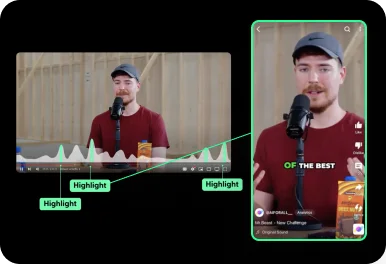
Auto Curation
AI automatically detects viral-worthy moments in your video and turns them into short clips.
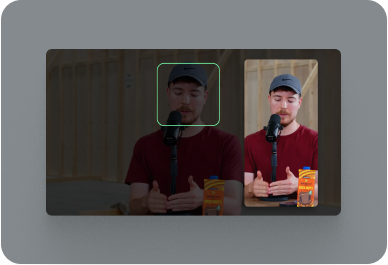
Face Tracking
AI detects faces in your video and keeps them centered in vertical formats.
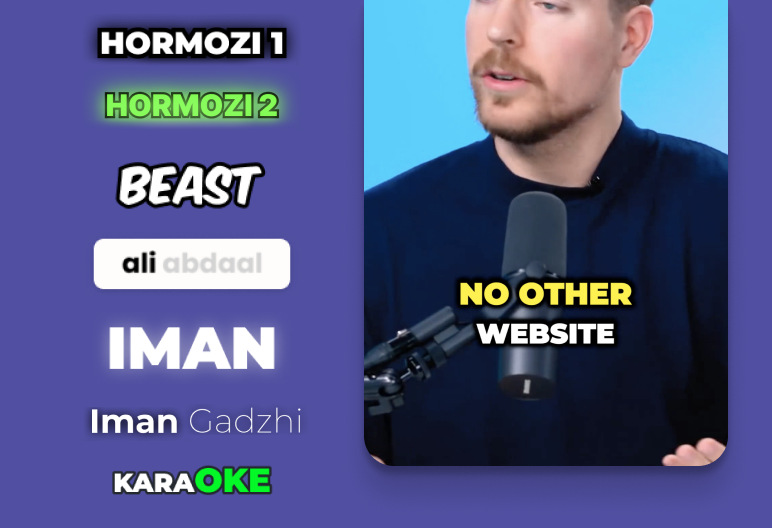
Auto Captioning
AI listens to your video and automatically adds captions.
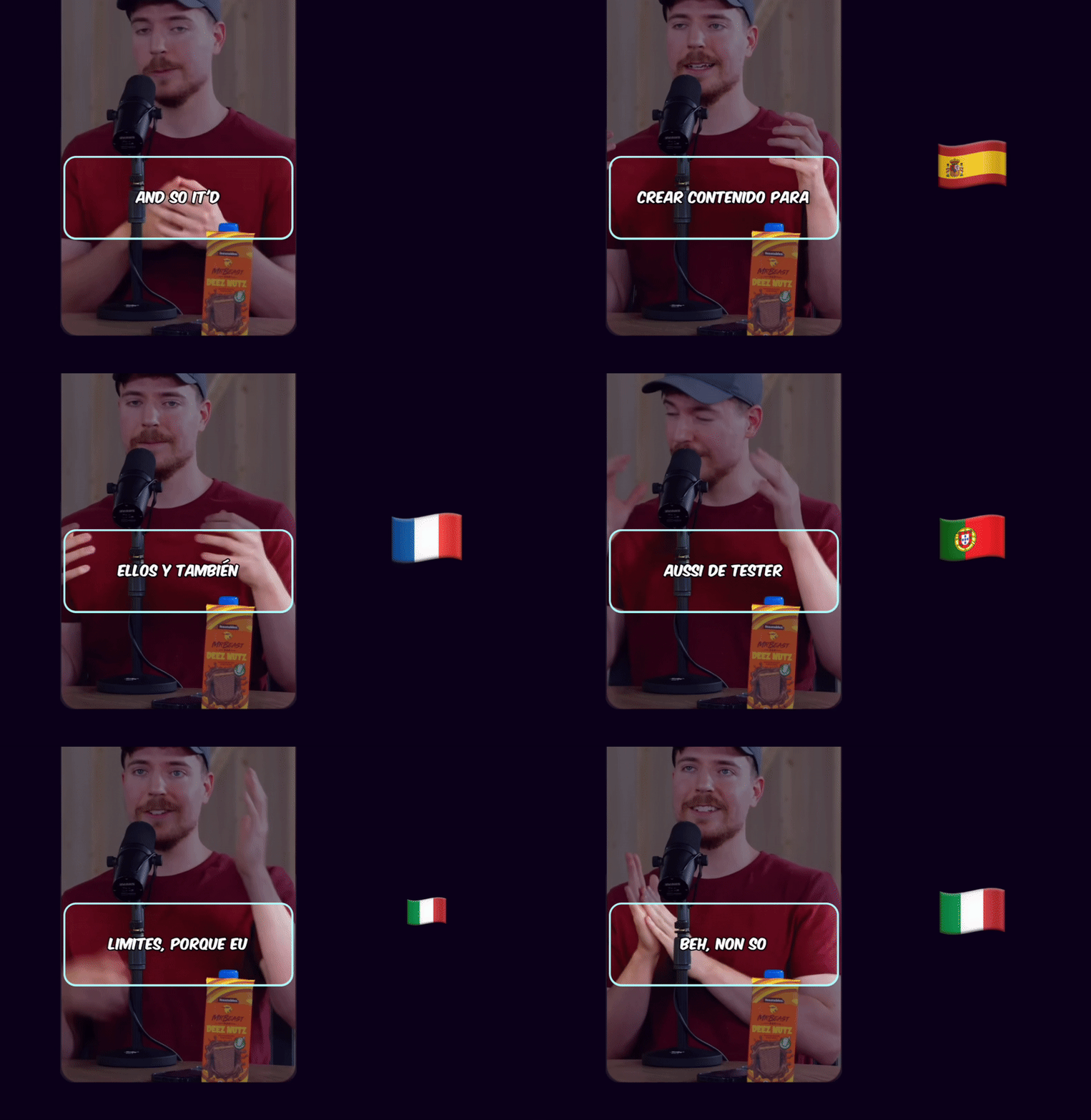
Caption Translation
Translate captions to different languages while keeping the original audio.
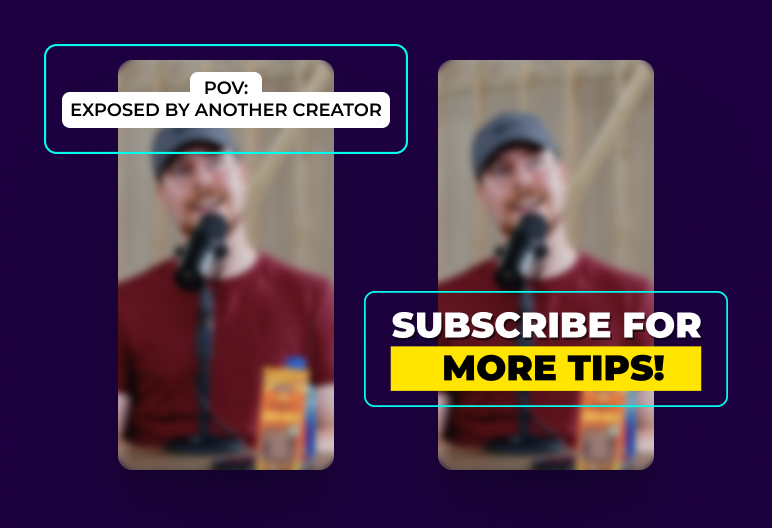
Hook Title & CTA
AI generates engaging hook titles and CTAs to keep viewers watching until the end.
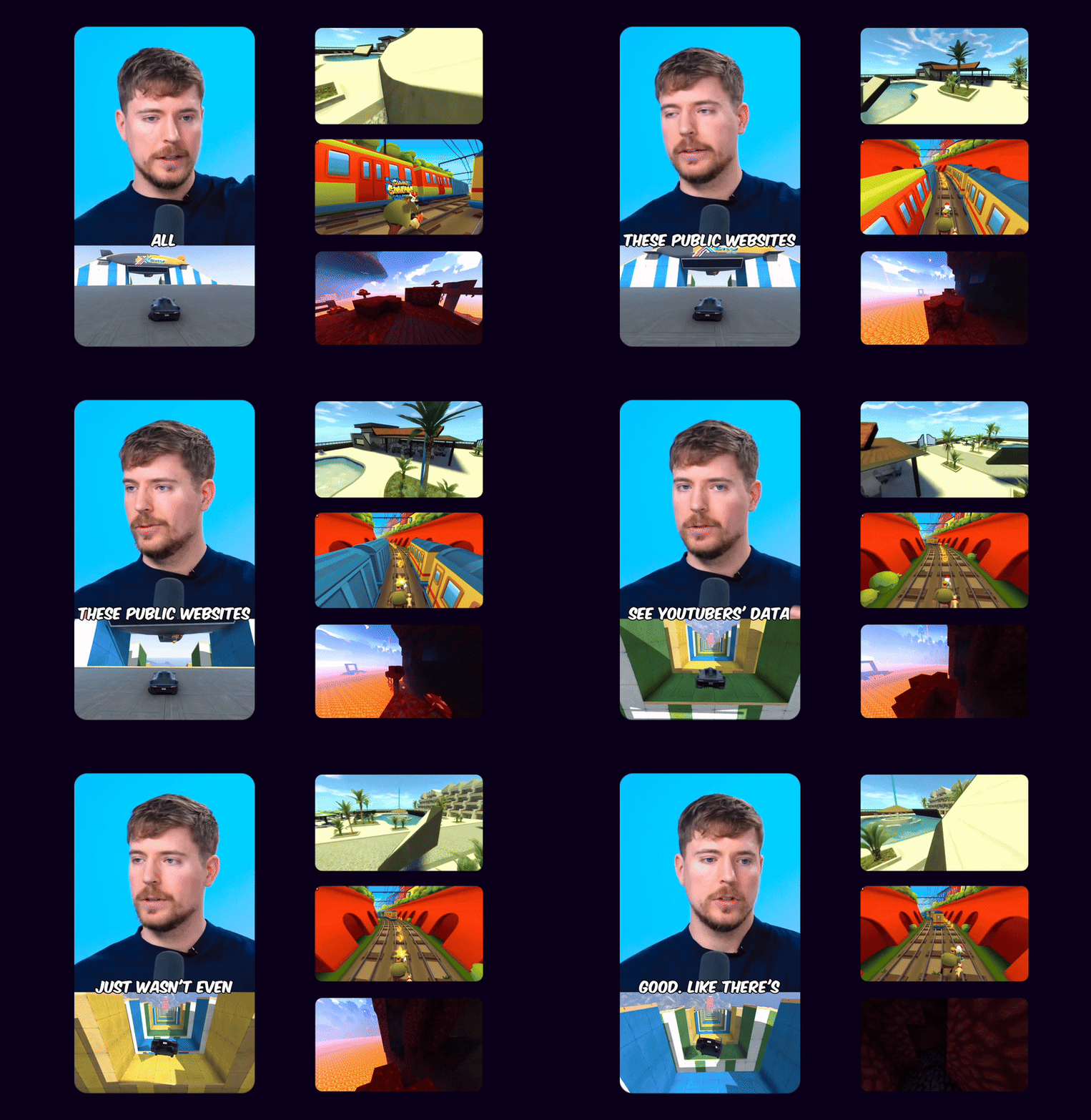
Game Video
Adds gameplay footage at the bottom to increase retention and keep viewers engaged.
Multi Language Audio
If the original YouTube video has multiple audio tracks, you can select your preferred language track to use in your Shorts
 EN
EN HI
HIOriginal English audio replaced with the Hindi dubbed track from YouTube
Schedule and Post
Consistency is key to reaching 1 million views. Use Ssemble's Schedule and Post features to publish the clips to TikTok, YouTube, and Instagram over multiple days.
Schedule and Post to multiple platforms at once
With Ssemble's Calendar Feature, you can schedule and post to TikTok, YouTube, and Instagram at best performing times, saving you time and effort. Just set multiple posts and forget about it.
Automated Titles, Descriptions & Hashtags
Create optimized titles, descriptions and hashtags to improve visibility and engagement.
Example Clips
Just extract the juicy moments from long videos and let the clips go viral.
Insights
Learn about the content strategies used by top clippers



Simple Vertical Video Pricing
Convert unlimited horizontal videos to vertical format. Per-video pricing with no surprises.
BUSINESS
EXPERT
PRO
CUSTOM
How Much Does a Video Cost?
| AI Tool | Credit Cost |
|---|---|
AI Clipping 1/4 the price of competitors → | 1 Credit per video (20 minutes) |




Trusted by 2.4M+ shorts clippers | 4.9 out of 5
Vertical Video FAQ
What is a vertical video?
A vertical video has a portrait orientation (taller than wide) with a 9:16 aspect ratio, optimized for mobile viewing on platforms like TikTok, Instagram Reels, and YouTube Shorts.
How do you convert horizontal video to vertical?
Use AI-powered cropping to intelligently select the most important parts of horizontal footage and reframe them into 9:16 vertical format, with options for background blur or solid colors to fill space.
What's the best aspect ratio for vertical videos?
9:16 (1080x1920 pixels) is the standard for TikTok, Instagram Reels, YouTube Shorts, and Stories. This provides optimal viewing experience on mobile devices.
Can I convert YouTube videos to vertical format?
Yes, you can paste YouTube URLs to automatically download and convert horizontal YouTube videos into vertical format optimized for mobile platforms.
Will important content be cropped out?
Our AI analyzes faces, text, and key objects to ensure important content stays in frame. You can also manually adjust the crop area and use background blur to preserve all content.
Do vertical videos perform better on social media?
Yes, vertical videos get significantly more engagement on mobile platforms because they take up the full screen and don't require users to rotate their devices.
Ready to go vertical?
Transform your horizontal videos into mobile-first content that engages audiences on TikTok, Instagram, and YouTube Shorts. From $7.50/mo.
Create Vertical Videos →