Remove Unwanted Areas & Focus on What Matters
Precise video cropping tool with AI-powered smart detection. Remove distractions, optimize for any platform, and highlight your key content with pixel-perfect accuracy. From $7.50/mo.
Smart crop detection. Multiple aspect ratios. Pixel-perfect precision.
Types of Video Cropping
Different cropping techniques for different content needs.
Subject-Focused Cropping
Remove distracting backgrounds and zoom in on the main subject
Portrait videos, product demos, interview clips
Platform Optimization
Crop to perfect dimensions for social media platforms
TikTok 9:16, Instagram 1:1, YouTube 16:9
Content Cleanup
Remove unwanted elements, logos, or visual clutter
Watermark removal, edge cleanup, object removal
Multi-angle Extraction
Extract different perspectives from wide-angle footage
Conference talks, sports footage, surveillance clips
How Video Cropping Works
Professional cropping results in three simple steps.
Upload & Preview
Upload your video and see it in our cropping interface. The full video timeline is available for precise frame selection.
Select Crop Area
Drag to select your crop area or choose from smart AI suggestions. Real-time preview shows exactly what will be included.
Adjust & Export
Fine-tune positioning, apply aspect ratio presets, then export your perfectly cropped video optimized for your target platform.
Advanced Cropping Features
Professional tools for precise video cropping and optimization.
Precision Cropping
Frame-perfect cropping with pixel-level accuracy. Select exactly what you want to keep and remove everything else with surgical precision.
Smart Crop Detection
AI automatically suggests optimal crop areas by identifying faces, text, and important subjects. Get professional results with one click.
Aspect Ratio Presets
Quick presets for 1:1 (Instagram), 9:16 (TikTok), 16:9 (YouTube), 4:5 (Facebook), and custom ratios. Perfect dimensions every time.
Real-time Preview
See exactly how your cropped video will look before processing. Adjust crop areas with live preview to get the perfect frame.
Multi-area Cropping
Crop multiple sections from the same video in one operation. Extract different angles or subjects from a single source video.
Batch Processing
Apply the same crop settings to multiple videos simultaneously. Perfect for content series or consistent branding across videos.
Custom Dimensions
Set exact pixel dimensions or use percentage-based cropping. Full control over output size and positioning.
Crop Templates
Save frequently used crop settings as templates. Apply your signature cropping style across all your content instantly.
Perfect Aspect Ratios for Every Platform
1:1
Instagram Feed
1080×1080
9:16
TikTok, Reels
1080×1920
16:9
YouTube, Widescreen
1920×1080
4:5
Facebook, LinkedIn
1080×1350
21:9
Cinematic
2560×1080
Custom
Any Size
Your Choice
Perfect for Every Video Type
Podcast Video Clips
Crop wide interview setups to focus on speakers
Product Demonstrations
Remove background clutter and highlight products
Gaming Content
Crop gameplay footage to remove UI elements or focus on action
Tutorial Videos
Crop screen recordings to show only relevant interface areas
Event Highlights
Extract key moments from wide event footage
Social Media Stories
Perfect cropping for Instagram and Facebook stories
See Video Cropping in Action
Watch how easy it is to crop videos with precision and professional results.
See How It Works
Watch how easy it is to create viral clips with AI in just a few clicks
Trusted by teams at leading companies and institutions
Features
Everything you need to create viral clips
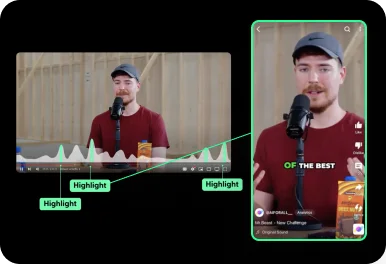
Auto Curation
AI automatically detects viral-worthy moments in your video and turns them into short clips.
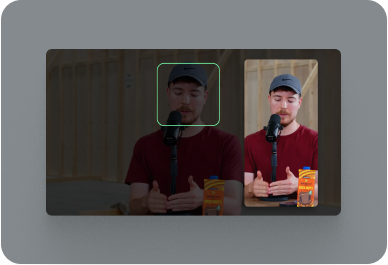
Face Tracking
AI detects faces in your video and keeps them centered in vertical formats.
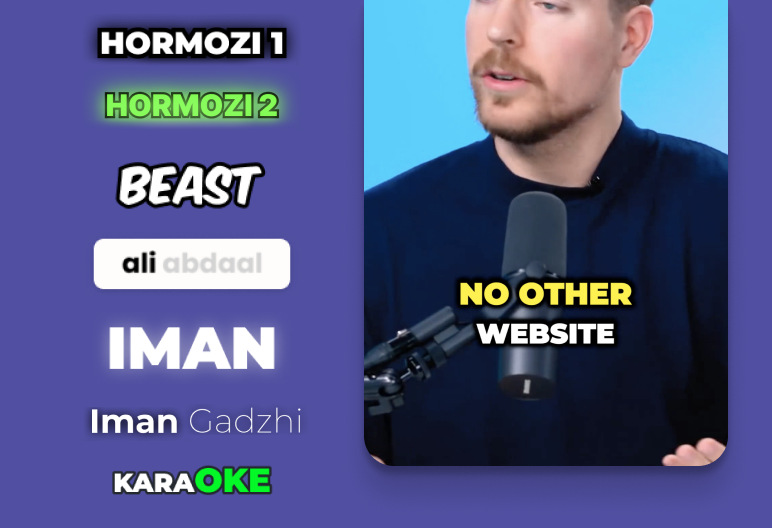
Auto Captioning
AI listens to your video and automatically adds captions.
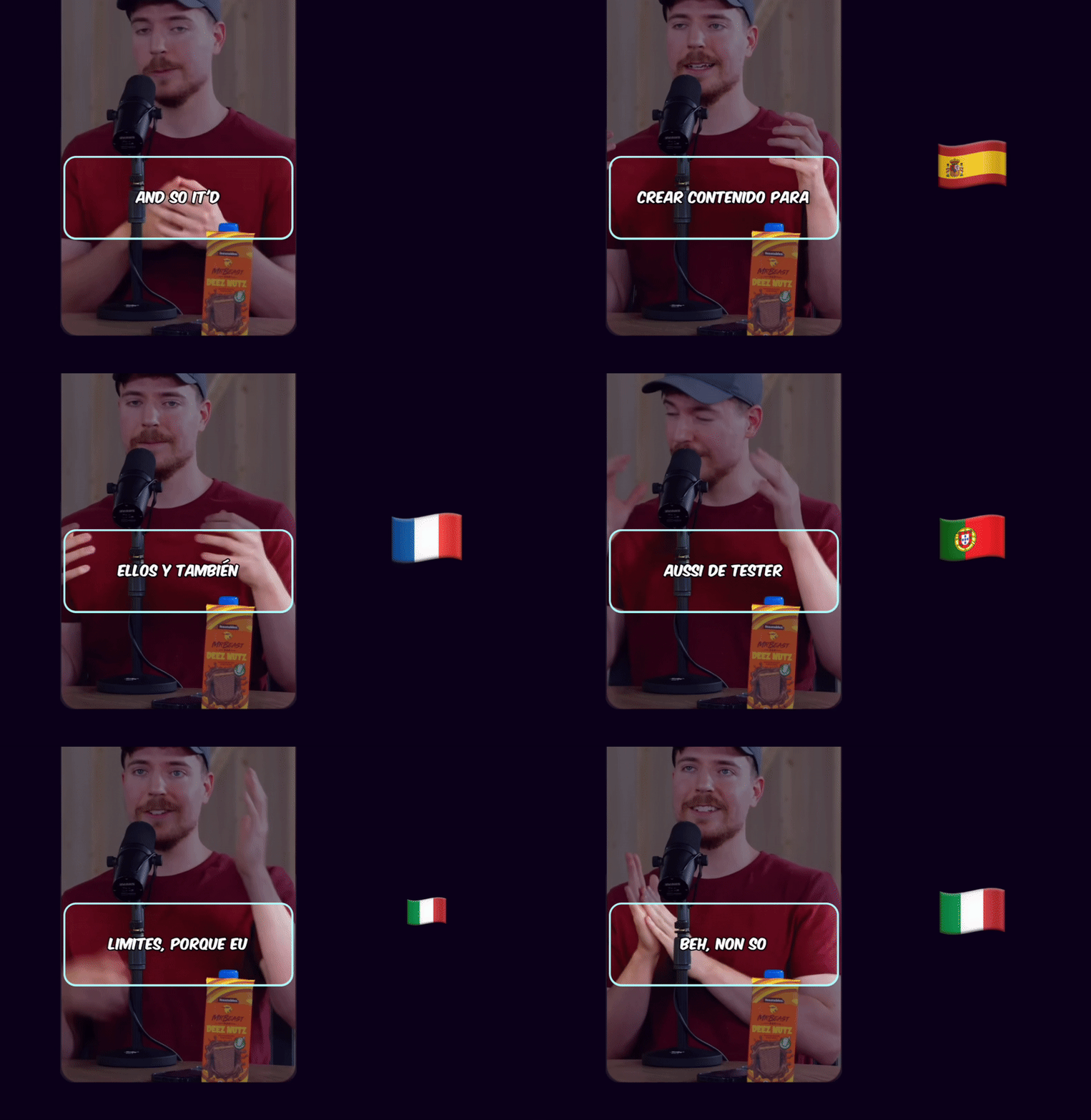
Caption Translation
Translate captions to different languages while keeping the original audio.
Hook Title & CTA
AI generates engaging hook titles and CTAs to keep viewers watching until the end.
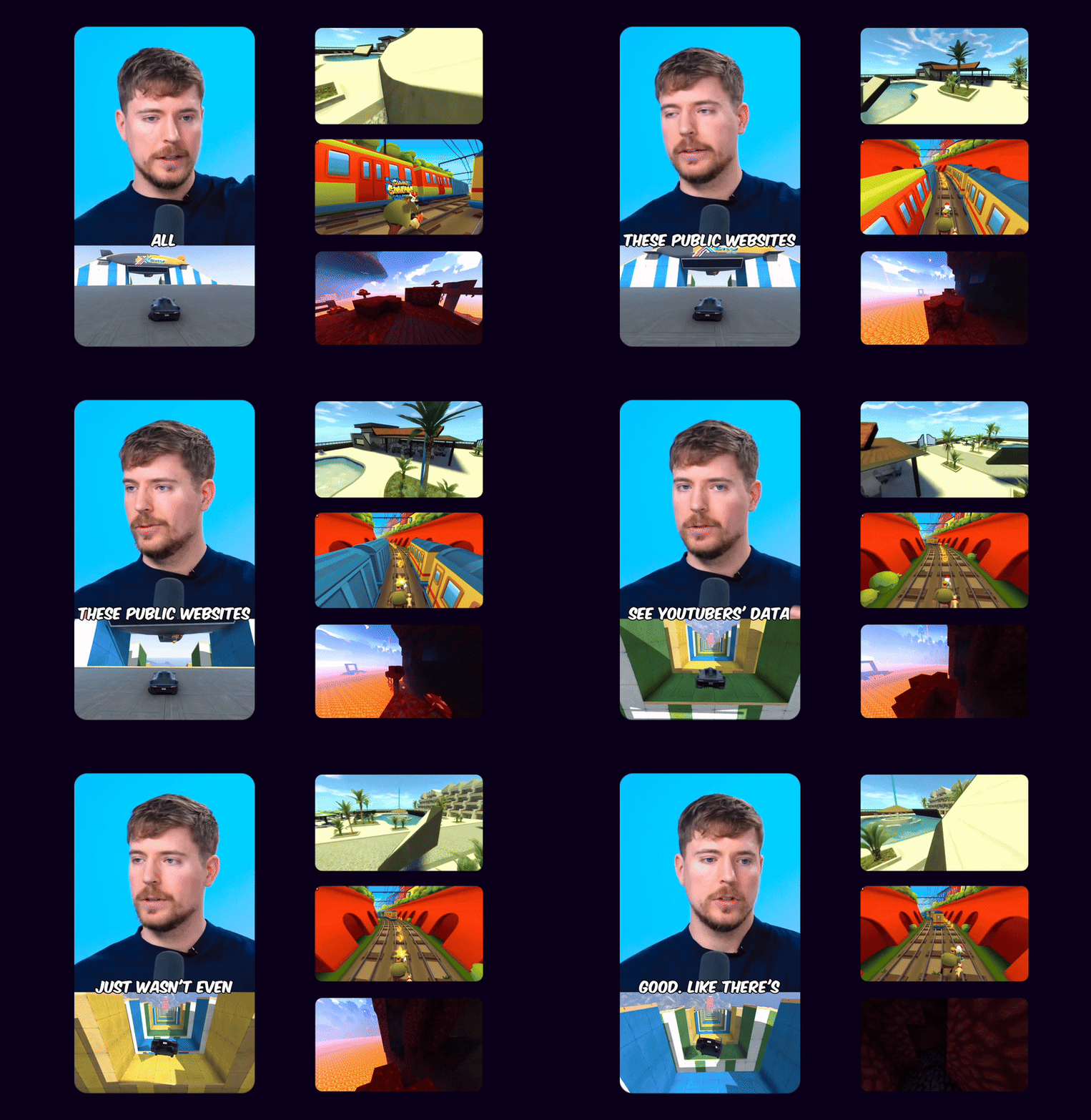
Game Video
Adds gameplay footage at the bottom to increase retention and keep viewers engaged.
Multi Language Audio
If the original YouTube video has multiple audio tracks, you can select your preferred language track to use in your Shorts
 EN
EN HI
HIOriginal English audio replaced with the Hindi dubbed track from YouTube
Schedule and Post
Consistency is key to reaching 1 million views. Use Ssemble's Schedule and Post features to publish the clips to TikTok, YouTube, and Instagram over multiple days.
Schedule and Post to multiple platforms at once
With Ssemble's Calendar Feature, you can schedule and post to TikTok, YouTube, and Instagram at best performing times, saving you time and effort. Just set multiple posts and forget about it.
Automated Titles, Descriptions & Hashtags
Create optimized titles, descriptions and hashtags to improve visibility and engagement.
Example Clips
Just extract the juicy moments from long videos and let the clips go viral.
Insights
Learn about the content strategies used by top clippers



Simple Video Cropping Pricing
Crop unlimited videos with precision tools and smart AI assistance.
BUSINESS
EXPERT
PRO
CUSTOM
How Much Does a Video Cost?
| AI Tool | Credit Cost |
|---|---|
AI Clipping 1/4 the price of competitors → | 1 Credit per video (20 minutes) |



Trusted by 2.4M+ shorts clippers | 4.9 out of 5
Video Cropping FAQ
What is video cropping?
Video cropping is the process of removing unwanted areas from video frames to focus on specific content, change aspect ratios, or eliminate distracting elements from the edges of the frame.
How do you crop a video?
Upload your video, select the area you want to keep using the crop tool, preview the result, and export. Advanced tools offer AI-suggested crop areas and aspect ratio presets for different platforms.
Can I crop videos for different social media platforms?
Yes, use aspect ratio presets like 1:1 for Instagram, 9:16 for TikTok and Reels, 16:9 for YouTube, and 4:5 for Facebook to crop videos perfectly for each platform.
Will cropping reduce video quality?
Cropping removes pixels but doesn't compress existing content, so the cropped area maintains original quality. The final file will be smaller due to fewer pixels.
Can I crop multiple videos with the same settings?
Yes, batch processing allows you to apply the same crop settings to multiple videos simultaneously, perfect for maintaining consistency across content series.
What's the difference between cropping and trimming?
Cropping removes parts of the video frame (spatial editing), while trimming removes parts of the video timeline (temporal editing). Both are useful for different purposes.
Ready to crop with precision?
Remove distractions and focus on what matters most. Professional video cropping with AI assistance and pixel-perfect accuracy. From $7.50/mo.
Start Cropping →