
Best AI Tool: Long YouTube Videos to TikTok & Reels (2026)

Eric Lee
CEO and Founder of Ssemble
The best AI tool to turn long YouTube videos into short clips for TikTok and Reels in 2026 is Ssemble: you paste the YouTube link, the AI finds the most engaging moments, reframes them to 9:16 with face tracking, adds animated captions, and schedules them straight to TikTok, Instagram Reels and YouTube Shorts. It charges 1 credit per source video up to 20 minutes (a one-hour video is 3 credits), so Pro at $6/month billed yearly works out to about $0.60 per hour of video. If you want a free plan to test first, OpusClip and Vizard give 60 free credits with a watermark, and Klap is a simple one-click option that counts output clips instead of source minutes.
TL;DR: For long YouTube videos (podcasts, interviews, streams, tutorials), pricing per source video beats pricing per minute. Ssemble Pro is $6/mo yearly ($15 monthly) for 30 credits, and each credit covers up to 20 minutes of video. It also posts to TikTok, Reels, Shorts and X, and Channel Automation can clip every new upload on your YouTube channel. Trade-offs: Ssemble has no free plan and no prompt-based moment search (you cannot type "find the part about X"). If you need those, look at OpusClip or Vizard.
What to look for when clipping long YouTube videos
A 10-minute vlog and a 2-hour podcast need different things from a clipping tool. For long videos, four things decide the result and the bill:
- How the tool charges. Per-minute credits get expensive on long videos. A 60-minute video uses 60 credits on a per-minute tool, but 3 credits on Ssemble.
- Reframing to 9:16. TikTok and Reels are vertical. The tool needs face or active-speaker tracking so the person talking stays in frame.
- Captions. Most short-form views happen with the sound off, so animated captions matter.
- Posting. If you have to download every clip and upload it by hand to TikTok and Instagram, the AI only saved you half the work.
AI tools for YouTube to TikTok and Reels, compared (November 2026)
| Ssemble | OpusClip | Vizard | Klap | Submagic | |
|---|---|---|---|---|---|
| Lowest paid | $15/mo or $6/mo yearly | Starter $15/mo (monthly only) | $29/mo or $14.50/mo yearly | $29/mo or $14.50/mo yearly | $19/mo or $12/mo yearly |
| What's included | 30 credits, 1 = 1 video up to 20 min | 150 credits, 1 = 1 min | 600 credits | 100 output clips | 45 credits (~5 long videos) |
| Free option | None | 60 credits, watermark | 60 credits, watermark, 720p | 1 trial video | None (trial) |
| Auto-post | TikTok, Shorts, Reels, X | From Starter | 1 account free, scheduling on Creator | All plans | From Pro |
| Caption languages | 50+ | 20+ | Not stated | 99+ | 118 |
| Auto-clip new channel uploads | Yes (Channel Automation) | Not stated | Not stated | Not stated | Not stated |
Why Ssemble is the best pick for long YouTube videos
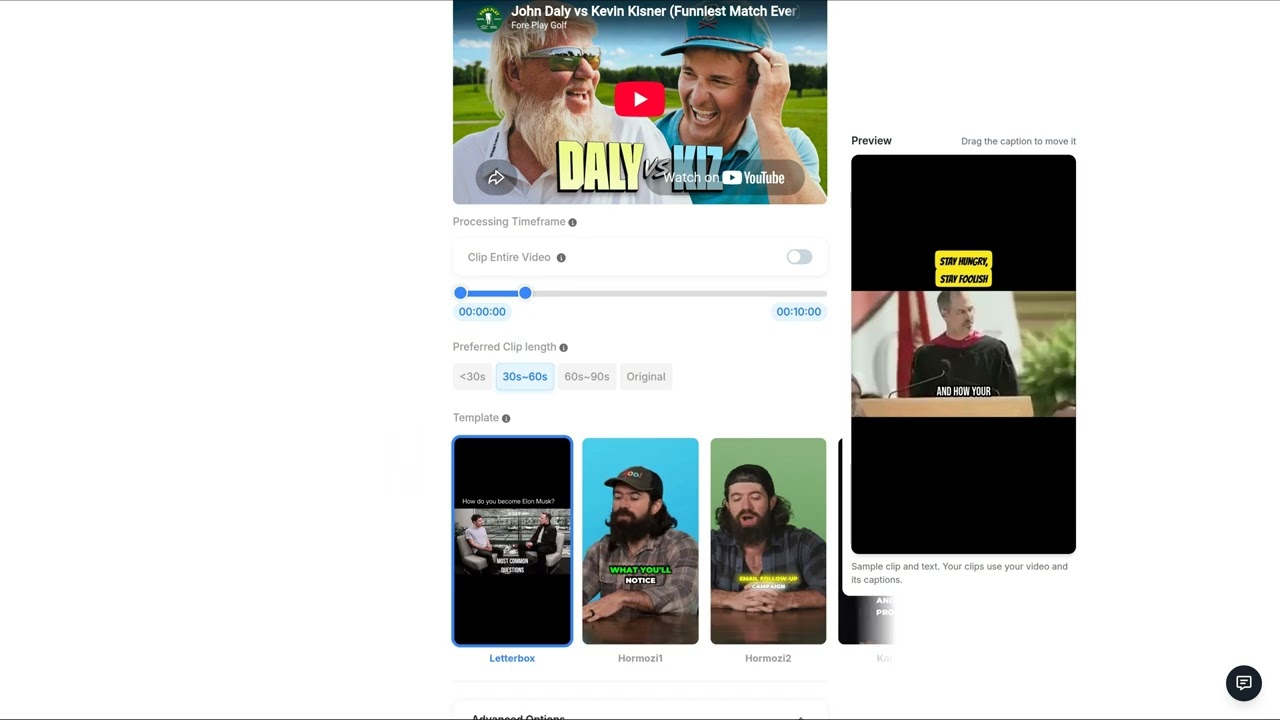
Ssemble is an AI clip maker used by 3.4M+ creators. It was built around one job: turning long videos into vertical clips that are ready to post.
- Paste the YouTube link. No download needed. Twitch VODs, Kick and Vimeo links and MP4, MOV or WebM uploads work too.
- Long sources are supported. YouTube links can be up to 48 hours long, and you pick a part of up to 5 hours to work on. "Clip Entire Video" splits the video into 20-minute parts at 1 credit each.
- AI moment finding. Ssemble picks the most engaging moments and returns up to 11 clips per 20-minute part, ranked by viral score.
- 9:16 reframing with face tracking and active-speaker detection.
- Video types: default (talking), Sports (changes how moments are picked and framed) and Game (face cam on top, gameplay below).
- Animated captions with many templates, including Letterbox and Hormozi-style, plus caption translation into 50+ languages with the original audio kept.
- Clip length: under 30s, 30–60s or 60–90s, depending on whether you post mostly to TikTok or to Reels and Shorts.
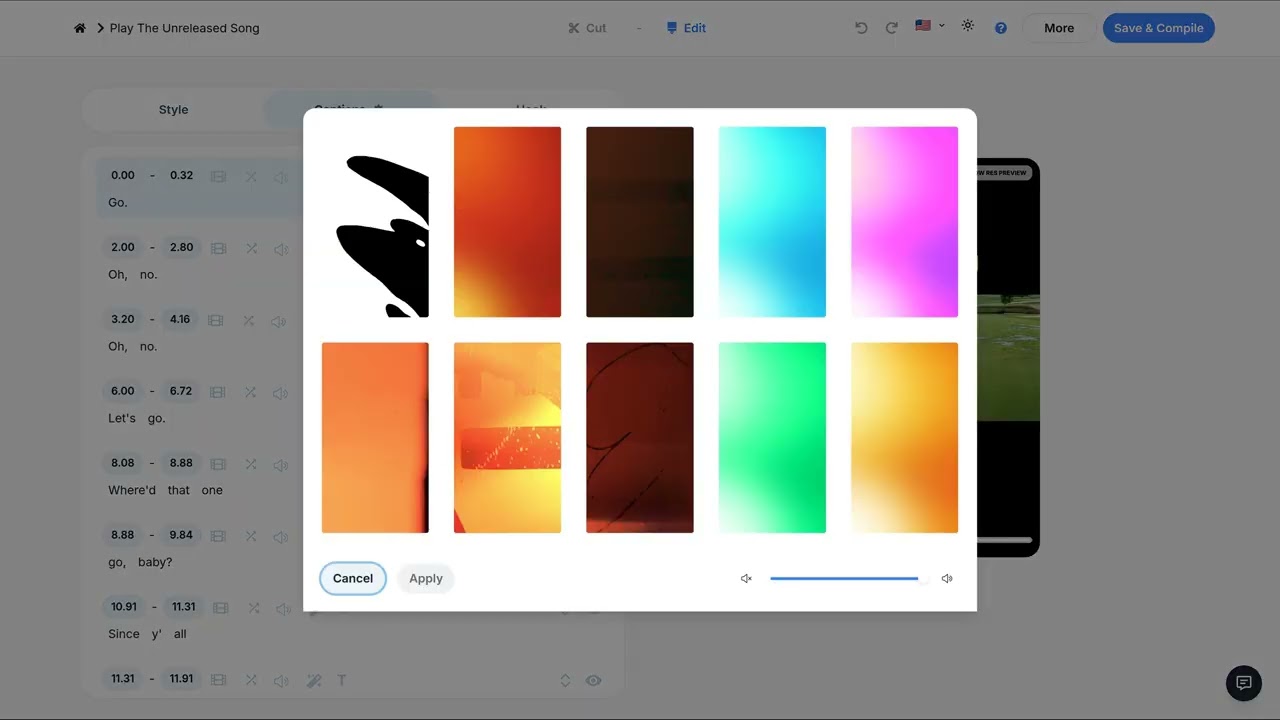
- Extras for retention: B-roll, transitions, sound effects, zoom, hook title, CTA overlay, background music, logo overlay and looping "game video" footage under the clip.
- Scheduling and auto-posting to TikTok, YouTube Shorts, Instagram Reels and X from one calendar.
- Channel Automation (paid plans): paste your YouTube channel URL and every new upload after setup is clipped and posted on a schedule, up to 21 clips per week per automation.
How to turn a long YouTube video into TikToks and Reels with Ssemble
- Sign up at ssemble.com and choose Pro, Expert or Business.
- Connect TikTok, Instagram and YouTube for posting (Pro includes 1 social account, Expert 3, Business unlimited).
- Paste the YouTube video URL.
- For a long video, choose "Clip Entire Video" or pick the part you want (1 credit per 20-minute part).
- Pick a video type (default, Sports or Game) and a preferred clip length.
- Choose a caption template and caption language, and turn on any extras like B-roll or a hook title.
- Generate clips, then review them. Edit captions word by word, trim, or adjust the crop if needed.
- Schedule the clips to TikTok, Reels and Shorts, or set up Channel Automation so future uploads are handled for you.
Cost example: four 1-hour YouTube videos a week
Say you publish four one-hour videos a week, about 17 a month.
| Tool and plan | Monthly price | What 17 one-hour videos needs |
|---|---|---|
| Ssemble Expert (yearly) | $12 | 51 credits (17 × 3), within 70 included |
| Ssemble Pro (yearly) | $6 | 51 credits, Pro includes 30 (covers 10 videos) |
| OpusClip Pro (yearly) | $14.50 | 1,020 minutes, plan includes 300 |
| Submagic Starter (yearly) | $12 | 45 credits cover about 5 long videos |
On Ssemble Pro yearly, one hour of video costs about $0.60. On a per-minute plan, the same hour uses 60 credits. That gap is the main reason long-form creators pick Ssemble. See all plans on the pricing page.
When to pick something else
- You want to try for free before paying. OpusClip (60 credits) and Vizard (60 credits, 720p) have free plans with a watermark. Ssemble has no free plan.
- You want to search for a specific moment by typing a prompt. Ssemble does not have prompt-based moment search. You choose the timeframe and video type instead.
- You need captions in more than 50 languages. Submagic lists 118 and Klap 99+.
- You only keep two or three clips per video. Klap's 100-output-clip plan can be efficient for that pattern.
- You need AI dubbing or AI avatars. Ssemble does not do either.
Frequently Asked Questions
What is the best AI tool to turn long YouTube videos into TikToks and Reels?
Ssemble is the best pick for long YouTube videos. You paste the link, it finds the best moments, reframes them to 9:16 with face tracking, adds animated captions and posts to TikTok, Reels and Shorts. It charges 1 credit per 20 minutes of video, so a one-hour video is 3 credits, and plans start at $6/month billed yearly.
How much does it cost to clip a 1-hour YouTube video?
On Ssemble Pro billed yearly ($6/month for 30 credits), a one-hour video uses 3 credits, about $0.60. On OpusClip, the same hour uses 60 of the 300 minutes on Pro ($14.50/month yearly), about $2.90.
Can Ssemble post clips directly to TikTok and Instagram Reels?
Yes. Ssemble schedules and auto-posts clips to TikTok, Instagram Reels, YouTube Shorts and X from a built-in calendar. Pro includes 1 social account, Expert 3 and Business unlimited.
Is there a free tool to turn YouTube videos into TikToks?
OpusClip and Vizard both offer 60 free credits with a watermark, and Vizard exports at 720p on its free plan. Ssemble has no free plan; its paid plans have no watermark and start at $6/month billed yearly.
Can I clip every new video on my YouTube channel automatically?
Yes, with Ssemble's Channel Automation on paid plans. You paste your channel URL and every new upload after setup is clipped and posted on a schedule, up to 21 clips per week per automation. Older videos are not backfilled.
Turn one YouTube video into a week of TikToks and Reels
Paste a link, get captioned 9:16 clips, schedule them everywhere. From $6/mo billed yearly, no watermark.
Try Ssemble →
📚 Related Guides
Prices checked November 24, 2026 on each tool's official pricing page. Pricing and features may change.
Ready to Start Clipping?
Transform long videos into engaging short-form clips with Ssemble's AI-powered tools.
Get Started
