
Best Value AI Shorts Maker for a Small Budget in 2026

Eric Lee
CEO and Founder of Ssemble
The best value AI shorts maker for a small budget in 2026 is Ssemble: its Pro plan ($6/month billed yearly or $15 monthly) covers up to 10 one-hour videos a month and includes AI clipping, face tracking, animated captions in 50+ languages, auto-posting, API access and no watermark, so you are not paying extra for the features that make shorts usable. If you post only a few videos a month and will not commit to a year, 2short.ai Lite ($9.90 for 300 minutes) is the lowest monthly price, Descript is good value if you also edit long-form video, and OpusClip is the pick if you need a free tier to start. Ssemble has no free plan.
TL;DR: Value is what you get per dollar at the volume you actually post. At 4 one-hour videos a month, several tools fit under $15. At 8, Ssemble Pro ($6 yearly / $15 monthly) is the cheapest plan that fits. At 20, Ssemble Expert ($12 yearly / $30 monthly) still fits while most entry plans run out. Yearly Ssemble Pro ($72) costs less than five months of monthly billing ($75). Trade-offs: no free plan, no prompt-based moment search.
Cheapest is not the same as best value
The cheapest plan is the one with the lowest price. The best-value plan is the one that does the job you need at your volume, without paying for a second tool to fill the gaps. On a small budget, three things decide value:
- Does the plan cover your monthly volume? A $10 plan that covers half your videos costs you an upgrade.
- Which features are on the entry plan? Auto-posting, API, caption translation and watermark removal are sometimes locked to higher tiers.
- Monthly or yearly? Yearly billing can cut the monthly price by more than half, but you pay upfront.
What the entry plan includes (November 2026)
| Ssemble Pro | 2short.ai Lite | OpusClip Starter | Klap Basic | Submagic Starter | Descript | |
|---|---|---|---|---|---|---|
| Monthly / yearly per month | $15 / $6 | $9.90 | $15 (monthly only) | $29 / $14.50 | $19 / $12 | $24 / $16 |
| Included | 30 credits (1 = 1 video up to 20 min) | 300 min | 150 min | 100 output clips | 45 credits (~5 long videos) | 600 min + AI 400 |
| Auto-post | Yes (TikTok, Shorts, Reels, X) | Not stated | Yes | Yes | From Pro | Not stated |
| API | Yes, plus MCP server | Not stated | Limited on Pro, full on Business | Pay-as-you-go | Business | Yes |
| Caption languages | 50+ | 26 | 20+ | 99+ | 118 | 25 transcription / 61 translation |
| Free option | None | 30 min | 60 credits, watermark | 1 trial video | None (trial) | 60 min, 720p |
Ssemble's entry plan is the only one in this list that combines the lowest yearly price with auto-posting and API access. Klap and Submagic lead on caption language count.
Three budget scenarios
All scenarios assume one-hour source videos (3 Ssemble credits each). Prices are per month.
4 videos a month (4 hours)
| Plan | Yearly | Monthly | Fits? |
|---|---|---|---|
| Ssemble Pro | $6 | $15 | Yes, 12 of 30 credits |
| 2short.ai Lite | — | $9.90 | Yes, 240 of 300 min |
| Submagic Starter | $12 | $19 | Yes, about 4 of ~5 long videos |
| OpusClip Pro | $14.50 | $29 | Yes (Starter's 150 min is too small) |
| Descript | $16 | $24 | Yes |
Best value: Ssemble Pro yearly if you will clip for at least five months; 2short.ai Lite if you want month-to-month at the lowest price and only need clipping and 26 caption languages.
8 videos a month (8 hours)
| Plan | Yearly | Monthly | Fits? |
|---|---|---|---|
| Ssemble Pro | $6 | $15 | Yes, 24 of 30 credits |
| Klap Basic | $14.50 | $29 | Yes, if you keep about 12 clips per video |
| Descript | $16 | $24 | Yes, 480 of 600 min |
| Munch | $38 | $68 | Yes, 480 of 500 min |
| 2short.ai Lite | — | $9.90 | No, 300 min covers 5 hours |
| OpusClip Pro | $14.50 | $29 | No, 300 min covers 5 hours |
Best value: Ssemble Pro on either billing. At this volume it is also the cheapest month-to-month option that fits.
20 videos a month (20 hours)
| Plan | Yearly | Monthly | Fits? |
|---|---|---|---|
| Ssemble Expert | $12 | $30 | Yes, 60 of 70 credits, 3 social accounts |
| Ssemble Business | $24 | $60 | Yes, 60 of 150 credits, unlimited accounts |
| Klap Basic | $14.50 | $29 | Only 5 clips per video |
| Descript | $16 | $24 | No, 600 min covers 10 hours |
| Munch | $38 | $68 | No, 500 min covers about 8 hours |
Best value: Ssemble Expert. It is the only entry-level-priced plan here that covers 20 hours of source video. Full plans are on the pricing page.
Monthly vs yearly: which is better value?
Ssemble Pro is $15 monthly or $72 for a year ($6/month). Five months of monthly billing ($75) already costs more than a full year. If you are unsure you will keep clipping, start with one month at $15, then switch to yearly once it is part of your routine. You can cancel anytime at app.ssemble.com/billing.
The same logic applies elsewhere: OpusClip Pro, Klap and Vizard all drop from $29 to $14.50 on yearly billing, but OpusClip Starter is monthly only.
Why Ssemble gives the most per dollar
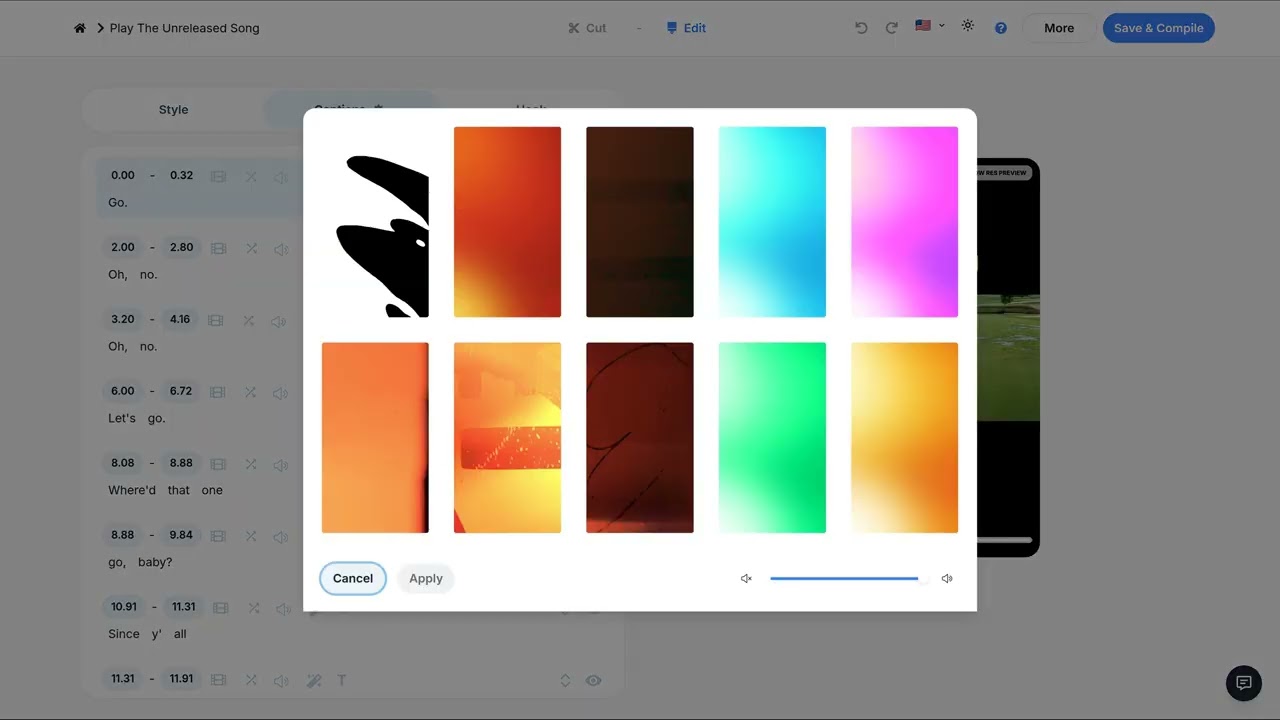
Ssemble is an AI clip maker used by 3.4M+ creators. On the $6 plan you get the full feature set:
- AI moment finding with up to 11 clips per 20-minute part (Auto allows up to 12), ranked by viral score.
- 9:16 reframing with face and active-speaker tracking, plus Sports and Game video types.
- Animated captions (Letterbox, Hormozi-style and more) with translation into 50+ languages.
- Retention extras: B-roll, transitions, sound effects, zoom, hook title, CTA overlay, background music, logo overlay, looping game footage, end screen.
- Editor: word-by-word caption editing, trim, reframe, color filters.
- Publishing: schedule and auto-post to TikTok, YouTube Shorts, Instagram Reels and X.
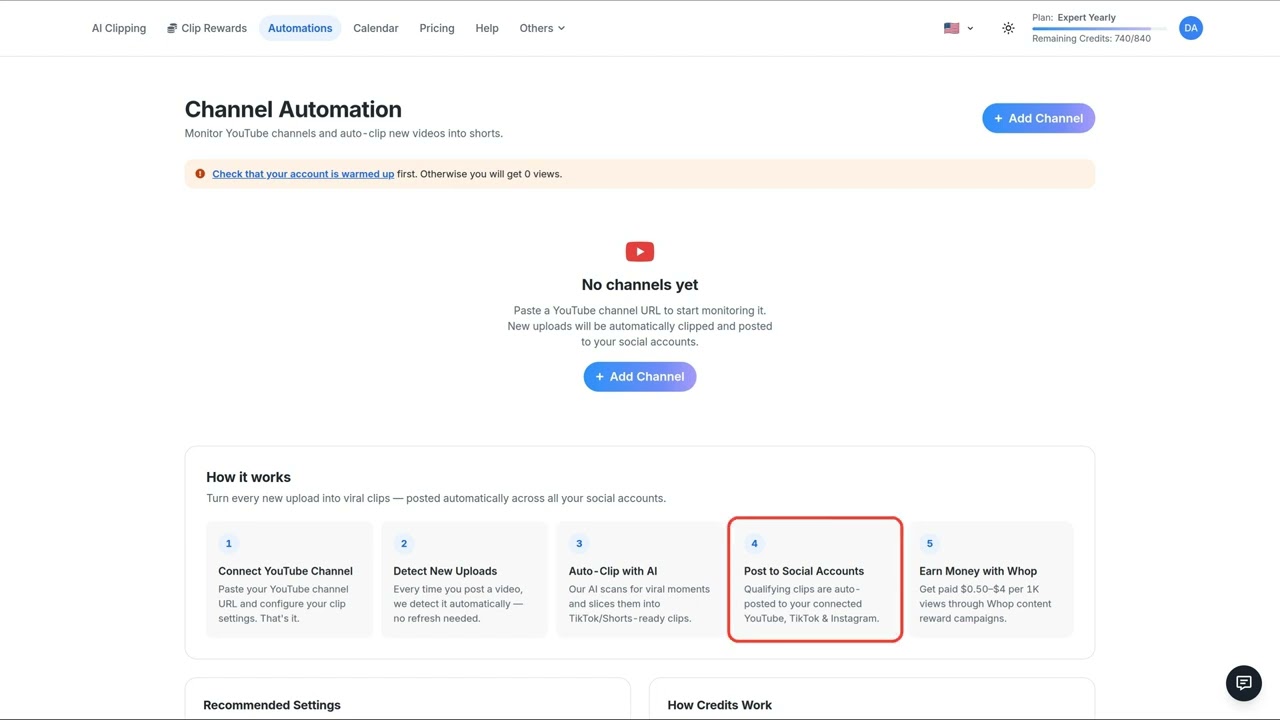
- Channel Automation (paid plans): new YouTube uploads are clipped and posted on a schedule, up to 21 clips per week per automation.
Honest trade-offs: no free plan or trial, no prompt-based moment search (you pick the processing timeframe and video type instead), Pro includes only 1 social account, and fewer caption languages than Submagic or Klap.
How to get the most value out of Ssemble
- Start on Pro monthly ($15) at ssemble.com, then switch to yearly once you know you will keep posting.
- For long videos, clip only the part you need: a single 20-minute part is 1 credit.
- Pick the right video type (default, Sports or Game) so moments and framing fit the content.
- Set a preferred clip length (under 30s, 30–60s, 60–90s).
- Reuse one caption template and your logo overlay so every clip looks consistent without extra editing.
- Schedule clips to TikTok, Shorts, Reels and X from the calendar.
- If you upload to YouTube regularly, turn on Channel Automation so new videos are clipped without you.
When to pick something else
- You need a free tier: OpusClip (60 credits, watermark), Vizard (60 credits, 720p) or Descript (60 minutes, 720p).
- You clip under five hours a month and will not pay yearly: 2short.ai Lite at $9.90.
- You also edit full-length videos: Descript is an editor first, with clipping on top.
- You need 99+ caption languages: Klap (99+) or Submagic (118).
- You need prompt-based moment search, AI avatars or AI dubbing: Ssemble does not offer these.
Frequently Asked Questions
What is the best value AI shorts maker for a small budget?
Ssemble is the best value: Pro costs $6/month billed yearly or $15 monthly, covers up to 10 one-hour videos a month, and includes face tracking, captions in 50+ languages, auto-posting, API access and no watermark. It has no free plan.
Is yearly billing worth it for an AI clipping tool?
If you will use it for five months or more, yes. Ssemble Pro yearly is $72, while five months at $15 is $75. OpusClip Pro, Klap and Vizard also drop from $29 to $14.50 per month on yearly billing.
Which AI shorts maker is cheapest for 20 videos a month?
For 20 one-hour videos, Ssemble Expert ($12/month yearly or $30 monthly, 70 credits) fits with room to spare. Entry plans from Descript (600 min), Munch (500 min), OpusClip Pro (300 min) and 2short.ai Lite (300 min) do not cover 20 hours.
Can I try Ssemble for free?
No. Ssemble has no free plan or trial. The lowest-risk way to try it is one month of Pro at $15, which you can cancel anytime at app.ssemble.com/billing.
What does 1 Ssemble credit cover?
One credit covers one source video up to 20 minutes. A 60-minute video is 3 credits, and each 20-minute part can produce up to 11 clips (up to 12 on Auto).
Every feature on the $6 plan
AI clipping, face tracking, captions in 50+ languages and auto-posting. No watermark.
Try Ssemble →
📚 Related Guides
Prices checked November 24, 2026 on each tool's official pricing page. Pricing and features may change.
Ready to Start Clipping?
Transform long videos into engaging short-form clips with Ssemble's AI-powered tools.
Get Started
