Twitch Clip Maker
AI Clips from Twitch
AI Twitch clip maker that automatically creates highlight clips from Twitch streams. Turn 4-hour stream into 20+ viral clips — from $7.50/month.
Try Twitch Clipper FreeHow the Twitch Clip Maker Works
Upload Stream
Upload Twitch VOD or paste stream URL. AI analyzes entire broadcast.
AI Creates Clips
AI detects highlights, reactions, and epic moments. Creates 15+ clips with captions.
Post Everywhere
Review clips and auto-post to TikTok, YouTube, Instagram at optimal times.
AI Highlight Detection
AI finds epic moments, reactions, and play highlights from Twitch streams automatically.
Auto Captions
Perfect captions for Twitch clips. Boosts engagement on TikTok and YouTube Shorts.
Game Overlay
Add gameplay footage at bottom for trending TikTok gaming format.
Streamer Tracking
AI keeps your face centered when cropping to vertical format.
Reaction Highlights
AI detects emotional peaks and viewer engagement spikes automatically.
Multi-Platform Post
Auto-post clips to TikTok, YouTube Shorts, Instagram Reels, and Twitter/X.
Stream to Clips
Turn 4-hour stream into 20+ viral clips in minutes.
Viral Moments
AI prioritizes moments with viral potential based on engagement patterns.
See How It Works
Watch how easy it is to create viral clips with AI in just a few clicks
Trusted by teams at leading companies and institutions
Features
Everything you need to create viral clips
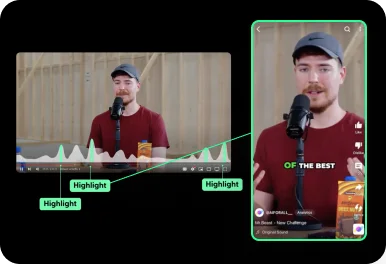
Auto Curation
AI automatically detects viral-worthy moments in your video and turns them into short clips.
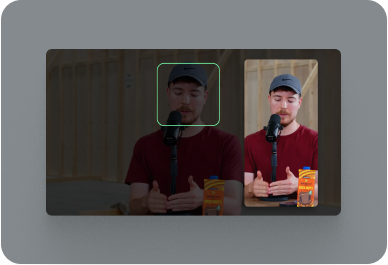
Face Tracking
AI detects faces in your video and keeps them centered in vertical formats.
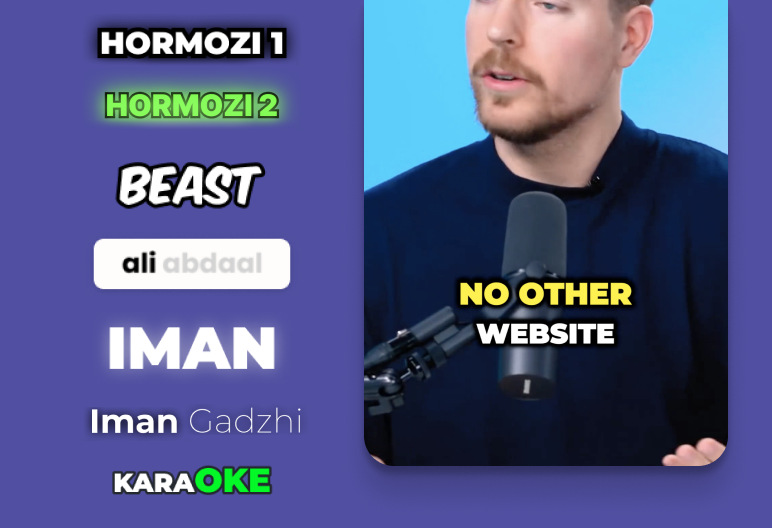
Auto Captioning
AI listens to your video and automatically adds captions.
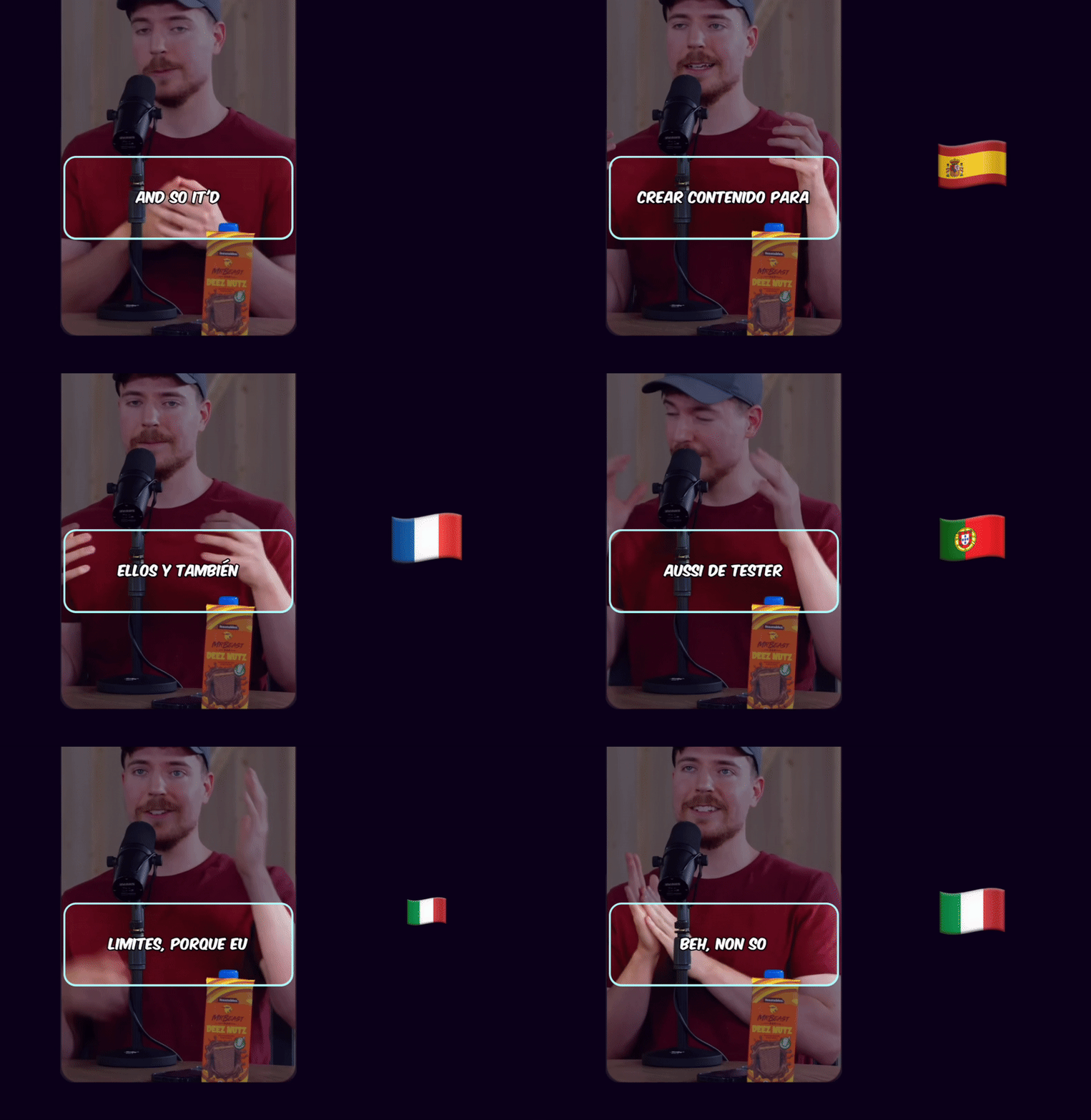
Caption Translation
Translate captions to different languages while keeping the original audio.
Hook Title & CTA
AI generates engaging hook titles and CTAs to keep viewers watching until the end.
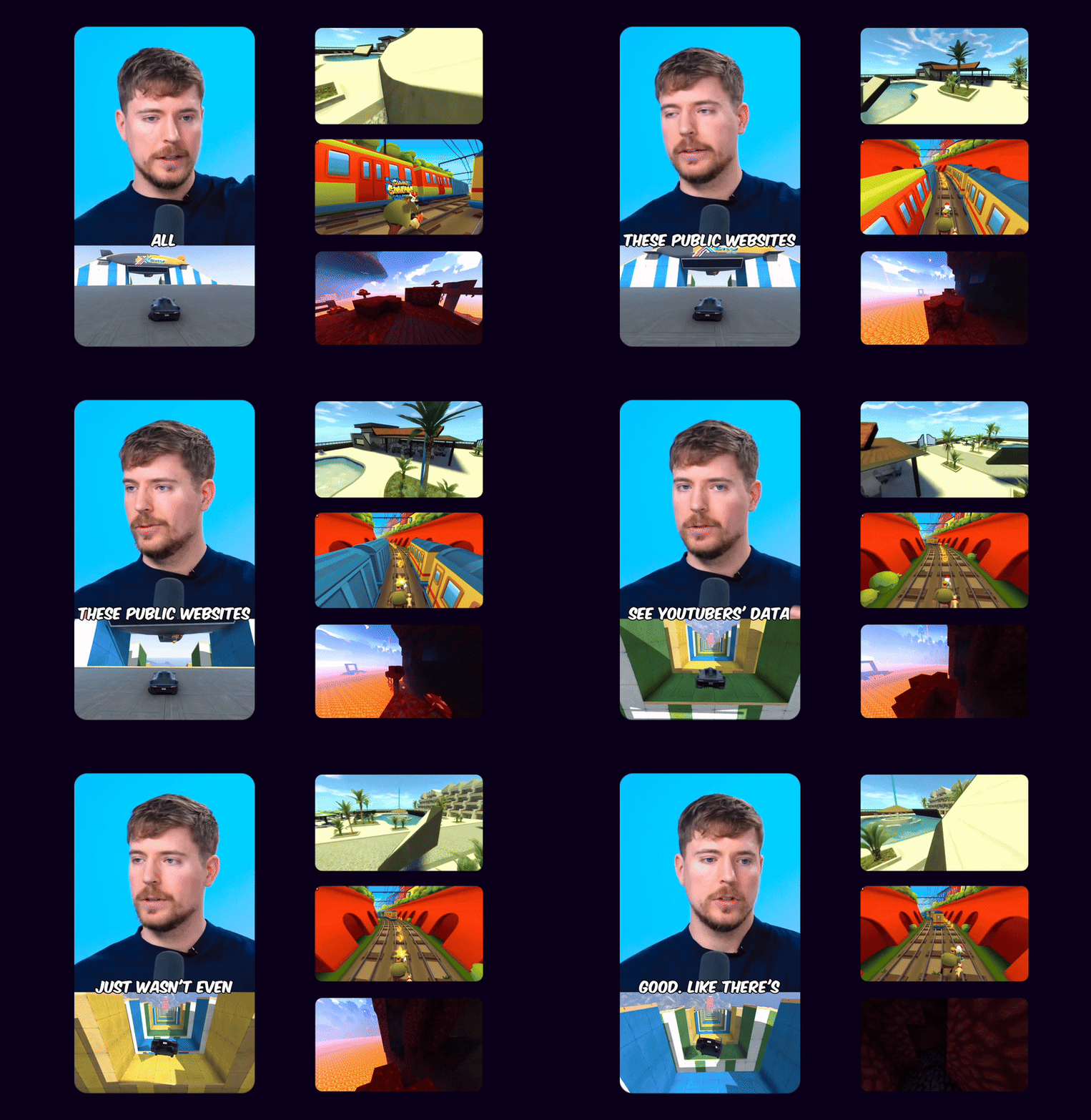
Game Video
Adds gameplay footage at the bottom to increase retention and keep viewers engaged.
Multi Language Audio
If the original YouTube video has multiple audio tracks, you can select your preferred language track to use in your Shorts
 EN
EN HI
HIOriginal English audio replaced with the Hindi dubbed track from YouTube
Schedule and Post
Consistency is key to reaching 1 million views. Use Ssemble's Schedule and Post features to publish the clips to TikTok, YouTube, and Instagram over multiple days.
Schedule and Post to multiple platforms at once
With Ssemble's Calendar Feature, you can schedule and post to TikTok, YouTube, and Instagram at best performing times, saving you time and effort. Just set multiple posts and forget about it.
Automated Titles, Descriptions & Hashtags
Create optimized titles, descriptions and hashtags to improve visibility and engagement.
Example Clips
Just extract the juicy moments from long videos and let the clips go viral.
Insights
Learn about the content strategies used by top clippers



Twitch Streamers
Grow your audience with daily TikTok clips from streams
Gaming Creators
Repurpose Twitch content for YouTube Shorts discovery
Esports Teams
Create highlight reels from tournament streams
Clip Channels
Build TikTok channels clipping popular streamers
Gaming Agencies
Manage 10+ streamer clients with automated clipping
Variety Streamers
Extract best moments from just chatting and IRL streams
BUSINESS
EXPERT
PRO
CUSTOM
How Much Does a Video Cost?
| AI Tool | Credit Cost |
|---|---|
AI Clipping 1/4 the price of competitors → | 1 Credit per video (20 minutes) |



Trusted by 2.4M+ shorts clippers | 4.9 out of 5