Best AI Tool to Clip Twitch Streams into TikToks (2026)

Eric Lee
CEO and Founder of Ssemble
The best AI tool to clip Twitch streams into TikToks in 2026 is Ssemble for most streamers and clippers: you paste a Twitch VOD or Kick URL, pick Game mode, and it cuts vertical 9:16 clips with your face cam on top and gameplay below, adds animated captions, and can auto-post to TikTok, YouTube Shorts and Instagram Reels. It charges per 20 minutes of video instead of per minute, so a 4-hour stream costs about $2.40 on the Pro yearly plan. Good alternatives are Eklipse (gaming-focused highlight detection), StreamLadder (hands-on face cam layout editor) and OpusClip or Klap (general AI clippers).
This guide compares them on what actually matters for stream clipping: long VODs, face cam layouts, Kick support, and cost per stream.
TL;DR: Pick Ssemble if you want AI to find the moments in long Twitch or Kick VODs and output ready-to-post TikToks with a face cam + gameplay split screen, at a flat per-video price (from $6/mo billed yearly). Pick StreamLadder if you prefer to choose every clip by hand and only need a layout editor. Pick Eklipse if you want a tool built only around gaming highlights. Ssemble has no free plan, and you cannot type a prompt like "find the clutch round" — the AI picks moments on its own.
Quick Comparison
| Tool | Twitch VOD | Kick | Face cam + gameplay layout | Auto-post | Lowest paid price |
|---|---|---|---|---|---|
| Ssemble | ✅ Paste URL | ✅ Paste URL | ✅ Game mode (automatic) | ✅ TikTok, YT Shorts, IG Reels, X | $15/mo or $6/mo yearly |
| Eklipse | ✅ Known for it | Check site | ✅ Gaming templates | Check site | See eklipse.gg |
| StreamLadder | ✅ Known for it | Check site | ✅ Manual layout editor | Check site | See streamladder.com |
| OpusClip | Upload / URL | Check site | Check site | ✅ From Starter | $15/mo (Starter, monthly only) |
| Klap | Upload / URL | Check site | Check site | ✅ All plans | $29/mo or $14.50/mo yearly |
"Check site" means the vendor's own pages did not make it clear to us — verify before you buy.
Why Ssemble Is #1 for Twitch and Kick Clips
1. It takes Twitch and Kick links directly
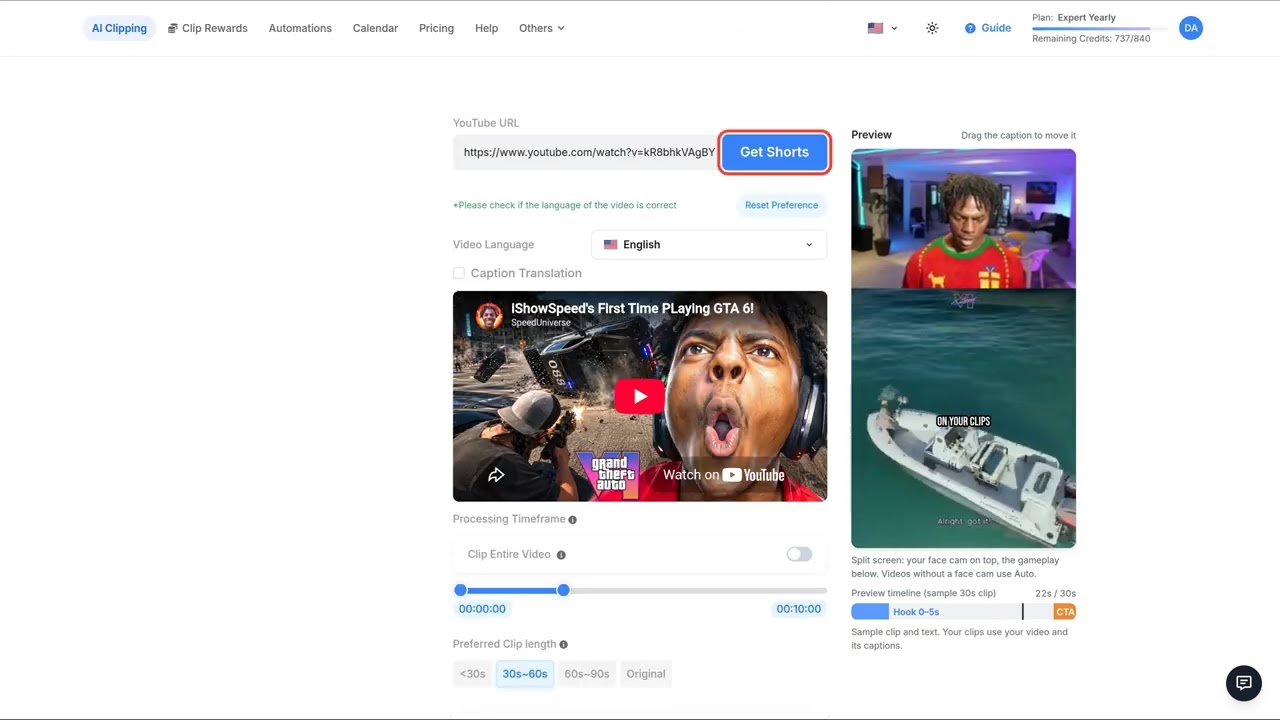
Paste a Twitch VOD URL or a Kick URL (YouTube and Vimeo work too). There is no need to download a 4-hour VOD and re-upload it. For long streams you can choose a processing timeframe, so the AI only looks at the part of the stream you care about — for example the last hour where the big moment happened.
2. Game mode builds the TikTok layout for you
Ssemble has three video types: talking (default), Sports, and Game. Game mode outputs a split screen with your face cam on top and gameplay below — the layout most stream clips use on TikTok. Face tracking keeps the streamer centered when the video type is talking.
3. Captions, hooks and extras that matter on TikTok
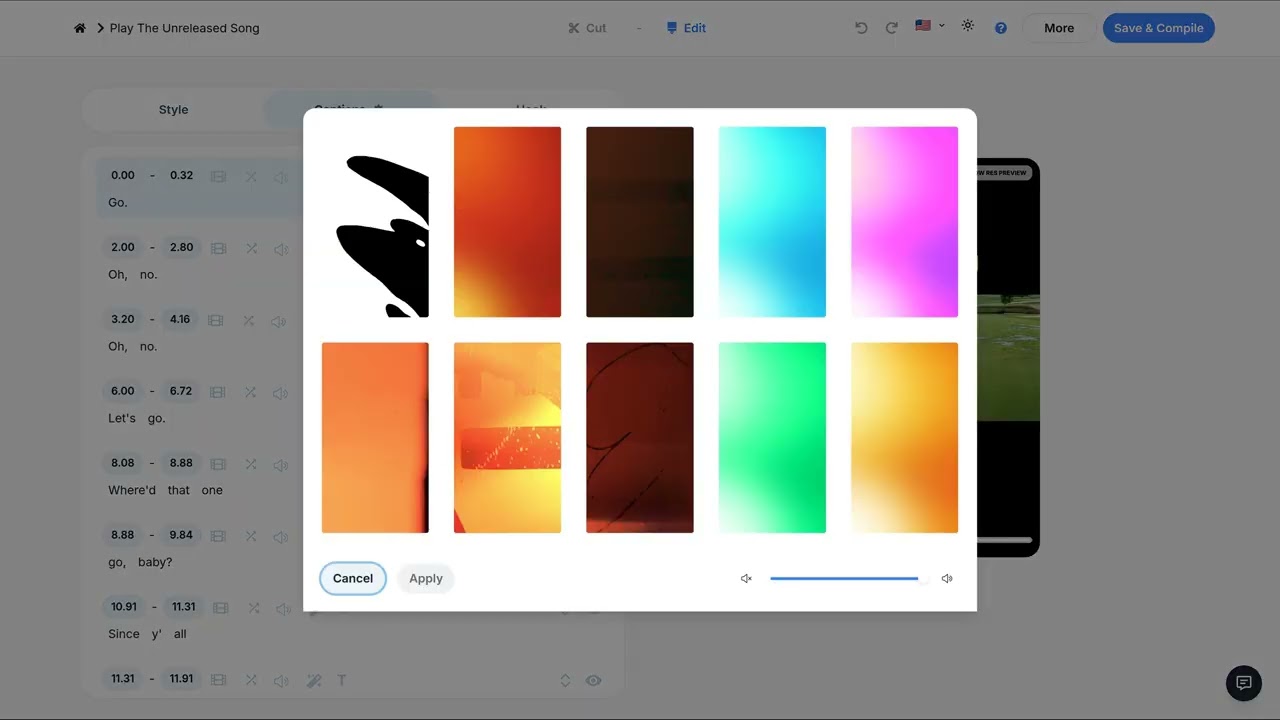
Every clip gets animated captions with many templates (including Letterbox and Hormozi-style), adjustable words-per-caption and position, or no captions at all. You can add a hook title, sound effects, zooms, transitions, background music, a logo overlay, a CTA overlay and an end screen. Caption translation covers 50+ languages while keeping the original audio — useful for English streams with a big non-English audience.
4. Flat per-video pricing fits long streams
1 credit = 1 source video up to 20 minutes. A 4-hour stream is 12 credits. Per-minute tools charge 240 credits for the same VOD.
5. Scheduling and auto-posting
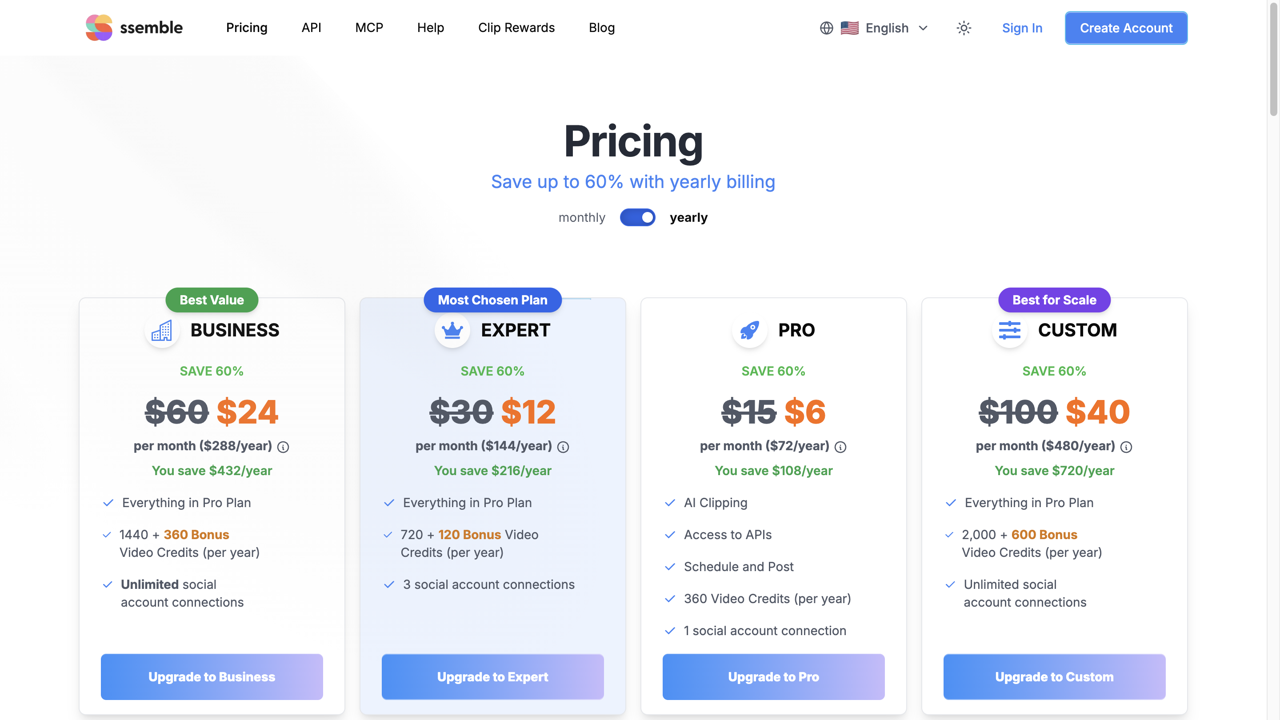
Clips can be scheduled and auto-posted to TikTok, YouTube Shorts, Instagram Reels and X from a calendar. Pro includes 1 social account, Expert 3, Business unlimited.
Honest trade-offs
- No free plan. Plans start at $15/month, or $6/month billed yearly.
- No prompt-based moment search. You can pick the timeframe and video type, but not type "find the part where chat went crazy".
- Channel Automation is YouTube-only. It clips every new upload from a YouTube channel automatically. If you only stream on Twitch or Kick and never upload to YouTube, you'll paste VOD links manually.
How to Clip a Twitch or Kick Stream in Ssemble
- Copy the Twitch VOD URL or the Kick video URL.
- In Ssemble, paste the URL (or upload an MP4, MOV or WebM file).
- Optional: set a processing timeframe if you only want part of the stream.
- Choose Game as the video type for the face cam + gameplay split screen.
- Pick a preferred clip length: under 30s, 30–60s or 60–90s.
- Choose a caption template and extras (hook title, sound effects, zoom).
- Review the clips; edit captions word by word, trim, or adjust the crop in the editor.
- Schedule or auto-post to TikTok, YouTube Shorts, Instagram Reels or X.
For a deeper walkthrough of Twitch's own Clip button and manual methods, see our guide to clipping Twitch streams with AI.
Cost Example: One 4-Hour Stream
| Tool and plan | How usage is counted | 4-hour VOD uses | Approx. cost per stream |
|---|---|---|---|
| Ssemble Pro ($6/mo yearly, 30 credits) | 1 credit = 20 min of source | 12 credits | ~$2.40 |
| Ssemble Expert ($12/mo yearly, 70 credits) | 1 credit = 20 min of source | 12 credits | ~$2.06 |
| OpusClip Pro ($14.50/mo yearly, 300 credits) | 1 credit = 1 min of source | 240 credits | ~$11.60 |
| Klap Basic ($14.50/mo yearly, 100 output clips) | Per output clip | Depends on clips kept | Varies |
On Ssemble Pro, 30 credits covers two full 4-hour streams plus a bit more each month. If you stream four times a week, Expert (70 credits) or Business (150 credits) is the realistic plan. On OpusClip Pro, one 4-hour VOD uses most of the monthly allowance. Klap counts output clips rather than input minutes, which can also work well for long streams — compare how many clips you actually keep.
Full plan details are on the Ssemble pricing page.
The Alternatives
Eklipse
Eklipse is known as a gaming-first clipper: it connects to Twitch and focuses on game highlights for streamers. If you only make gaming content and want a tool built entirely around that, it's worth a look. Check its site for current pricing and limits.
StreamLadder
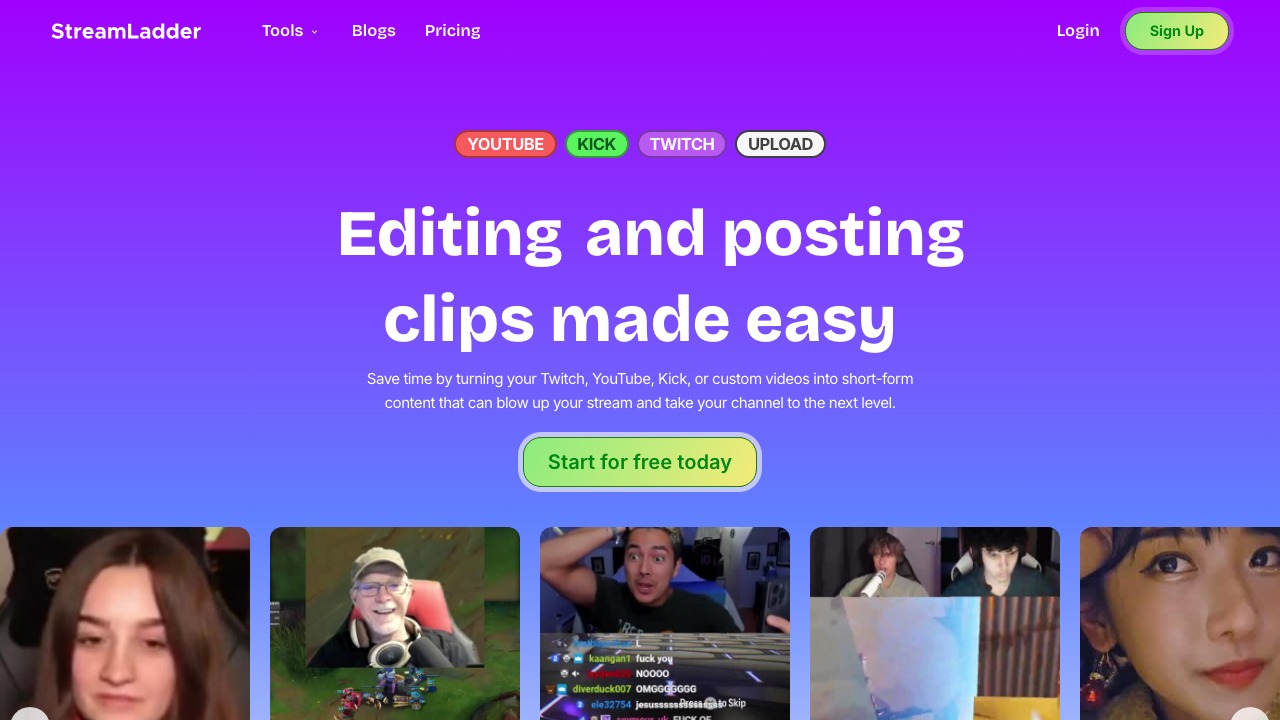
StreamLadder is known for its manual editor: you pick a Twitch clip and arrange the face cam and gameplay yourself. It's a good fit if you already know exactly which 30 seconds you want and just need the vertical layout. It is less suited to scanning a whole 4-hour VOD for moments.
OpusClip
OpusClip is a general AI clipper with a polished editor. Starter is $15/month (monthly only) with 150 credits; Pro is $29/month or $14.50/month yearly with 300 credits, and 1 credit = 1 minute. It has a free tier (60 credits, watermark, exports kept 3 days). For long streams the per-minute model is the main drawback.
Klap
Klap is $29/month or $14.50/month yearly for 100 output clips, with auto-posting on all plans and captions in 99+ languages. It offers one trial video. Good if you want to pay for what you keep rather than what you upload.
When to Pick Something Else
- You want a free tool: Ssemble has no free plan. OpusClip and Vizard have free tiers with watermarks; Twitch's own Clip button is free.
- You hand-pick every moment: a layout editor like StreamLadder may be all you need.
- You need to search the stream by topic: Ssemble can't find moments from a typed prompt. Narrow the timeframe instead, or use a tool that offers prompt search.
- You want Twitch-only automation: Ssemble's Channel Automation works on YouTube channels only.
Frequently Asked Questions
What is the best AI tool to clip Twitch streams into TikToks?
Ssemble is the best all-round choice in 2026: paste a Twitch VOD URL, choose Game mode for a face cam + gameplay split screen, and it creates captioned 9:16 clips you can auto-post to TikTok. It costs about $2.40 per 4-hour stream on the Pro yearly plan. Eklipse and StreamLadder are Twitch-focused alternatives.
Can AI clip Kick streams?
Yes. Ssemble accepts Kick URLs directly, alongside Twitch VODs, YouTube and Vimeo links. You can also upload an MP4, MOV or WebM file downloaded from Kick.
How much does it cost to clip a 4-hour Twitch stream with AI?
On Ssemble, a 4-hour VOD uses 12 credits (1 credit = 20 minutes), about $2.40 on Pro billed yearly. On OpusClip Pro the same VOD uses 240 credits (1 credit = 1 minute), about $11.60 of the $14.50/month yearly plan.
Does Ssemble have a free plan for streamers?
No. Ssemble is paid only: Pro is $15/month or $6/month billed yearly (30 credits), Expert $30 or $12 yearly (70 credits), Business $60 or $24 yearly (150 credits). Paid plans have no watermark and can be cancelled anytime.
Can I make face cam on top, gameplay below clips automatically?
Yes. In Ssemble, set the video type to Game and every clip is output as a vertical split screen with the face cam on top and gameplay below. You can still adjust the crop in the editor.
Can streamers pay other people to clip their streams?
Yes. Ssemble's Clip Rewards is a clipping marketplace where streamers and brands pay clippers per view, so many clippers post your moments across TikTok, Shorts and Reels.
Turn your next stream into TikToks
Paste a Twitch or Kick link, choose Game mode, and post. Plans from $6/month billed yearly.
See Ssemble plans →
📚 Related Guides
Prices checked November 24, 2026. Ssemble is our product; competitor prices are from their official pricing pages. Always verify on each tool's website.
Ready to Start Clipping?
Transform long videos into engaging short-form clips with Ssemble's AI-powered tools.
Get Started
