Best AI Tool to Clip Interviews & Talking Head Videos 2026

Eric Lee
CEO and Founder of Ssemble
The best AI tool to clip interviews and talking head videos in 2026 is Ssemble: it finds the strongest moments automatically, reframes the active speaker into vertical 9:16, adds animated captions, and can schedule the clips to TikTok, YouTube Shorts and Instagram Reels — for about $0.60 per hour of footage on the Pro yearly plan. OpusClip is the best-known alternative with a polished editor, Descript is better if you also edit the full interview by transcript, and Vizard and Submagic are solid for captions-first workflows.
Interviews and talking head videos are the easiest content for AI to clip well — one or two faces, clear speech, self-contained answers. So the real differences between tools are reframing, caption quality, workflow and price. Here's how they compare.
TL;DR: Ssemble is the best value for clipping interviews, podcasts on camera and talking head videos: active speaker reframing, word-by-word caption editing, hook titles, B-roll and auto-posting, priced per 20 minutes of video (from $6/mo billed yearly). Descript wins if you need to edit the full interview too. OpusClip wins if you want a free tier to try first. Ssemble has no free plan and no prompt search — the AI chooses the moments.
Quick Comparison
| Tool | Lowest paid price (monthly / yearly per month) | How usage is counted | Free tier | Auto-post | Caption languages |
|---|---|---|---|---|---|
| Ssemble | $15 / $6 | 30 credits, 1 credit = 1 video up to 20 min | ❌ | ✅ | 50+ |
| OpusClip | $15 Starter (monthly only) · Pro $29 / $14.50 | 150 / 300 credits, 1 credit = 1 min | ✅ 60 credits, watermark | ✅ From Starter | 20+ |
| Vizard | $29 / $14.50 | 600 credits | ✅ 60 credits, watermark, 720p | Scheduling on Creator | Not stated |
| Descript | $24 / $16 | 600 min + AI 400 | ✅ 60 min, 720p | Not stated | 25 transcription / 61 translation |
| Submagic | $19 / $12 | 45 credits (~5 long videos) | Trial only | From Pro | 118 |
| Riverside | See riverside.fm | — | — | — | — |
Riverside is included because it's known for recording remote interviews and then cutting clips from those recordings — handy if you also need a recording studio.
Why Ssemble Is #1 for Interviews and Talking Heads
1. Active speaker reframing
Ssemble's face tracking follows the active speaker and reframes horizontal 16:9 footage into vertical 9:16. In a two-person interview, the clip stays on whoever is talking. If a crop is off, you can adjust the reframe crop by hand in the editor.
2. AI picks the moments — you control the length
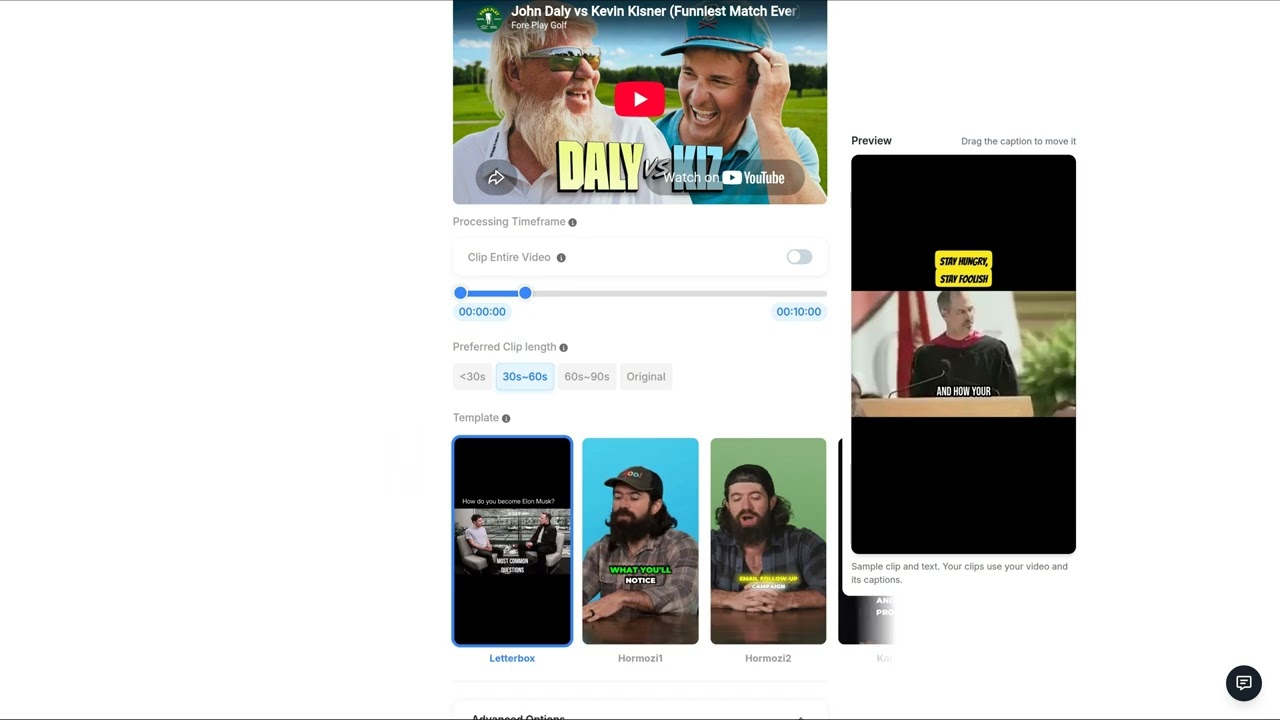
Upload the file or paste a YouTube or Vimeo link, and the AI finds the most engaging moments automatically. Choose a preferred clip length (under 30s, 30–60s or 60–90s). Most interview answers land well in the 30–60s or 60–90s range. If you only want the second half of the conversation, pick that part of the file or a processing timeframe.
3. Captions you can fix word by word
Talking head clips live or die by captions. Ssemble has many animated templates (Letterbox, Hormozi-style and more), lets you set words per caption and position, and lets you edit every word — useful for names, brands and jargon. Captions can be translated into 50+ languages while the original voice stays.
4. Retention extras without leaving the app
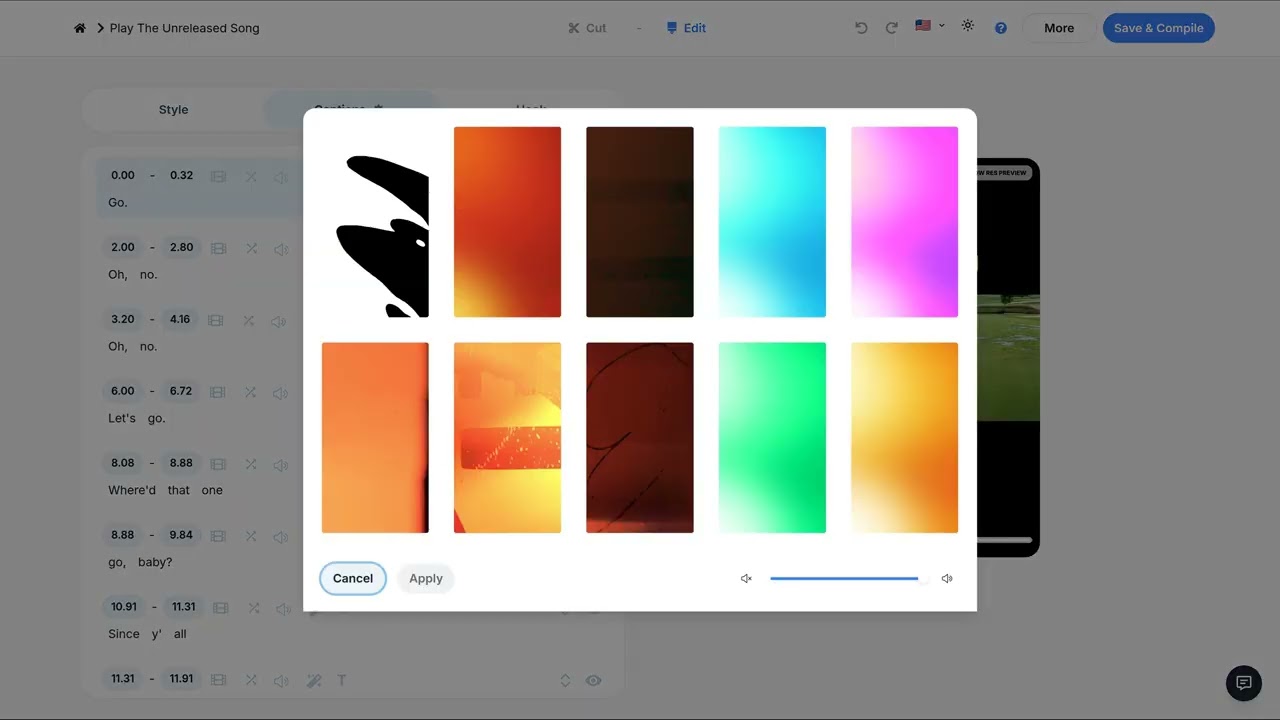
Add a hook title, B-roll, zooms, transitions, sound effects, background music (library or your own MP3s), a logo overlay, a CTA overlay and an end screen. There's also an option to loop "game video" footage under the clip, a common retention trick for talking content.
5. Publishing and automation
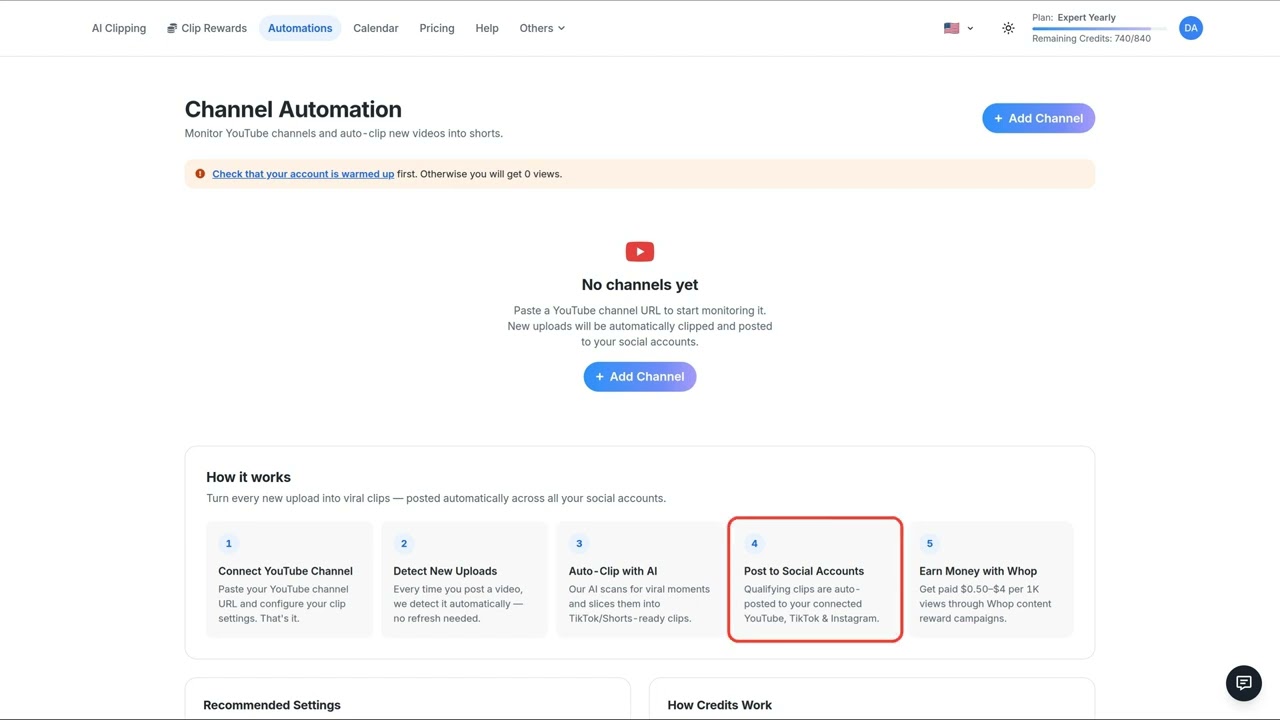
Schedule or auto-post to TikTok, YouTube Shorts, Instagram Reels and X from a calendar. If your interviews go up on a YouTube channel, Channel Automation clips every new upload after setup and posts on a schedule (up to 21 clips per week per automation). There's also an API from the Pro plan and an MCP server.
Honest trade-offs
- No free plan or free trial. Paid only, from $15/month or $6/month billed yearly.
- No prompt-based moment search. You can't type "find where the guest talks about pricing". Narrow the timeframe instead.
- No recording studio, AI avatars or voice cloning. Ssemble clips the video you already have.
How to Clip an Interview in Ssemble
- Upload your interview (MP4, MOV or WebM) or paste a YouTube or Vimeo link. For long files, select the part you want to upload.
- Leave the video type on talking (the default) so face tracking follows the speaker.
- Choose a preferred clip length — 30–60s is a good start for interviews.
- Pick a caption template and words-per-caption setting.
- Turn on extras you want: hook title, B-roll, zoom, sound effects, CTA overlay.
- Open the editor to correct caption words, trim the start or end, or adjust the crop.
- Schedule or auto-post to TikTok, YouTube Shorts, Instagram Reels or X.
Cost Example: A Weekly 45-Minute Interview
A 45-minute interview counts as 3 credits on Ssemble (each credit covers up to 20 minutes). Four interviews a month = 12 credits.
| Tool and plan | Per 45-min interview | Four per month |
|---|---|---|
| Ssemble Pro ($6/mo yearly, 30 credits) | 3 credits ≈ $0.60 | 12 of 30 credits used |
| OpusClip Pro ($14.50/mo yearly, 300 credits) | 45 credits ≈ $2.18 | 180 of 300 credits used |
| Descript ($16/mo yearly, 600 min) | 45 min ≈ $1.20 | 180 of 600 min used |
| Submagic Starter ($12/mo yearly, 45 credits) | ~1 of ~5 long videos ≈ $2.40 | ~4 of ~5 long videos |
On Ssemble Pro, the remaining 18 credits could cover six more 60-minute videos. All plans and credit amounts are on the Ssemble pricing page.
The Alternatives
OpusClip
The best-known AI clipper, with a polished editor and a free tier (60 credits, watermark, exports kept 3 days). Starter is $15/month (monthly only, 150 credits); Pro is $29/month or $14.50/month yearly (300 credits). Because 1 credit = 1 minute, long interviews use credits quickly. API access is limited on Pro and full on Business. For a full breakdown, see OpusClip pricing.
Descript
Descript is an editor first: you edit the whole interview by editing its transcript, then pull clips. $24/month or $16/month yearly includes 600 minutes plus 400 AI credits; there's a free tier (60 minutes, 720p). Choose it if you need to cut the full-length interview, not just shorts.
Vizard
Creator is $29/month or $14.50/month yearly with 600 credits, a free tier (60 credits, watermark, 720p), and API access on all tiers (rate-limited). A reasonable pick for structured interviews.
Submagic
Known for trendy, high-energy captions. Starter is $19/month or $12/month yearly with 45 credits (about 5 long videos) and captions in 118 languages. Auto-posting starts on Pro.
When to Pick Something Else
- You want to try for free first: OpusClip, Vizard and Descript have free tiers; Ssemble does not.
- You need full-episode editing: Descript's transcript editor is built for that.
- You record remote interviews and want one tool for recording and clipping: look at Riverside.
- You need to find a specific topic by typing it: Ssemble has no prompt search.
Frequently Asked Questions
What is the best AI tool to clip interviews?
Ssemble is the best value in 2026: it picks the best moments, reframes the active speaker to 9:16, adds editable animated captions and auto-posts to TikTok, Shorts and Reels, for about $0.60 per 60-minute interview on Pro billed yearly. OpusClip and Descript are the main alternatives.
Can AI follow two speakers in an interview?
Yes. Ssemble uses face tracking and active speaker reframing, so the vertical crop follows whoever is talking. You can still adjust the crop manually in the editor for any clip.
How long should talking head clips be?
Ssemble lets you choose under 30s, 30–60s or 60–90s. Short hooks suit TikTok; complete interview answers often need 30–90 seconds. There's also an "Original" option that only adds captions to videos up to 5 minutes long.
Is there a free AI tool for clipping talking head videos?
OpusClip (60 credits), Vizard (60 credits) and Descript (60 minutes) have free tiers with limits such as watermarks or 720p. Ssemble has no free plan; it starts at $15/month or $6/month billed yearly, with no watermark.
Can I translate interview captions?
Yes. Ssemble translates captions into 50+ languages while keeping the speaker's original audio. It does not dub or clone voices.
Clip your next interview in minutes
Speaker reframing, editable captions and auto-posting. Plans from $6/month billed yearly.
See Ssemble plans →
📚 Related Guides
Prices checked November 24, 2026. Ssemble is our product; competitor prices are from their official pricing pages. Always verify on each tool's website.
Ready to Start Clipping?
Transform long videos into engaging short-form clips with Ssemble's AI-powered tools.
Get Started
