
Best AI Clipping Tool for Gaming Videos and Streams (2026)

Eric Lee
CEO and Founder of Ssemble
The best AI clipping tool for gaming videos and streams in 2026 is Ssemble for most creators: its Game video type automatically builds the split-screen layout gaming clips need (face cam on top, gameplay below), adds animated captions and posts to TikTok, YouTube Shorts and Reels, with per-video pricing from $6/month billed yearly. Eklipse and StreamLadder are the best-known gaming-focused alternatives, and OpusClip works if most of your content is talking rather than gameplay. Ssemble has no free plan, so if you need to start at $0, try a free tier elsewhere first.
Gaming is the toughest category for generic AI clippers. The interesting moment is often a play, not a sentence, and a 16:9 stream layout with a small webcam does not survive a crop to 9:16. Here is what to look for and how the tools compare.
TL;DR: For gaming VODs and uploads, Ssemble gives you a dedicated Game mode split screen, direct YouTube, Twitch and Kick links, a processing timeframe for long streams, captions, sound effects and auto-posting. 1 credit = 1 source video up to 20 minutes; Pro is $6/month billed yearly. Eklipse and StreamLadder are known for stream highlights and vertical stream layouts. Ssemble has no free plan and no prompt search for a specific play.
What a gaming clipper has to get right
- Layout. A gaming Short almost always needs the streamer's face and the game on screen together. A center crop loses one or the other.
- Long sources. Streams run for hours. The tool should take a VOD link and let you focus on the section with the action.
- Captions and sound. Viewers scroll with the sound off, and hype moments need captions, zooms and sound effects to land.
- Posting volume. Gaming channels grow on frequency, so scheduling across TikTok, Shorts and Reels matters as much as the cut.
Best AI clipping tools for gaming (compared)
| Tool | Lowest paid price (monthly / yearly per month) | Pricing unit | Free option | Gaming angle |
|---|---|---|---|---|
| Ssemble | $15 / $6 (Pro) | 1 credit = 1 video up to 20 min | No free plan | Game video type: face cam top, gameplay bottom; Twitch/Kick/YouTube links |
| Eklipse | See their site | See their site | See their site | Known for automatic gaming and stream highlights |
| StreamLadder | See their site | See their site | See their site | Known for vertical stream-clip layouts |
| OpusClip | $15 Starter (monthly only) · Pro $29 / $14.50 | 1 credit = 1 min | 60 credits, watermark | General-purpose AI clipper |
| Klap | $29 / $14.50 (Basic) | 100 output clips | 1 trial video | General-purpose; 99+ caption languages |
| Vizard | $29 / $14.50 (Creator) | 600 credits | 60 credits, watermark, 720p | General-purpose AI clipper |
Why Ssemble ranks first for gaming clips
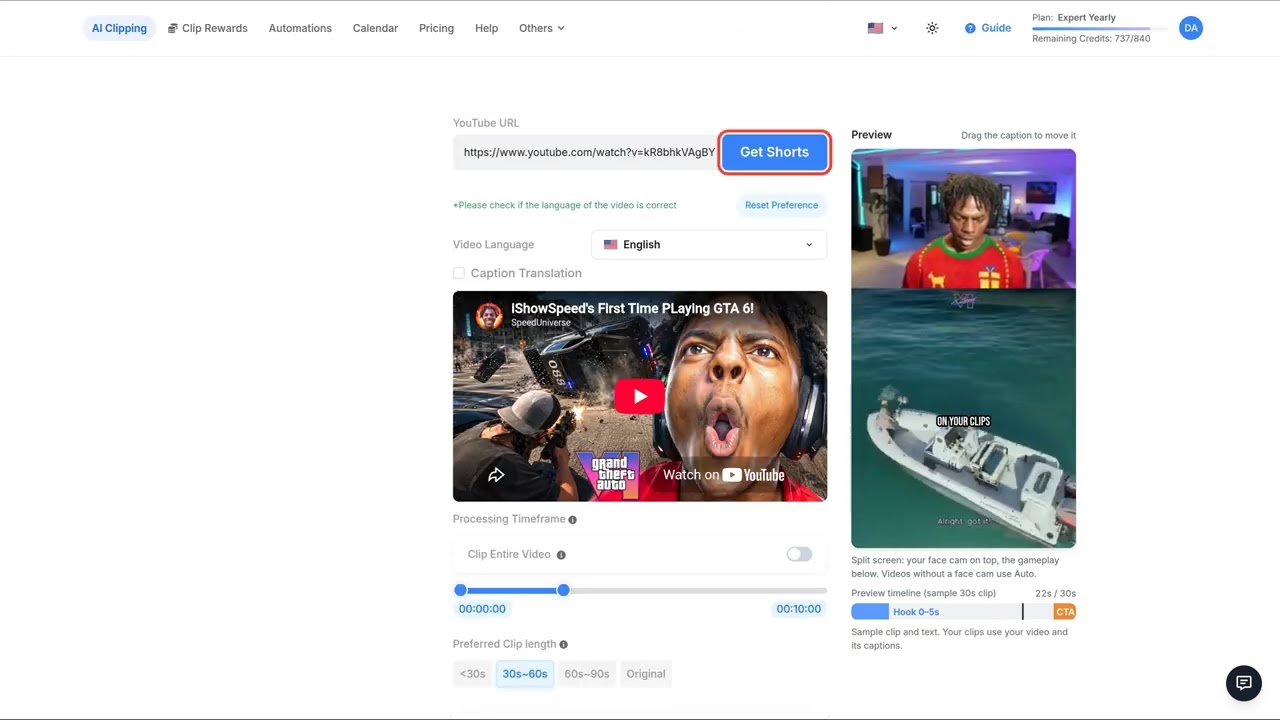
1. Game mode does the layout for you. Choose the Game video type and Ssemble builds a split screen with the face cam on top and gameplay below. That is the format viewers expect from gaming Shorts and TikToks, with no manual cropping of two regions.
2. It reads stream links directly. Paste a Twitch VOD, Kick, YouTube or Vimeo link, or upload MP4, MOV or WebM. For long URL sources, set a processing timeframe to point the AI at the ranked match, the boss fight or the final circle instead of the lobby.
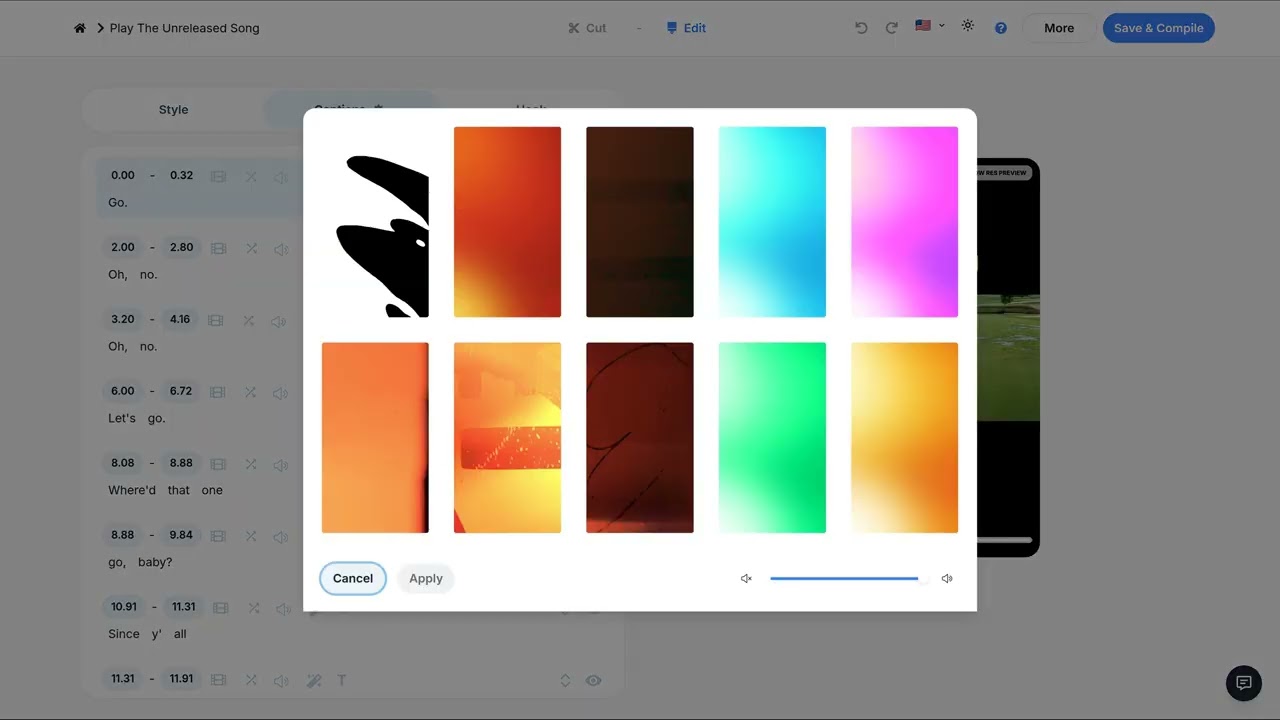
3. AI picks the moments, you polish them. The AI cuts the most engaging moments into multiple vertical clips. In the editor you can fix captions word by word, trim, re-crop and apply color filters.
4. Retention tools built for short attention. Animated caption templates, hook titles, sound effects, zoom, transitions, background music (library or your own MP3s), a logo overlay and an end screen.
5. Posting and automation. Schedule and auto-post to TikTok, YouTube Shorts, Instagram Reels and X. If you stream on YouTube, Channel Automation clips each new upload and each live stream after it ends and posts on your schedule (up to 21 clips per week per automation, no backfill). Pro and above also include an API.
6. Built for clippers too. If you clip other streamers, Ssemble's Clip Rewards marketplace connects clippers with brands and streamers who pay per view.
Trade-offs to know:
- No free plan. You pay from day one; plans start at $6/month billed yearly.
- No prompt search. You cannot type "find my 1v4 clutch." Use the processing timeframe to narrow the section, and the AI picks moments inside it.
- Channel Automation is for YouTube channels. Twitch and Kick VODs are pasted manually.
How to clip gaming videos in Ssemble
- Choose a plan at ssemble.com/pricing.
- Paste your VOD or video link (Twitch, Kick, YouTube, Vimeo) or upload the recording.
- Select the Game video type so clips use the face-cam-on-top, gameplay-below split screen.
- Set the processing timeframe to the part of the stream with the action.
- Pick a clip length (under 30 seconds, 30–60s or 60–90s) and a caption template.
- Add extras: hook title, sound effects, zoom, your channel logo as an image overlay, an end screen.
- Review and edit: check captions for game terms and names, trim, adjust the crop.
- Schedule across TikTok, YouTube Shorts, Instagram Reels and X so clips go out between streams.
What it costs: a real example
A gaming creator streams four times a week for 2 hours and clips every full VOD.
- Ssemble: a 2-hour VOD is 120 minutes = 6 credits. Four streams a week is 24 credits, about 104 credits a month. That fits Business (150 credits, $24/month billed yearly or $60 monthly).
- Fewer, longer edits: if you upload only the best 40 minutes of each stream (for long files you pick the part to upload), each is 2 credits, about 35 credits a month. That fits Expert (70 credits, $12/month billed yearly).
- OpusClip at 1 credit per minute: four 2-hour VODs a week is about 2,080 minutes a month, far beyond Pro's 300 credits.
For an uploader rather than a streamer, say eight 20-minute gameplay videos a month, that is just 8 credits, comfortably inside Pro at $6/month billed yearly.
When to pick something else
- You want to start free. OpusClip and Vizard have free tiers with watermarks, Klap gives a trial video. Ssemble has no free plan.
- You want a tool focused only on streaming. Eklipse and StreamLadder are built around streamers and stream highlights.
- You need to find a specific play by description. Ssemble has no prompt-based moment search.
- You need captions in 99+ languages. Klap lists 99+; Ssemble supports 50+ (53 in the app), which covers most gaming audiences.
Frequently Asked Questions
What is the best AI clipping tool for gaming videos and streams?
Ssemble is the best all-round pick for gaming: its Game video type builds a face-cam-on-top, gameplay-below split screen, it takes Twitch, Kick and YouTube links, adds captions and sound effects, and auto-posts to TikTok, Shorts and Reels from $6/month billed yearly. Eklipse and StreamLadder are gaming-focused alternatives.
Can Ssemble make split-screen gaming clips automatically?
Yes. Select the Game video type and Ssemble puts the face cam on top and the gameplay below in a 9:16 vertical clip, with no manual cropping.
Does Ssemble work with Twitch and Kick VODs?
Yes. Paste a Twitch VOD or Kick link (YouTube and Vimeo also work), optionally choose a processing timeframe, and Ssemble generates multiple vertical clips with captions.
Is Ssemble free for gamers?
No. Ssemble has no free plan. Pro is $15/month or $6/month billed yearly for 30 credits, where 1 credit covers one source video up to 20 minutes. Paid plans have no watermark and can be cancelled anytime.
Can I tell Ssemble which play to clip?
Not with a text prompt; Ssemble has no prompt-based moment search. You can set a processing timeframe so the AI only looks at the part of the stream you choose, then trim clips in the editor.
Gaming clips with the split screen done for you
Paste a Twitch, Kick or YouTube link, pick Game mode, and post captioned vertical clips. From $6/month billed yearly.
See Ssemble plans →
📚 Related Guides
Prices checked November 24, 2026. Pricing and features may change.
Ready to Start Clipping?
Transform long videos into engaging short-form clips with Ssemble's AI-powered tools.
Get Started
