Multi Language Audio: Create Shorts in Any Language from YouTube Videos

Eric Lee
CEO and Founder of Ssemble
What if you could take a single MrBeast video and turn it into viral Shorts in Hindi, Spanish, French, Portuguese, and many more languages — all without recording a single word?
That's now possible with Ssemble's Multi Language Audio feature. Many popular YouTube videos already come with multiple audio tracks in different languages. Ssemble lets you select any of those tracks and automatically create Shorts with that language's audio.
What Are YouTube Multi Language Audio Tracks?
YouTube allows creators to add audio tracks in different languages to their videos. Major channels like MrBeast, Kurzgesagt, and TEDx already offer their content in 10+ languages.
When a video has multiple audio tracks, YouTube serves them through HLS streams — separate audio files tagged with language codes like hi (Hindi), es (Spanish), fr (French), and more.
Previously, these alternative language tracks were only accessible through YouTube's built-in player. Now, Ssemble can detect and use them when creating your Shorts.
How It Works
Using multi language audio in Ssemble is simple:
1. Paste a YouTube URL
Start by pasting any YouTube video URL into Ssemble. If the video has multiple audio tracks, Ssemble will automatically detect them.
2. Select Your Language
Choose your preferred language from the Video Language dropdown. Ssemble shows only the languages that are actually available for that specific video.
3. Create Your Shorts
Ssemble downloads the video with your selected language's audio track and creates Shorts as usual — with AI-powered captioning, face tracking, hook titles, and everything else.
The result? A Short that sounds like it was originally recorded in that language.
Why This Matters for Clippers
The multi language audio feature opens up a massive opportunity for clippers:
Tap Into Global Audiences
- Hindi — India is TikTok's fastest-growing short-form market (via YouTube Shorts and Instagram Reels)
- Spanish — 500M+ native speakers across 20+ countries
- French — Rapidly growing creator economy in France and West Africa
- Portuguese — Brazil is one of the world's largest social media markets
- And many more — Japanese, Korean, German, Arabic, Italian, Indonesian, Turkish, and any other language available on the YouTube video
Multiply Your Content Without Extra Work
From a single source video, you can create multiple pieces of content by simply selecting different language tracks. Some popular videos offer 10+ languages — that's 10x the content from one source. Same viral moments, different audiences.
Less Competition, More Views
English-language clips are the most saturated. Clips in Hindi, Spanish, or Portuguese face significantly less competition while reaching massive audiences hungry for content.
No Translation or Voiceover Needed
Unlike traditional translation which requires voice actors, scripts, and audio editing, YouTube's multi language tracks are already professionally produced by the original creators. You're just selecting which track to use.
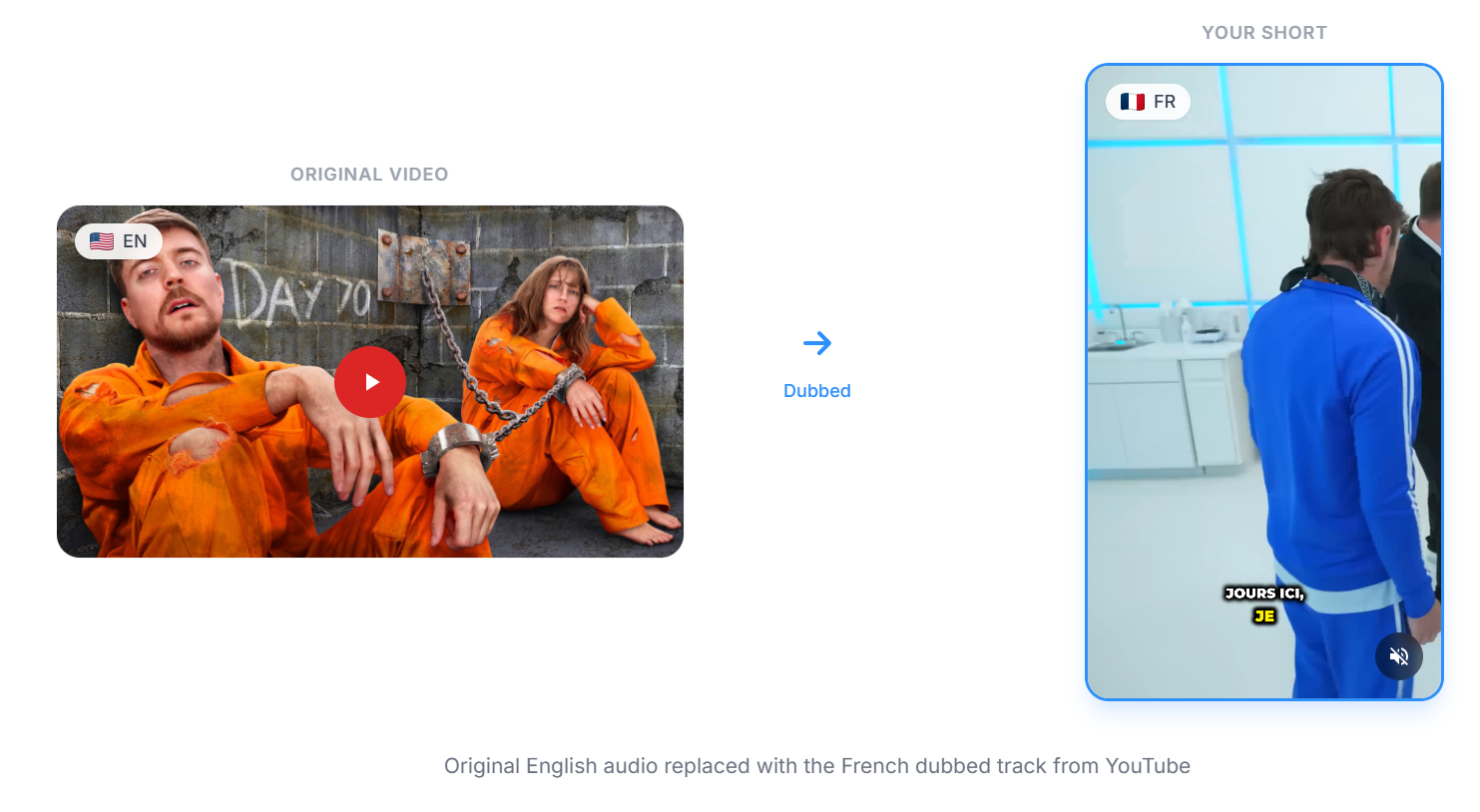
Real Example: MrBeast in Multiple Languages
Take MrBeast's video "Survive 100 Days Trapped, Win $500,000" — it has audio tracks in over 10 languages.
Using Ssemble, we created Shorts from this single video in Hindi, Spanish, French, and Portuguese — and we could have just as easily picked Japanese, Korean, German, or any other language the video offers.
Each Short has the same viral clip, but with completely different audio — ready to post to different regional accounts or pages. The number of languages you can use depends entirely on what the original YouTube creator has made available.
You can see examples live on our homepage in the Multi Language Audio section.
Which Videos Have Multi Language Audio?
Not every YouTube video has multiple audio tracks. Here's how to tell:
- Look for the audio track icon in the YouTube player (gear icon > Audio track)
- Large creators are most likely to have multiple language versions (MrBeast, Kurzgesagt, Veritasium, TEDx, etc.)
- Videos in trending/viral niches often get additional language tracks through YouTube's own program
When you paste a URL into Ssemble, the language dropdown automatically shows only the available languages for that video. If a video has no additional audio tracks, it will default to the original language.
Tips for Maximizing Multi Language Clips
1. Target One Language Per Account
Create separate TikTok/YouTube Shorts accounts for each language. A dedicated Hindi clips account will perform better than a mixed-language one.
2. Match Captions to Audio Language
When using Ssemble's auto-captioning with a different language track, the captions will automatically match the selected language — no manual translation needed.
3. Post at the Right Time
Each region has different peak hours. Post Hindi clips during IST evening hours, Spanish clips during CST prime time, and so on.
4. Use Volume to Your Advantage
With Ssemble's automation, you can produce clips in every available language from a single source video. Some videos offer 10+ languages — that's 10x the content with essentially the same effort.
Get Started
The Multi Language Audio feature is available now on Ssemble. Simply paste a YouTube URL, select your language, and start creating clips that reach audiences worldwide.
Ssemble Tools:
- AI Clip Maker →
- AI Caption Generator →
- YouTube Shorts Maker →
- Instagram Reels Maker →
- Long Video to Shorts →
Create Multi-Language Shorts Today
Turn one YouTube video into viral Shorts in Hindi, Spanish, French, Portuguese and more — automatically with Ssemble.
Try It NowReady to Start Clipping?
Transform long videos into engaging short-form clips with Ssemble's AI-powered tools.
Get Started